CONTROLS Cont.
11
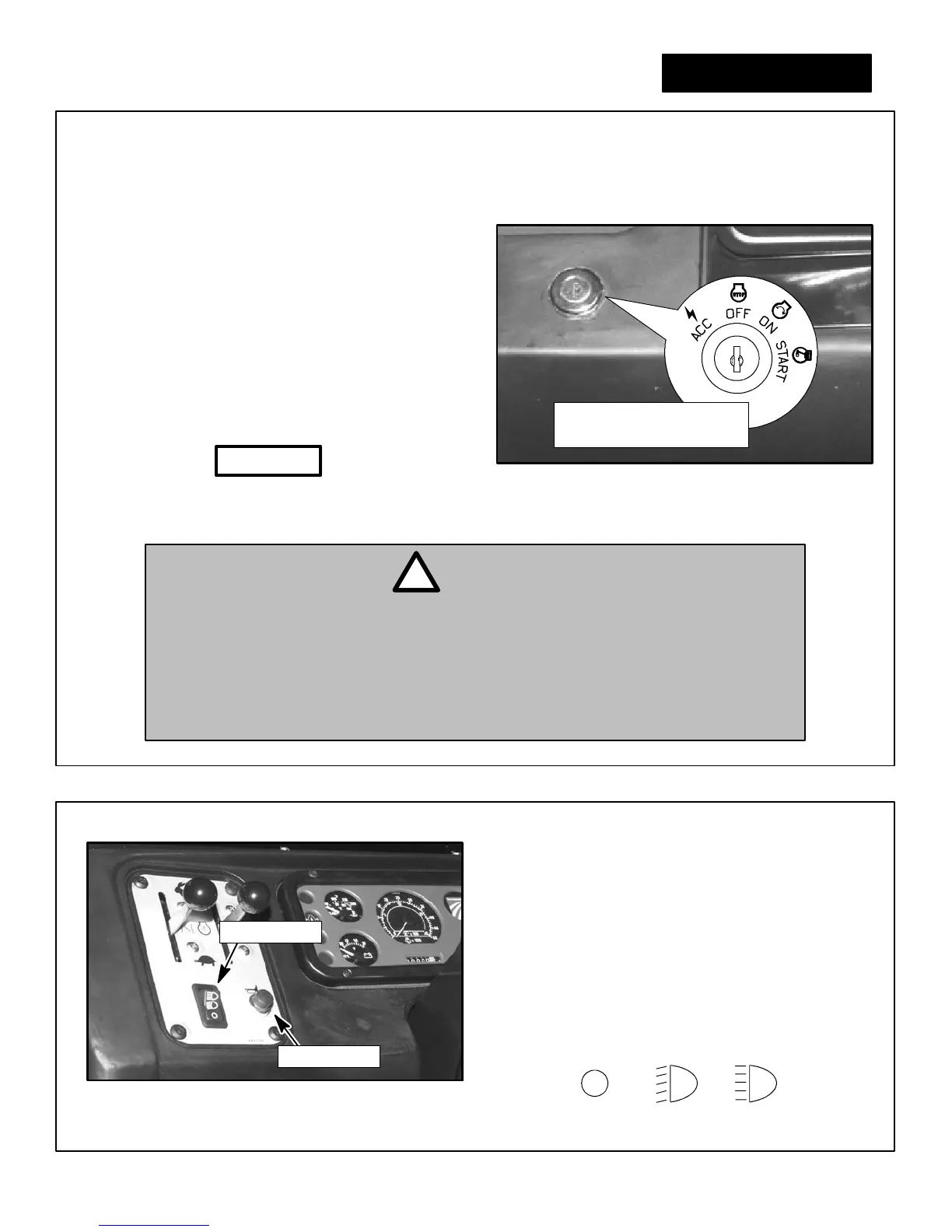
3. ON POSITION -- Key is placed in this position for normal
engine operation.
4. START POSITION -- Hold key in start position to
engage engine starter. Upon release, key will return to
ON position automatically. Key must be returned to
the OFF position before the starter can be reacti-
vated.
IGNITION SWITCH
Figure 9
Four Position Ignition Switch
• DO NOT turn key to STAR T position with vehicle engine
running. Damage to flywheel teeth may result.
NOTICE
1. ACCESSORY POSITION -- Allows use of various instruments and accessories without causing ignition
system damage.
2. OFF POSITION -- Prevents function of all vehicle electri-
cal power operated features except for the flasher (haz-
ard) lights, and the radiator cooling fan. Switch must be
in OFF position for key removal.
• Never turn the key to the START position unless the clutch pedal is depressed
(pushed down) or the gear selector is in neutral. If the vehicle is in any gear other
than neutral, and the clutch pedal is not depressed when the engine is started, the
vehicle may lurch forward or backward depending which gear the vehicle is in.
This lurching could cause serious personal injury or death.
DANGER
!
Ignition Switch Position
(Shown as reference only)
• If the engine will start without depressing the clutch pedal the clutch interlock system
should be repaired immediately by your authorized Cushman dealer .
Figure 10
Horn Button and Light Switch Location
HORN BUTTON
The horn button is located to the left of the steering
wheel, below the dash panel. Depress to sound horn.
Horn will not sound when the ignition switch is in the
OFF position.
LIGHT SWITCH
The light switch is used to turn the headlights and tail-
lights on. The switch has three detents, OFF, DIM, and
BRIGHT. Push switch up one detent for DIM or push
switch up two detents for BRIGHT.
OFF DIM
(1st Detent)
BRIGHT
(2nd Detent)
HEADLIGHT OPERATION SYMBOLS
Light Switch
Horn Button



 To Next Page