ACCESSORIES
43
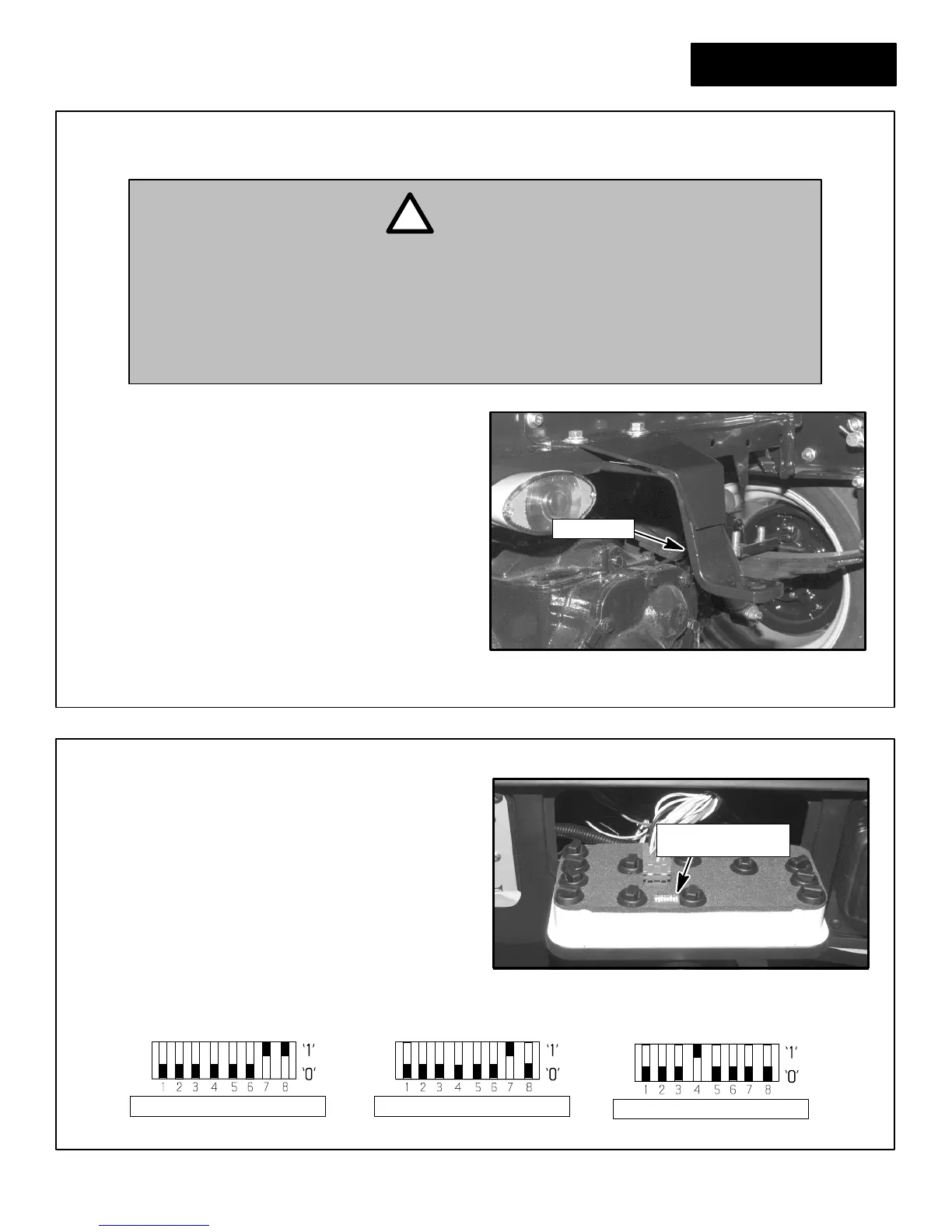
Figure 62
Trailer Hitch
This vehicle is capable of pulling trailers and other equip-
ment of greater weight than the vehicle itself, so caution
and good judgment must be used to avoid losing con-
trol of the vehicle while braking or cornering.
Connect the equipment to be pulled to the trailer hitch on
the rear of the vehicle. Secure using a tow pin or similar
object. Be sure to secure the tow pin (or similar object) so
it cannot fall out of the mounting hole.
Trailor Hitch
DASH PANEL DIPSWITCH SETTINGS
Remove the four (4) screws securing the instrument
panel to the dash.
Pull the instrument panel out and tilt forward to gain
access to the rear of the panel (See Fig. 63).
Using a small blade screwdriver or similar tool, push the
switch levers either up or down using the following
sequence codes (the top of the dash panel will be refer-
enced as “position 1”).
Figure 63
Dash Panel Dipswitch Location
Dipswitch Settings
Location
SEQUENCE CODE 00000011
MODELS: 898671 & 898673
WARNING
!
x NEVER pull loads which may exceed the braking capacity of the vehicle. The operator
must determine if the Cushman vehicle has adequate braking capacity to stop either a
loaded or unloaded vehicle and the trailer on the type(s) of surface(s) and grade(s) on
which the vehicle will be operated.
x Position the load on the trailer so that the tongue weight on the towing vehicle will not
cause instability or affect steering control.
x NEVER make sudden stops, turns or accelerations when towing a trailer or equipment.
TOWING A TRAILER ( Trailer Hitch)
Tachometer (Standard)
SEQUENCE CODE 00000010
MODELS: 898627 & 898628
Tachometer (Standard)
SEQUENCE CODE 00010000
MODEL: 898695
Tachometer (Standard)



 To Next Page