V0913, 10.7
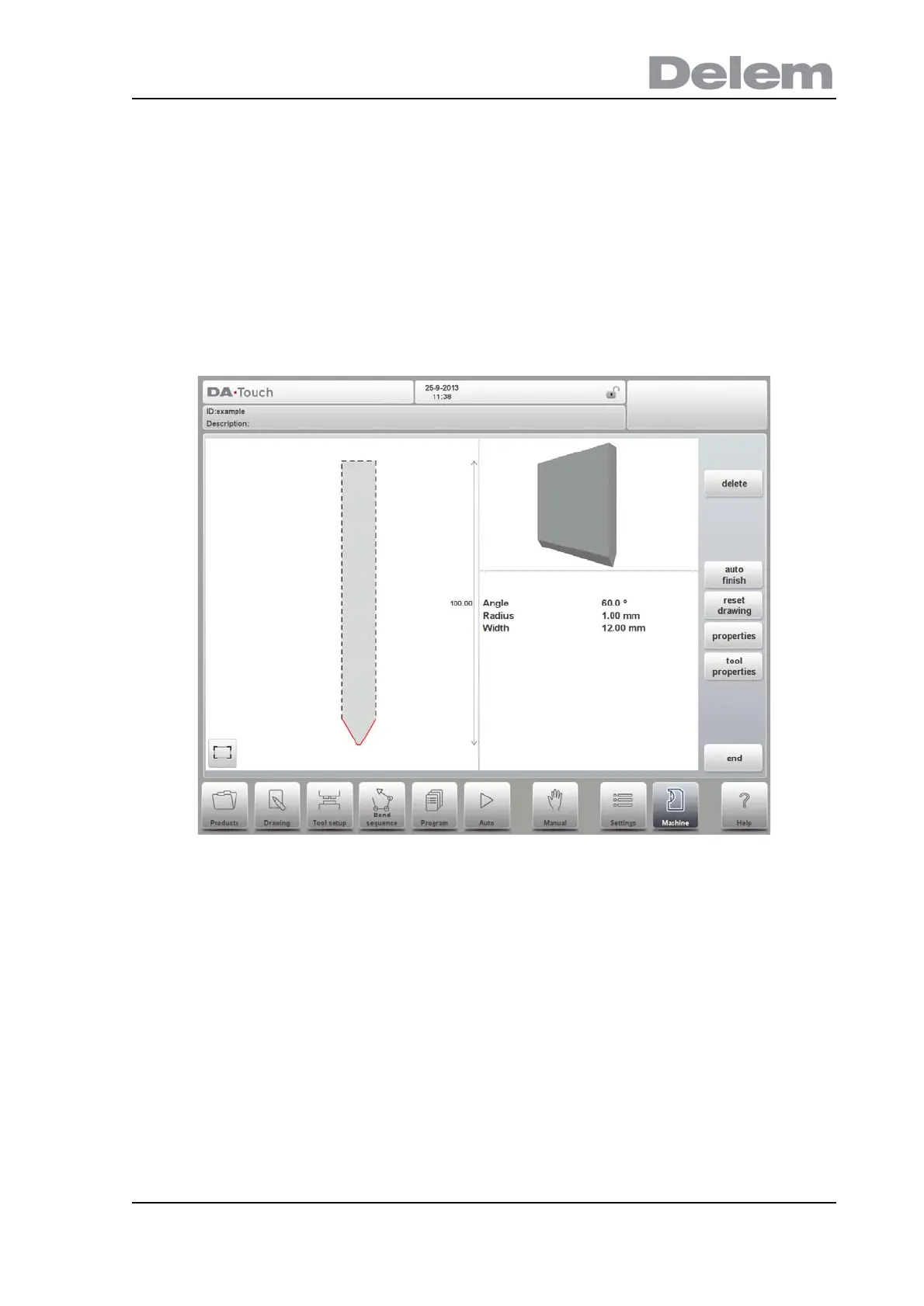
Drawing orientation of the punch on the screen
The right hand side of the tool is the back gauge side. The bottom point of the punch will be
placed on the center line of the press brake shape.
Drawing
After entering these typical values you can create the tool drawing with the drawing facilities.
Drawing a tool profile is done by entering angle values and line length values. Also the Touch
drawing tools are available as with the product drawing method.
Following functions are available while drawing
Delete Line
To delete a line segment.
Change Height
To change the height dimension of the tool.
Auto Finish
Finishing the tool outline to the top of the tool automatically.
Reset Drawing
To reset the programmed drawing of the tool till the basic, initial shape.
Properties



 To Next Page