15
Operating Concept
Screen ergonomics
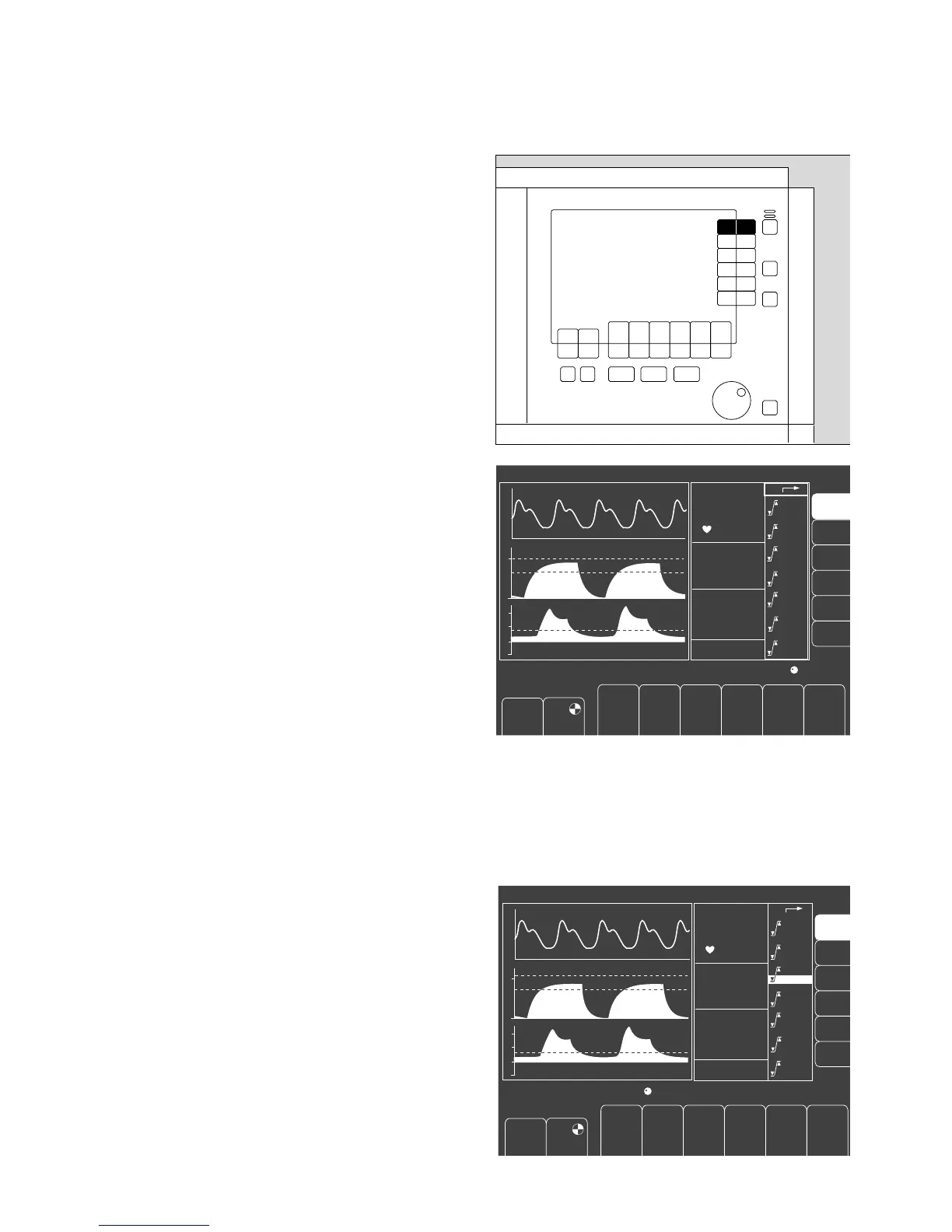
Selecting / setting monitoring functions
For example, to change the lower alarm limit of the end-
tidal CO2 concentration.
1 Press the »alarm limits« softkey. The alarm limits
menu is displayed on the screen.
● Select the alarm limit value = turn the rotary knob.
Confirm the selection = press the rotary knob.
The limit value is highlighted.
Example: lower alarm limit etCO2: <30
● Set the alarm limit value = turn the rotary knob.
● Confirm the new alarm limit = press the rotary knob.
The cursor returns to the zsymbol.
Julian
1
Pleth
IPPV
CO2
40
0
PAW
600 10
1:2
10 0251.0050
98
67
38
6.0
29
0.8
--
95
3.0
--
20
1.0
0.0
40
8
120
50
--
Select limit: Turn and confirm ! !
42
30
0
20
FiO
2
FiHal.
PAW
SpO
2
etCO
2
MV
alarm
limits
auto set
limits
alarm
info
list
curves
config.
O
2
%
L/min
PEEP
mbar
Freq.
1/min
V
T
mL
T
I
:T
E
T
IP
:T
I
%
Pmax
mbar
Freshgas O
2
+ N
2
O
Pleth
IPPV
CO
2
40
0
600 10
1:2
10 0251.0050
98
67
38
6.0
29
0.8
--
95
3.0
--
20
1.0
0.0
40
8
120
50
--
Adjust limit value: Turn and confirm !
42
30
PAW
0
20
FiO
2
FiHal.
PAW
SpO
2
etCO
2
MV
alarm
limits
auto set
limits
alarm
info
list
curves
config.
O
2
%
L/min
PEEP
mbar
Freq.
1/min
V
T
mL
T
I
:T
E
T
IP
:T
I
%
Pmax
mbar
Freshgas O
2
+ N
2
O
"Only for internal use by Draeger. Not applicable as Instructions for Use!"















 To Next Page