Configuring in Standby Mode
Setting default values
88
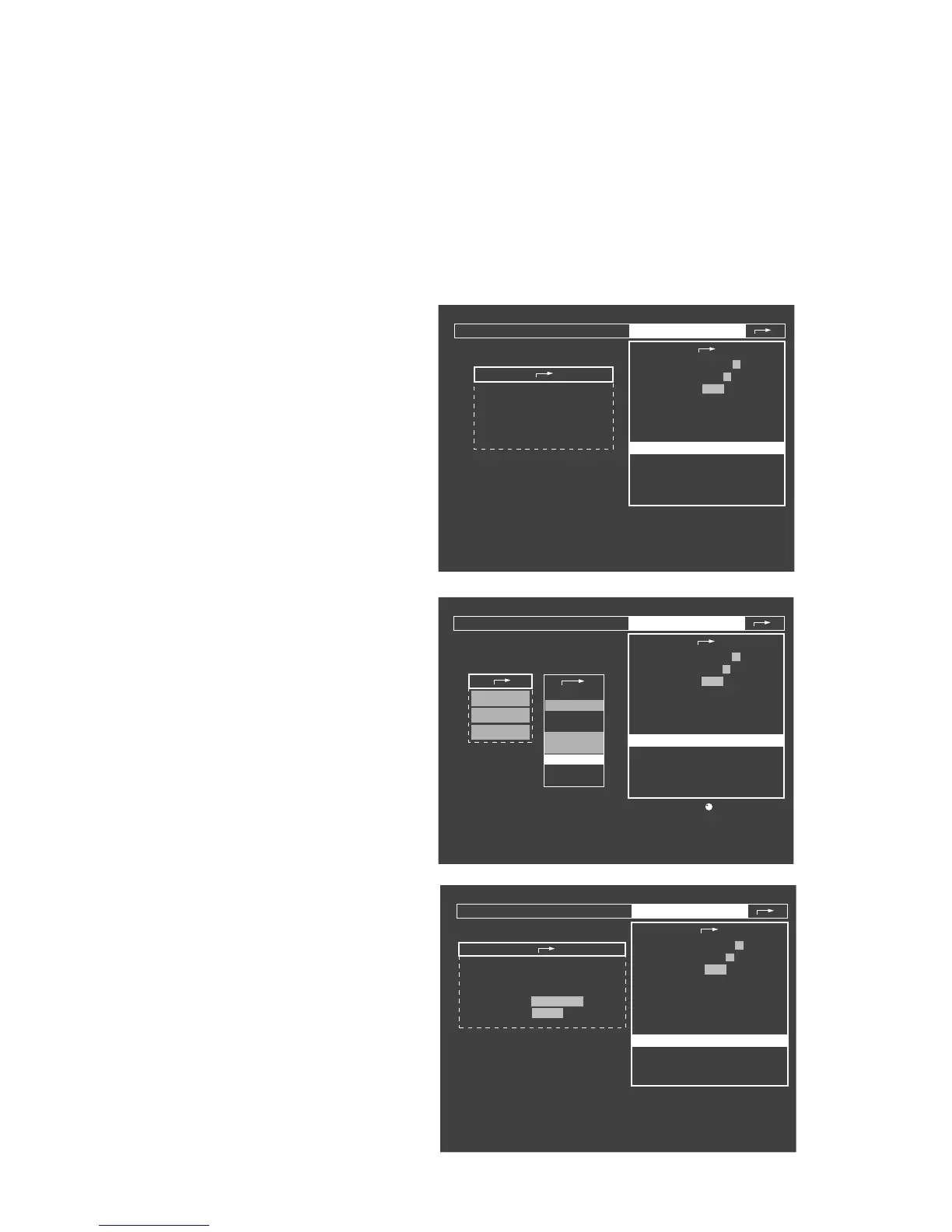
Configuring curves
Three standard curves can be configured for each of the
ventilation modes: MAN/SPONT, IPPV, PCV and Fresh
gas external.
● Turn the rotary knob to select the line »curves« and
press to confirm.
The selection menu appears in the left-hand field.
Display (example):
● Select the required ventilation mode with the rotary
knob:
The »Standard IPPV screen« has been selected in the
example:
The currently selected parameters appear in the left-hand
field, followed by the selection menu with the curves
which can be selected.
● Select the required parameter in the selection menu
with the aid of the rotary knob and press to confirm.
The parameter appears against a white background.
● Select and confirm the position of the new parameter
with the rotary knob.
The corresponding position remains unused if »blank«
is selected.
Setting basic configurations
for time, date, language and tone sequence.
● Turn the rotary knob to select the line
»basic configurations« and press to confirm.
The selection menu appears in the left-hand field.
Display (example):
Standby / Configuration
anesth. agent
calibration
0 1 2 3 4 5 6 7 8 9
1 2 3 4 5 6 7 8 9
adult child
default settings
Screen configuration menu.
pulse tone
alarm sound
scale
parameters
record
interfaces
alarm limits
curves
basic configurations
IPPV default settings
PCV default settings
fresh gas delivery
default curves Man./Spont.
default curves IPPV
default curves PCV
default curves freshgas external
Standby / Configuration
anesth. agent
calibration
0 1 2 3 4 5 6 7 8 9
1 2 3 4 5 6 7 8 9
adult child
default settings
To select curve position: turn and confirm .
pulse tone
alarm sound
scale
parameters
record
interfaces
alarm limits
curves
basic configurations
IPPV default settings
PCV default settings
fresh gas delivery
CO2
PAW
Pleth
default curves IPPV
CO
2
PAW
Flow
Volumeter
Pleth
O
2
AGas
blank
Pressures
Standby / configuration
anesth. agent
Calibration
0 1 2 3 4 5 6 7 8 9
1 2 3 4 5 6 7 8 9
adult child
default settings
Menu for setting time, date, language and tone sequence.
pulse tone
alarm sound
scale
parameters
record
interfaces
alarm limits
curves
basic configurations
IPPV default settings
PCV default settings
fresh gas delivery
time
date
language
tone sequence
08 : 15
day month year
27 - 10 - 98
English (GB)
Dräger Euro-stand.
"Only for internal use by Draeger. Not applicable as Instructions for Use!"















 To Next Page