Vigor2760 Series User’s Guide
181
Reset
Click it to retrieve the default settings of this page.
Refresh
Click it to fresh the web page.
Enable
Display the activation status of the user object profile.
Enable – The user object profile is available for choosing.
Disable – The user object profile is not available for
choosing.
Name
Display the name of the profile.
The profile with a name - admin is defined in default.
Privilege
Display the authority that the selected object has.
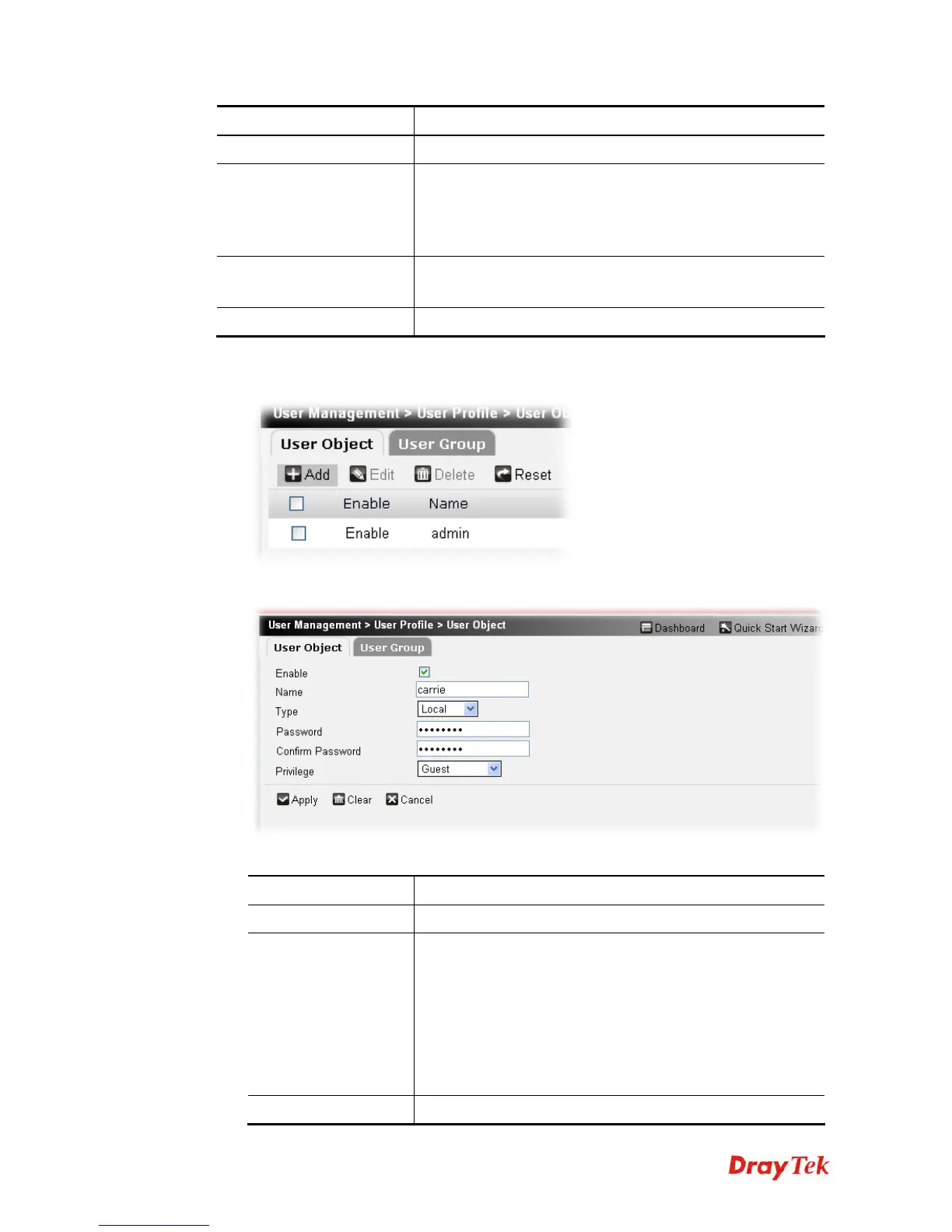
To create a new user object profile, please do the following:
1. Click the Add button.
2. The following setting page will appear.
Available parameters are listed below:
Item Description
Enable
Check this box to enable the user object.
Name
Type a name for such user object.
When a user tries to access Internet through this router, an
authentication step must be performed first. The user has to
type the User Name specified here to pass the authentication.
When the user passes the authentication, he/she can access
Internet via this router. However the accessing operation will
be restricted with the conditions configured in this user
profile.
Type
The router will authenticate the dial-in user by itself or by











 To Next Page