Vigor2760 Series User’s Guide
256
Method above. You can define a name to be used by local user
and the peer user. If no name specified here, the system will
use My WAN IP as the local ID and the Remote Host as the
Peer ID configured in this web page.
Phase1 Mode –Select from Main mode and Aggressive mode.
The ultimate outcome is to exchange security proposals to
create a protected secure channel. Main mode is more secure
than Aggressive mode since more exchanges are done in a
secure channel to set up the IPSec session. However, the
Aggressive mode is faster. The default value in Vigor router is
Main mode.
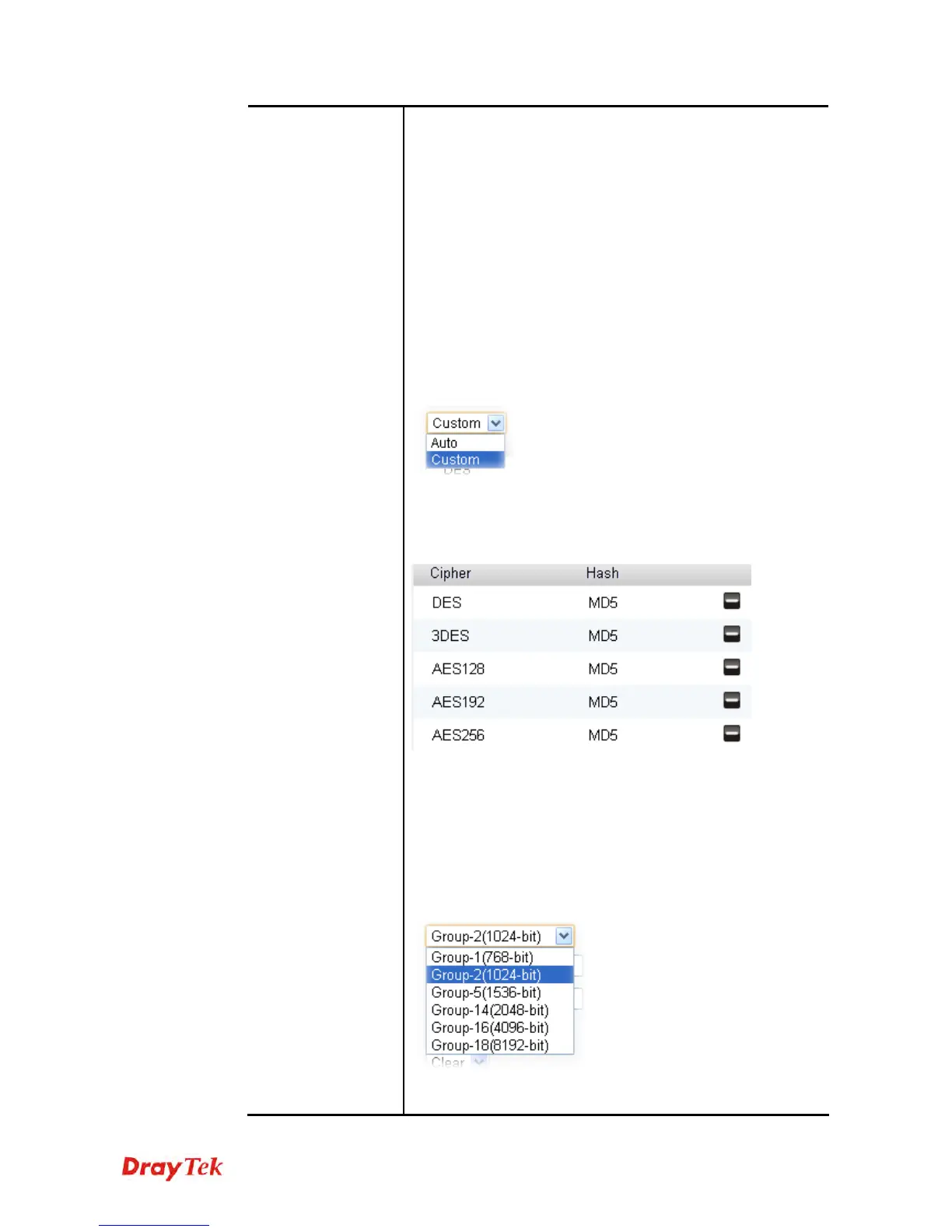
IKE Proposals –To propose the local available authentication
schemes and encryption algorithms to the VPN peers, and get
its feedback to find a match. We suggest you select the
combination that covers the most schemes.
Phase1 / Phase2 –It is available if Custom for IKE Proposals
is selected above. Simply move your mouse on each item and
click on it. A pop up dialog will appear for you to modify the
value of Hash.
There are several options offered in default. If you click the “-”
button to remove one of them, a “+” button will appear to let
you add another one option instead.
Phase1 DH Group / Phase2 DH Group –It is available if
Custom for IKE Proposals is selected above. Both parameters
are used to choose the length of the session key. The more the
length is, the safer the data transmission will be. However, the
time to generate the security key will be long.
Phase1 Key Lifetime (min) –For security reason, the lifetime
of key should be defined. The default value is 28800 seconds.











 To Next Page