Vigor2760 Series User’s Guide
269
E-mail
Type the e-mail address for such certificate.
Key Size
Choose one of the key sizes for such certificate.
Passphase
Such string will be used for confirmation while signing remote
CA. It is similar to a password but generally it is longer for
security.
Confirm
Passphrase
Type the string again for confirmation.
Apply
Click it to save the settings.
Clear
Click it to remove the modification of the web page.
Cancel
Click it to exit the web page without saving the configuration.
3. After finished the settings above, click Apply to save the file.
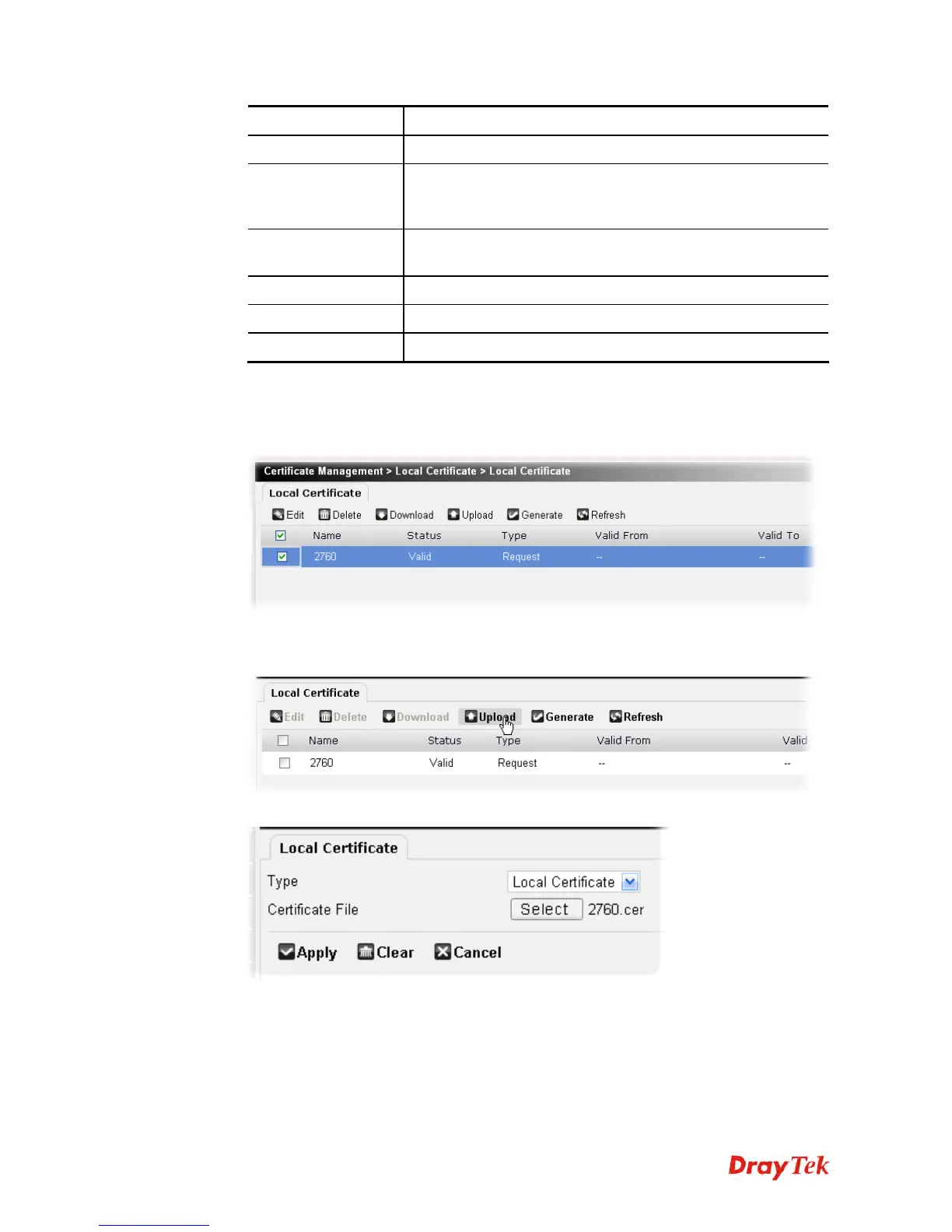
4. Select the new generated certificate request and click Download to download the request
to the PC.
5. A CA server shall sign the certificate request and send it back to the PC.
6. Next, click Upload to transmit the issued certificate from the PC to your router.
7. Choose Local Certificate as the Type and click Select File to locate the one you want.











 To Next Page