Vigor2760 Series User’s Guide
27
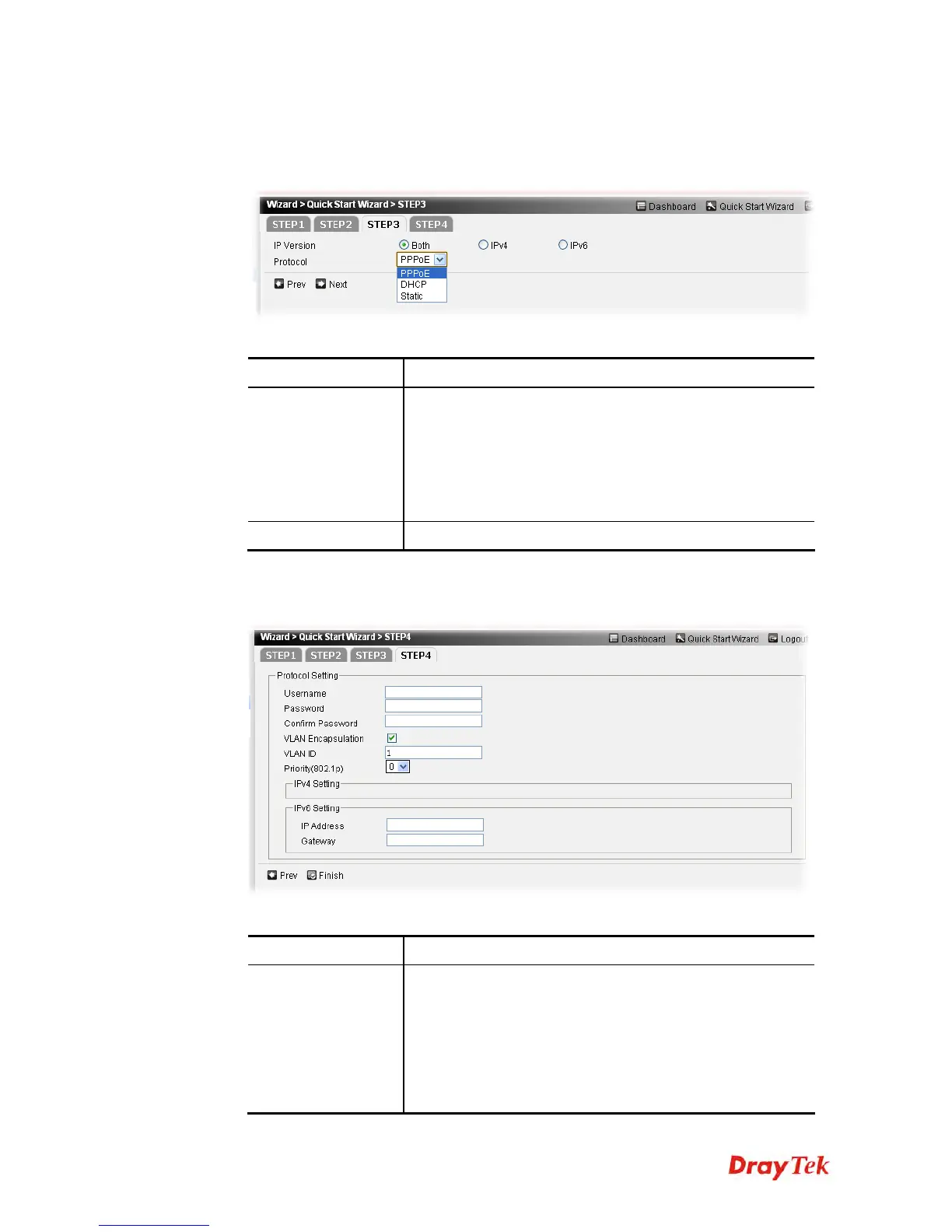
7. For the WAN Type of Ethernet, you will see the following page. Choose the IP version,
and Protocol according to the information from your ISP. For example, you should select
PPPoE mode if the ISP provides you PPPoE interface. Then, click the Next button for
next page.
Available parameters are listed as follows:
Item Description
IP Version
The type of the IP address is determined by the option
selected here.
Both – You have to type IP address based on IPv4 and IPv6
address(es) at the same time.
IPv4 – You have to type IP address based on IPv4.
IPv6 – You have to type IP address based on IPv6.
Protocol
There are three protocols for you to choose.
PPPoE: if you click PPPoE as the protocol, please manually type the
Username/Password and type the values for ADSL settings provided by your ISP. Then
click Finish to complete the configuration.
Available parameters are listed as follows:
Item Description
Protocol Setting
Username - It is available for PPPoE/PPPoA only. Assign a
specific valid user name provided by the ISP.
Password - It is available for PPPoE/PPPoA only. Assign a
valid password provided by the ISP.
Confirm Password - Type the password again for
confirmation.
VLAN Encapsulation – It is available for PPPoE only. It is











 To Next Page