Vigor2760 Series User’s Guide
47
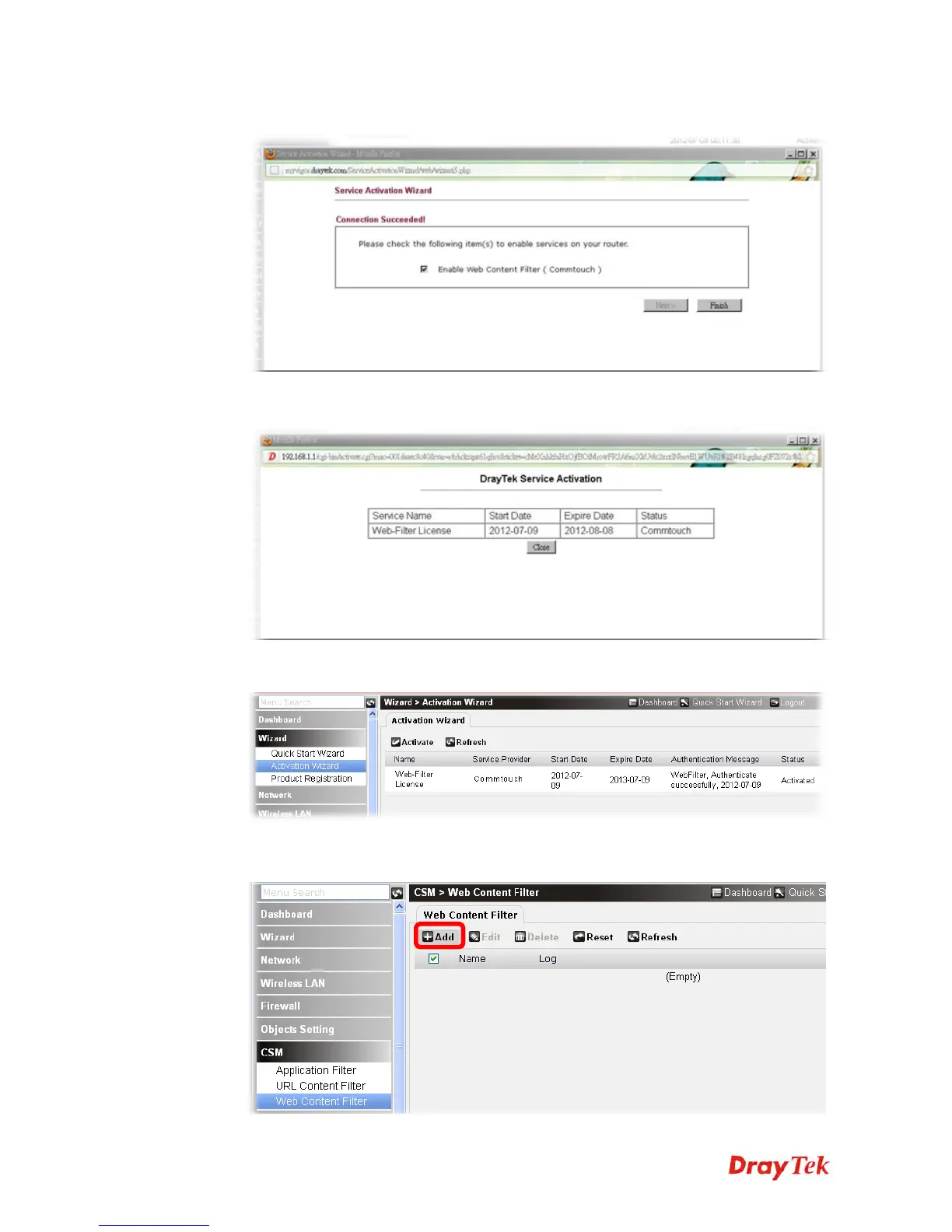
5. When the following web page appears, simply click Finish.
6. Now, the one month free trial of WCF mechanism has been activated correctly.
7. Click Close to return to the web configurator of Vigor router.
8. Open CSM>>Web Content Filter. Click Add to configure new WCF rule for special
purpose (e.g., child protection).











 To Next Page