Vigor2760 Series User’s Guide
48
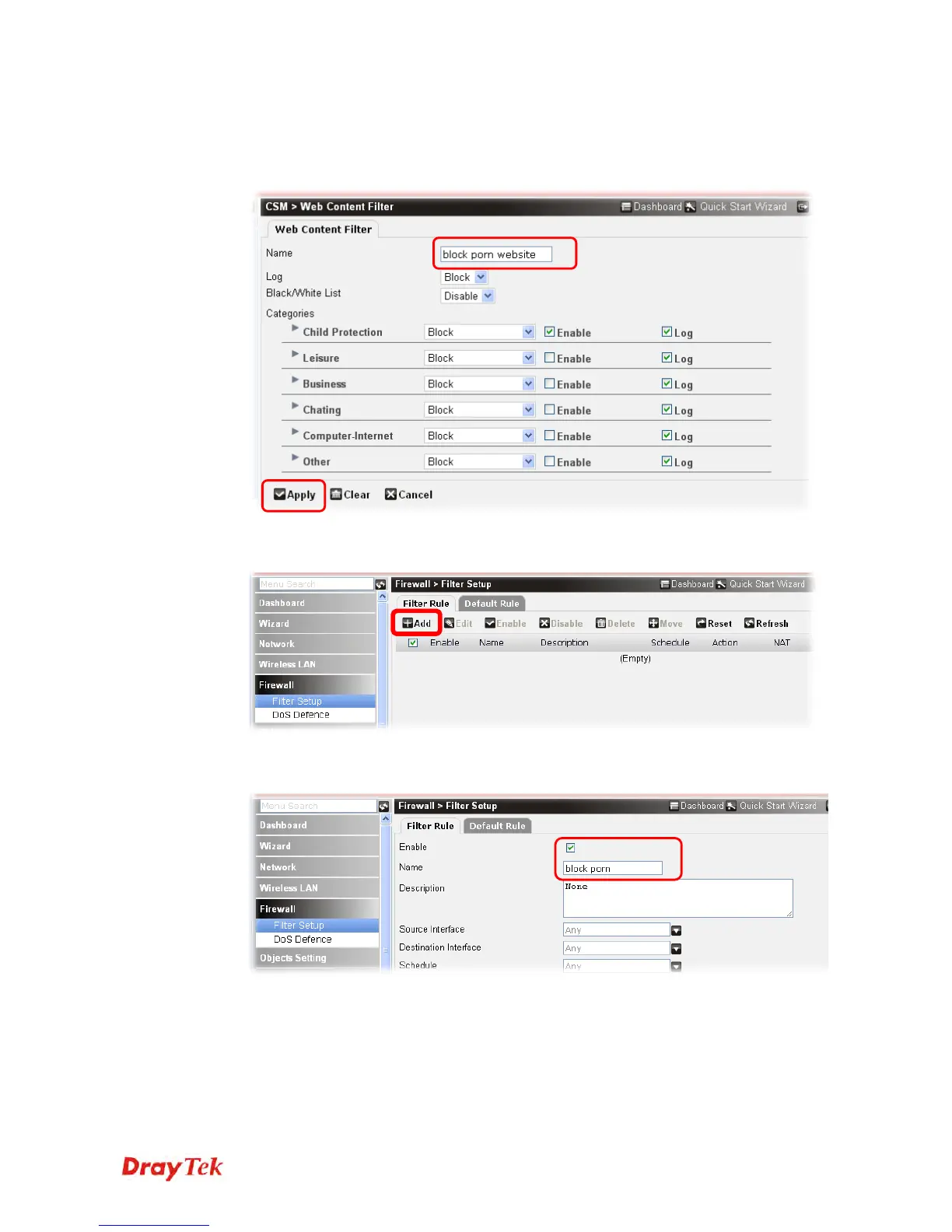
9. In the field of Name, type block porn website as the rule name. In this case, Child
Protection is the chosen category, so check the box of Enable for it and choose Block as
the filtering way. Use the default settings for other categories in this page. When you
finished, click Apply.
10. Next, open Firewall>>Filter Setup to set a rule to activate the new created WCF rule
(e.g., block porn website). Click Add.
11. In the following web page, check the box of Enable and type block porn as a firewall
rule name. Choose block porn website as the Web Content Filter (WCF).











 To Next Page