3
Printing With Various Functions
73
○○○○○○○○○○○○○○○○○○○○○○○○○○○○○○○○○○○○○○○○○○○○○○○○○○○○○○○○○○○○○
Proceed with steps 1 to 5 of the sequence described in “Basic Printmaking” (
aa
aa
a page 32).
○○○○○○○○○○○○○○○○○○○○○○○○○○○○○○○○○
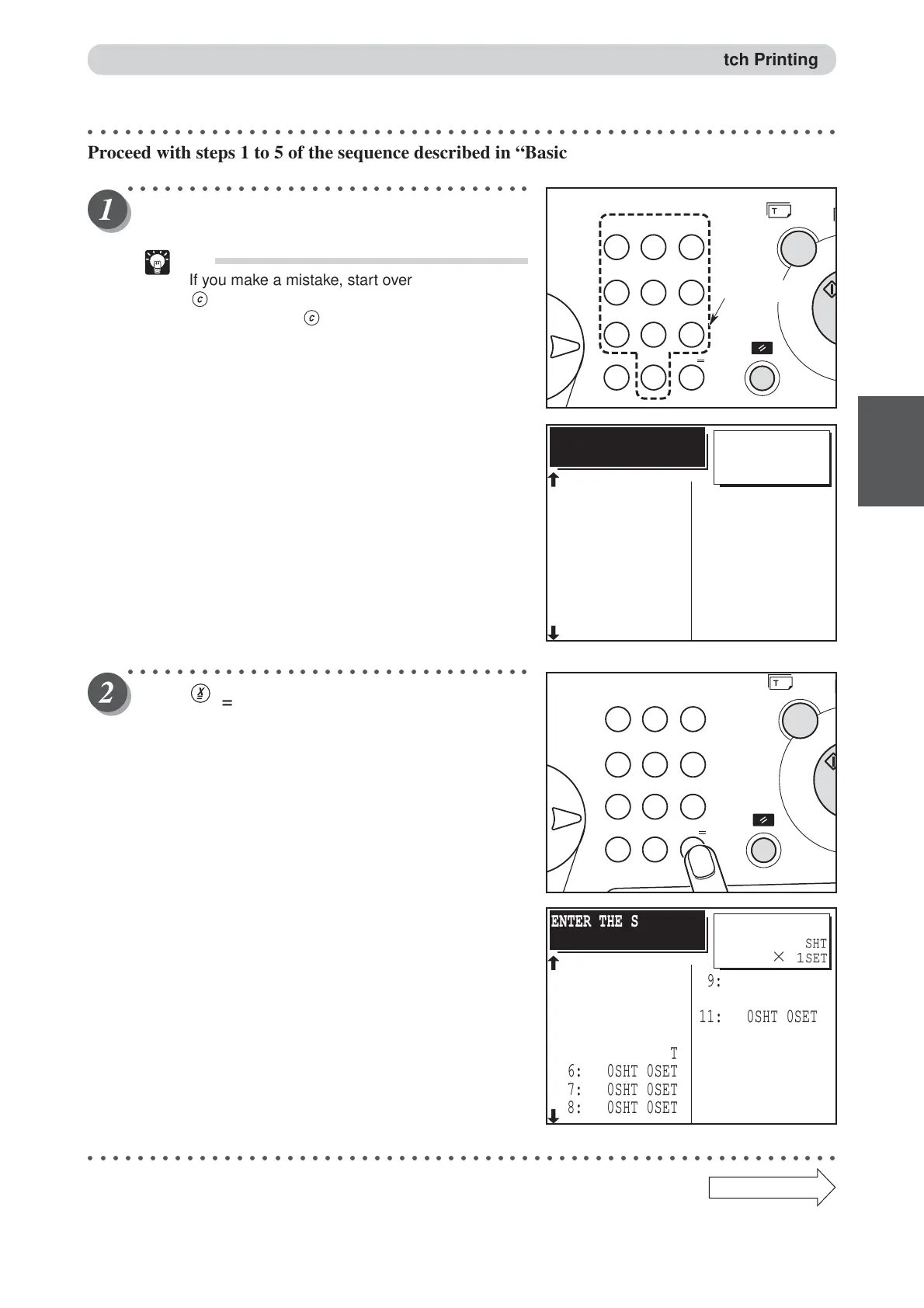
Using the key pad, enter the number of prints.
Example: 25
Tip
• If you make a mistake, start over again by press
(CLEAR) key and start from the beginning.
When you press (CLEAR) key, both the
number of prints and the number of sets are
cancelled.
○○○○○○○○○○○○○○○○○○○○○○○○○○○○○○○○○
Press (X) key.
The current set is displayed on the LCD panel.
Example: 1st set
○○○○○○○○○○○○○○○○○○○○○○○○○○○○○○○○○○○○○○○○○○○○○○○○○○○○○○○○○○○○○
Continue Page
•••
Batch Printing
=
SHT
×
1
SET
ENTER THE SHT/SET
3: 0SHT 0SET
1: 25SHT 0SET
2: 0SHT 0SET
4: 0SHT 0SET
5: 0SHT 0SET
6: 0SHT 0SET
7: 0SHT 0SET
8: 0SHT 0SET
11: 0SHT 0SET
9: 0SHT 0SET
10: 0SHT 0SET
12: 0SHT 0SET
13: 0SHT 0SET
14: 0SHT 0SET
15: 0SHT 0SET
BATCH PRINT
25
123
456
789
C0
X
Ten keys
123
456
789
C0
X
SHT
×
1
SET
ENTER THE SHT/SET
3: 0SHT 0SET
1: 25SHT 0SET
2: 0SHT 0SET
4: 0SHT 0SET
5: 0SHT 0SET
6: 0SHT 0SET
7: 0SHT 0SET
8: 0SHT 0SET
11: 0SHT 0SET
9: 0SHT 0SET
10: 0SHT 0SET
12: 0SHT 0SET
13: 0SHT 0SET
14: 0SHT 0SET
15: 0SHT 0SET
BATCH PRINT
25






 To Next Page