74
○○○○○○○○○○○○○○○○○○○○○○○○○○○○○○○○○
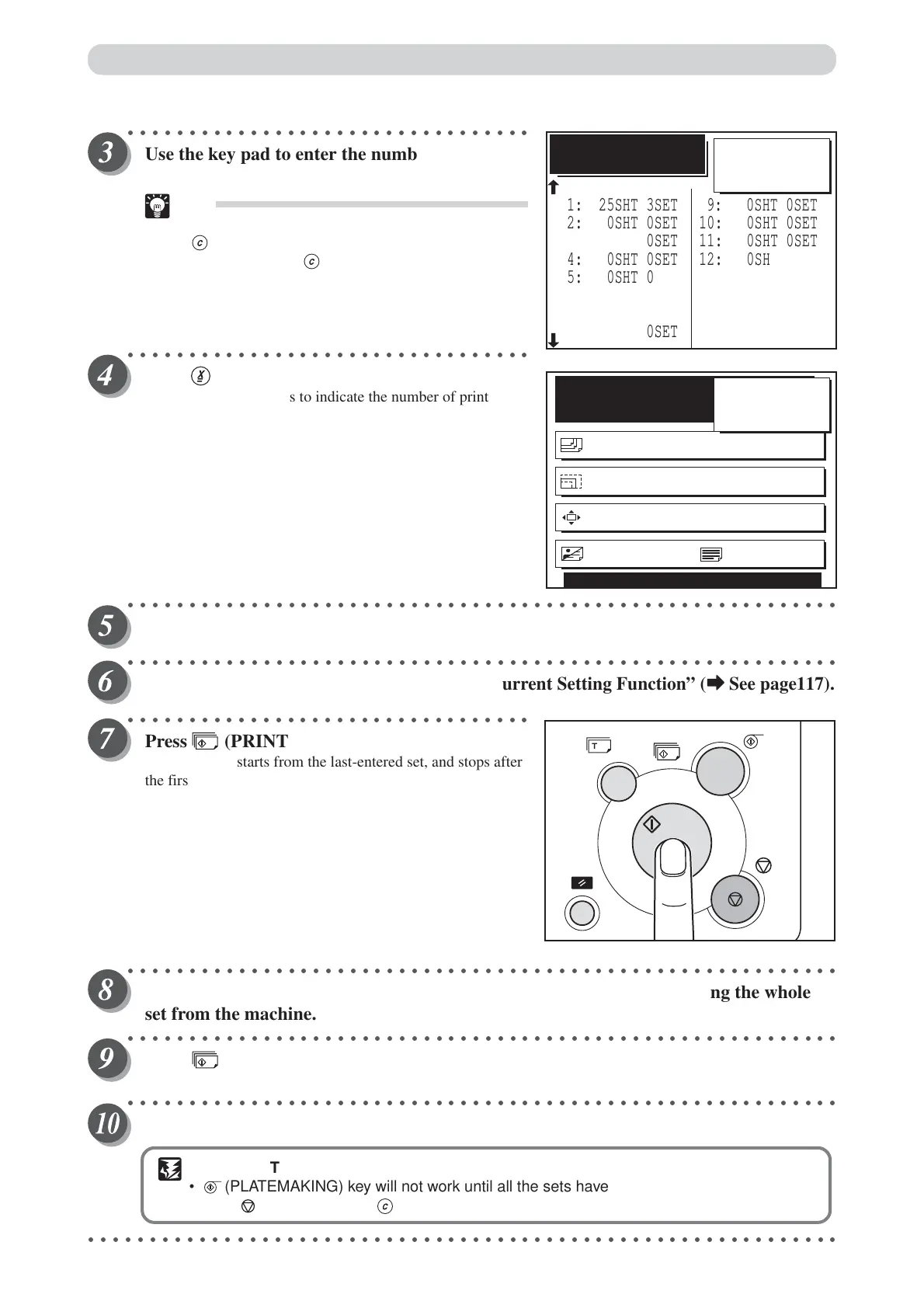
Use the key pad to enter the number of sets.
Example: 3 sets
Tip
• If you make a mistake, start over again by press
(CLEAR) key and start from the beginning.
When you press (CLEAR) key, both the
number of prints and the number of sets are
cancelled.
○○○○○○○○○○○○○○○○○○○○○○○○○○○○○○○○○
Press (X) key.
The LCD panel changes to indicate the number of prints, and
the first entered number of prints is displayed.
○○○○○○○○○○○○○○○○○○○○○○○○○○○○○○○○○○○○○○○○○○○○○○○○○○○○○○○○○○
Repeat steps 1 to 4.
○○○○○○○○○○○○○○○○○○○○○○○○○○○○○○○○○○○○○○○○○○○○○○○○○○○○○○○○○○
Check the settings for any errors using the “Current Setting Function” (
aa
aa
a See page117).
○○○○○○○○○○○○○○○○○○○○○○○○○○○○○○○○○
Press (PRINT) key.
The print runs starts from the last-entered set, and stops after
the first set of printouts.
○○○○○○○○○○○○○○○○○○○○○○○○○○○○○○○○○○○○○○○○○○○○○○○○○○○○○○○○○○
Collate by inserting a piece of paper that acts as a marker or by removing the whole
set from the machine.
○○○○○○○○○○○○○○○○○○○○○○○○○○○○○○○○○○○○○○○○○○○○○○○○○○○○○○○○○○
Press (PRINT) key.
The print run starts.
○○○○○○○○○○○○○○○○○○○○○○○○○○○○○○○○○○○○○○○○○○○○○○○○○○○○○○○○○○
Repeat steps 8 and 9 until all entered sets have been printed.
IMPORTANT
• (PLATEMAKING) key will not work until all the sets have been printed.
•Press (STOP) key then (CLEAR) key to abort the print run.
○○○○○○○○○○○○○○○○○○○○○○○○○○○○○○○○○○○○○○○○○○○○○○○○○○○○○○○○○○○○○
SHT
×
3
SET
ENTER THE SHT/SET
3: 0SHT 0SET
1: 25SHT 3SET
2: 0SHT 0SET
4: 0SHT 0SET
5: 0SHT 0SET
6: 0SHT 0SET
7: 0SHT 0SET
8: 0SHT 0SET
11: 0SHT 0SET
9: 0SHT 0SET
10: 0SHT 0SET
12: 0SHT 0SET
13: 0SHT 0SET
14: 0SHT 0SET
15: 0SHT 0SET
BATCH PRINT
25
READY
PAPER SIZE A4
ZOOM 100%
PRINT POS. 0.0mm 0.0mm
SHT
3
SET
×
IMAGE MODE TEXT
25
Batch Printing
=






 To Next Page