SV-BAT-320 Installation
9-2 SkyView System Installation Guide - Revision K
Physical Installation
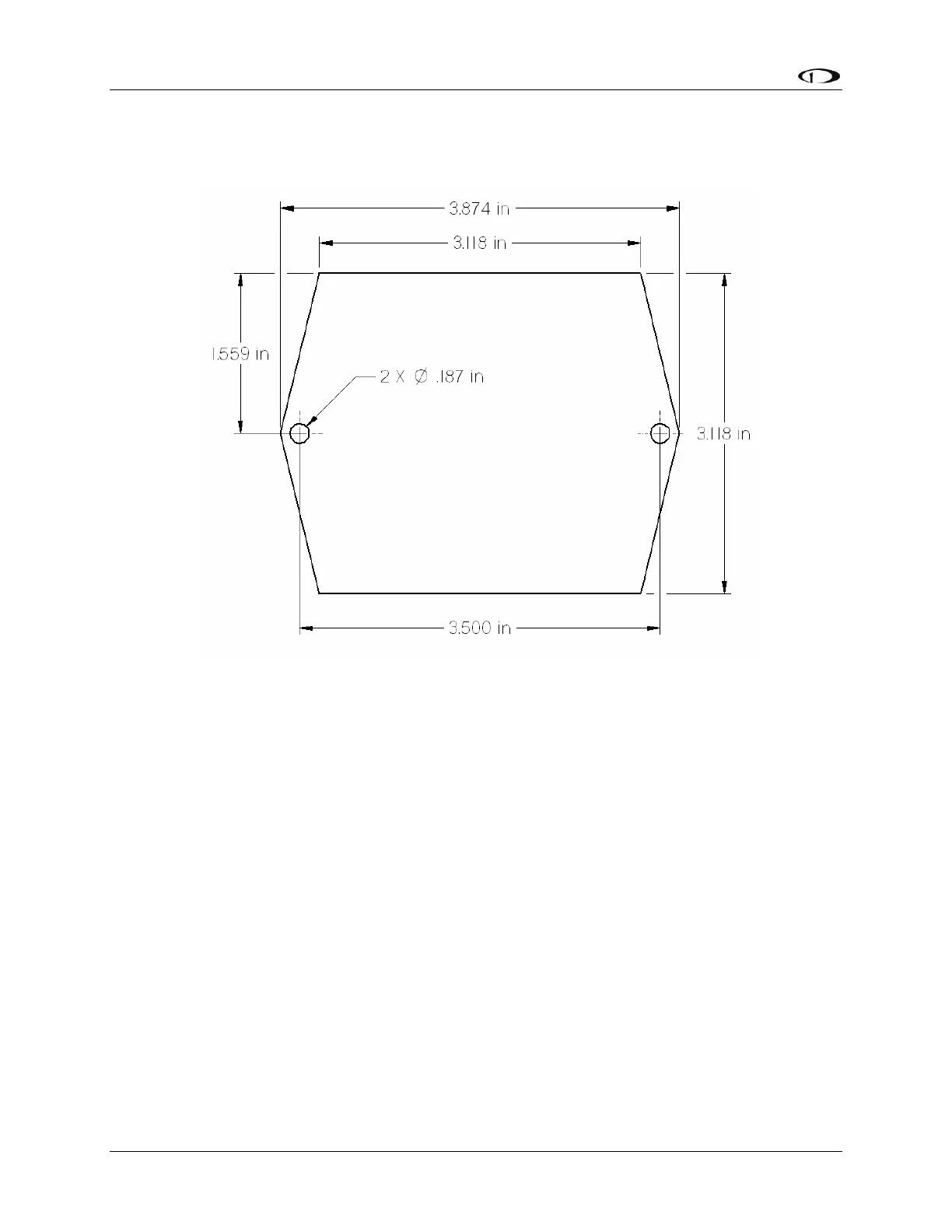
The diagram below shows the mounting dimensions of the backup battery.
Figure 51–SV-BAT-320 Mounting Dimensions
Dynon does not provide mounting hardware for use with the SV-BAT-320. The mounting tabs
on each side of the module have holes sized for #8 fasteners. Button head style AN hardware is
recommended as spacing between the holes in the tabs and the body of the enclosure limits
what style tool can be used to tighten certain fasteners. Follow recommended torque practices
when tightening the mounting hardware.
Use of ferrous fasteners in this location is acceptable. Do not rivet the SV-BAT-320 to the
aircraft as this will hinder future removal if necessary.
Electrical Connection
Connect the SV-BAT-320 module’s connector to the mating connector on the main display
harness.
Battery Charging
SkyView displays automatically manage their connected battery’s charge level. If it becomes
discharged, simply turning the SkyView display on will cause the battery to charge.



 To Next Page