SV-XPNDR-26X Installation, Configuration, and Testing
11-2 SkyView System Installation Guide - Revision K
Physical Installation
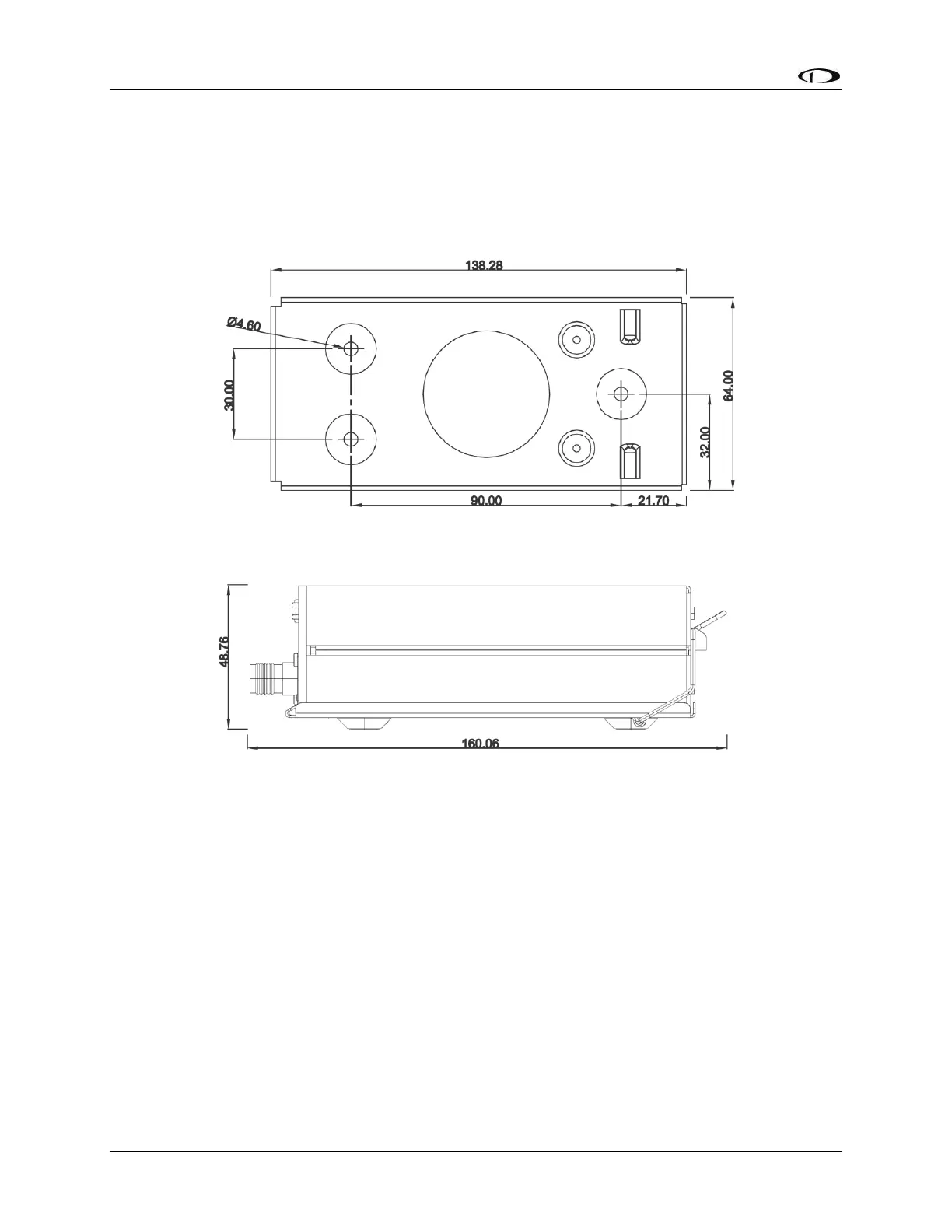
Mounting Tray and SV-XPNDR-26X Dimensions
Figure 66 - SV-XPNDR-26X Mounting Tray Dimensions
Figure 67 - SV-XPNDR-26X Dimensions with Mounting Tray (dimensions in millimeters)
Installation Instructions
The SV-XPNDR-26X Mode S transponder is designed to be mounted in any convenient location
in the cockpit, the cabin, or an avionics bay.
The following installation procedure should be followed, remembering to allow adequate space
for installation of cables and connectors.
Select a position in the aircraft that is not too close to any high external heat source.
(The SV-XPNDR-26X is not a significant heat source itself and does not need to be kept
away from other devices for this reason).
Avoid sharp bends and placing the cables too near to the aircraft control cables.



 To Next Page