SkyView System Installation Guide - Revision K 4-1
4. SV-D700 / SV-D1000 Installation and Configuration
This chapter contains information and diagrams that specifically apply to SkyView display
installation. After reading this section, you should be able to determine how to prepare a panel
for display installation, how to mount a display, how to make all necessary electrical
connections, and also how to configure a display.
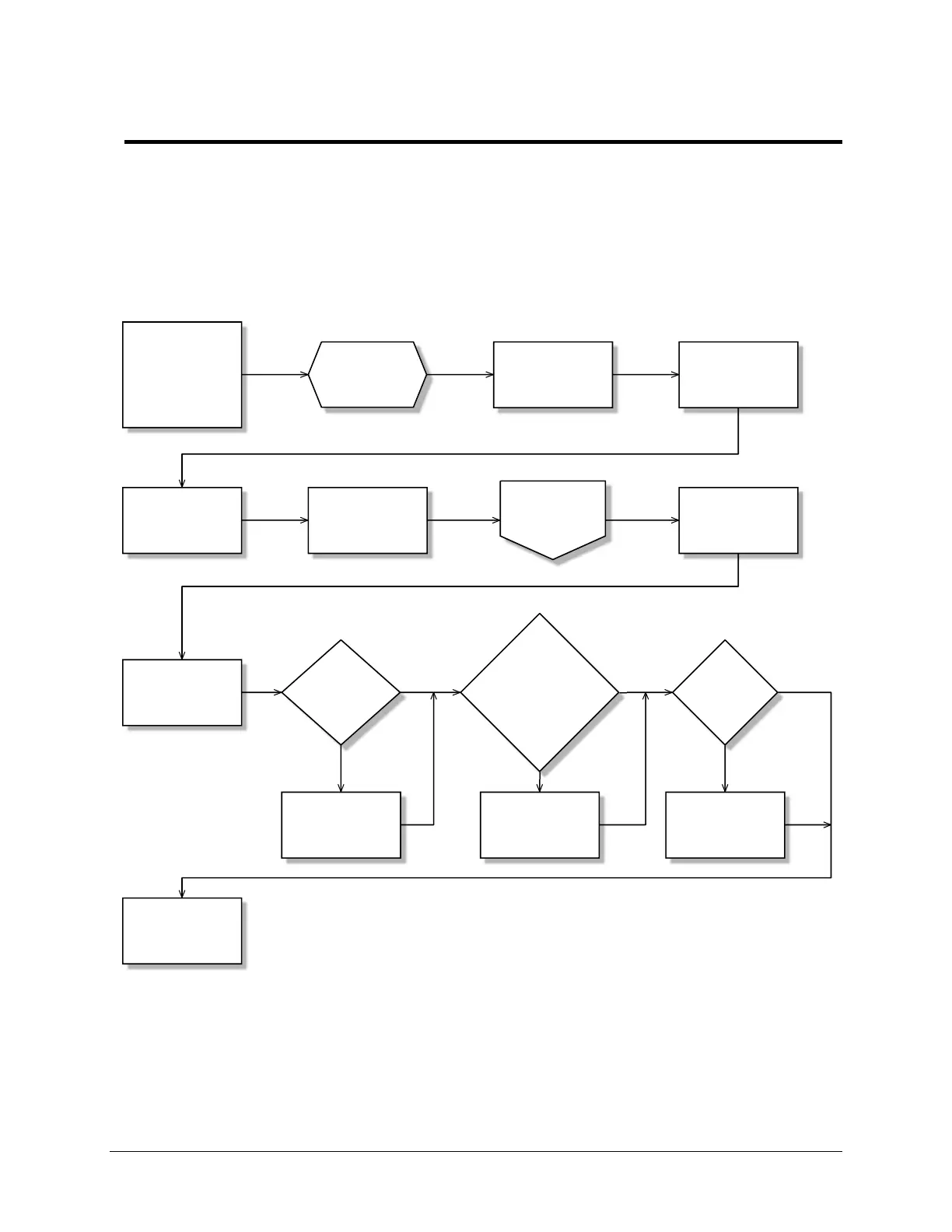
Figure 14 is a high-level overview of a suggested installation and configuration procedure for
SkyView displays and their associated components.
Choose a panel
location based on
Location
Requirements
Section
Mount display in
panel
Install SkyView
Display Harness
(SV-HARNESS-D37)
Connect power
and ground wires
with fuse or
breaker on power
Connect other
SkyView modules
(e.g., ADAHRS and
EMS)
Connect external
serial devices
(e.g., transponder
and GPS)
Check for
firmware
update
No
new
firmware
New
firmware
Download and
install firmware
Download and
install terrain
database
Configure display
settings and
SkyView Network
Prepare the
panel (cut
opening and drill
holes)
Reference
other chapters
in this guide...
Test display
power (turn on or
use multimeter)
Update terrain
database?
(outside North
America)
Yes
No
Download and
install aviation
database
Update
aviation
database?
Yes
No
Figure 14–Suggested SkyView Display Installation Procedure



 To Next Page