SV-D700 / SV-D1000 Installation and Configuration
4-10 SkyView System Installation Guide - Revision K
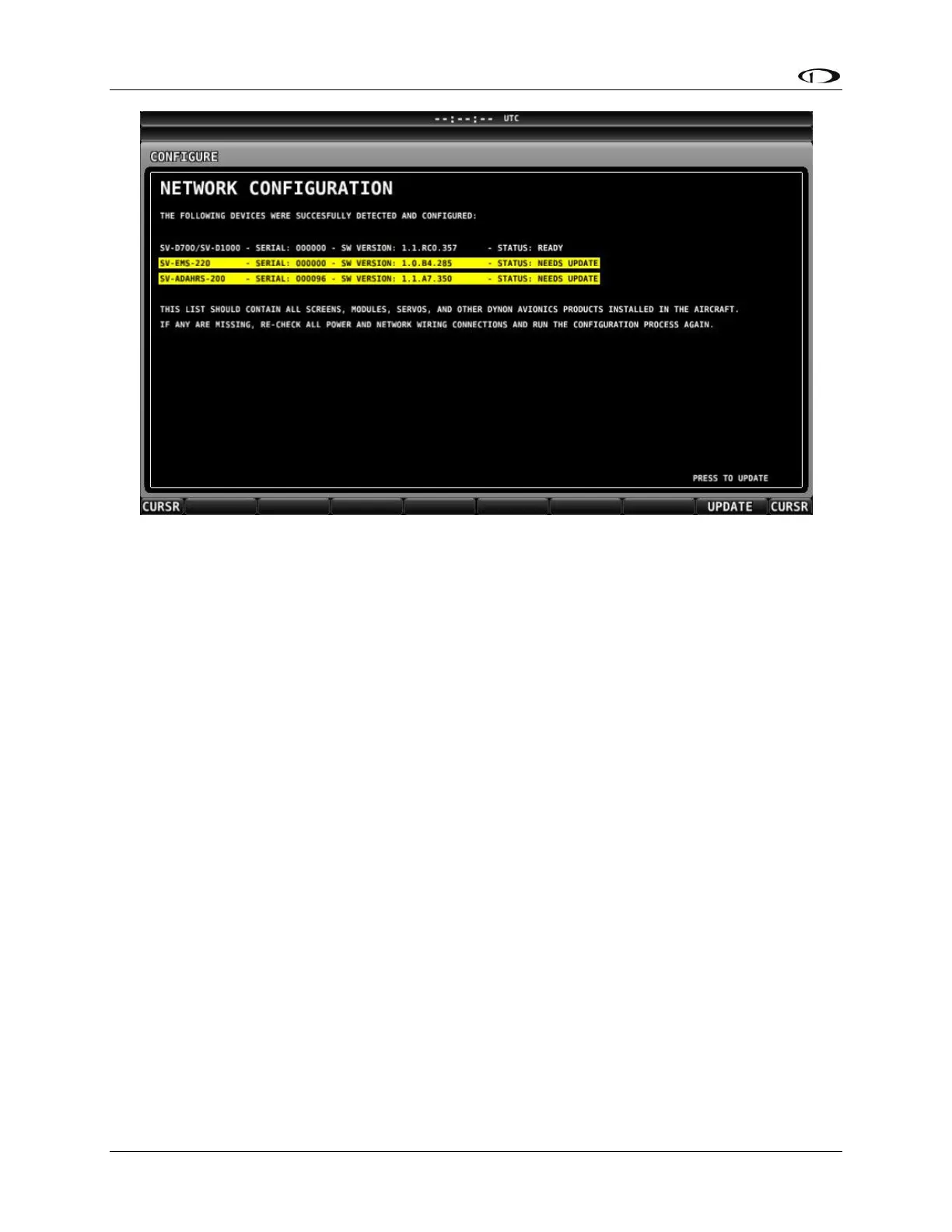
Figure 20–SkyView Network Configuration with Firmware Update
If you see a screen similar to the one in Figure 20, simply press UPDATE to synchronize the
firmware running on the equipment in the SkyView network.
To check on SkyView network status, enter the NETWORK STATUS… Menu in the Network
Setup Menu (SETUP MENU > SYSTEM SETUP > NETWORK SETUP > NETWORK STATUS…).
The Network Status Page shows all displays, modules, servos, and other Dynon Avionics
products installed on the SkyView network via the D9 SkyView Network connectors. This
includes the following devices: SV-D1000 and SV-D700 DISPLAYS, SV-ADAHRS-20X modules, SV-
EMS-220 modules, SV-ARINC-429 modules, and Dynon Autopilot Servos. It does NOT include
any non-Dynon devices or any of the following Dynon devices that connect via a method other
than SkyView Network: SV-XPNDR-26X transponder, OAT or individual engine sensors, SV-GPS-
250.
Ethernet Connection
SkyView systems that have more than one display should ideally have their Ethernet ports
connected together for best operation. See the SkyView System Construction section in this
manual for further information about Ethernet.
Internal Time Keeping
Zulu/GMT time is initially obtained from a GPS source. Time is displayed as “--:--:--“ until a
source is found. When a display is turned off, a connected SV-BAT-320 enables the display to
keep track of time. Displays that are not connected to a battery must obtain current time from
a GPS source whenever they are turned on.



 To Next Page