MANUAL ELDES ESIM264 V2.0 103
8.2 EW1 - Wireless Zone & PGM Output Expansion Module
Wireless expansion module EW1 is a wireless device with 2 zones and 2 PGM outputs. This expansion module connects to ELDES
wireless alarm systems and enables wireless access for to 2 wired devices such as movement PIR sensors, magnetic door contacts etc.
In addition it allows to connect and control up to 2 appliances, i.e. lighting, heating etc. After the wiring process to EW1 it is necessary
to bind EW1 to the alarm system by sending a corresponding command via SMS message or using software ELDES Conguration Tool.
It is possible to connect up to 16 EW1 devices to ESIM264 alarm system at a time. The maximum wireless connection range is 150
meters (in open areas).
8.2.1 Technical Specications
8.2.1.1 Electrical & Mechanical Characteristics
Power Supply 7-15V 20mA max
Number of Zones 2
Number of PGM Outputs 2
Wireless Transmitter-Receiver Frequency 868 MHz
Range of Operating Temperatures -20...+55ºC
Dimensions 38x60x12mm
Wireless Communication Range Up to 30 meters in premises; up to 150 meters in open areas
Compatible with Alarm Systems ELDES Wireless
Maximum Commuting PGM Output Values Voltage – 30V; current 500mA
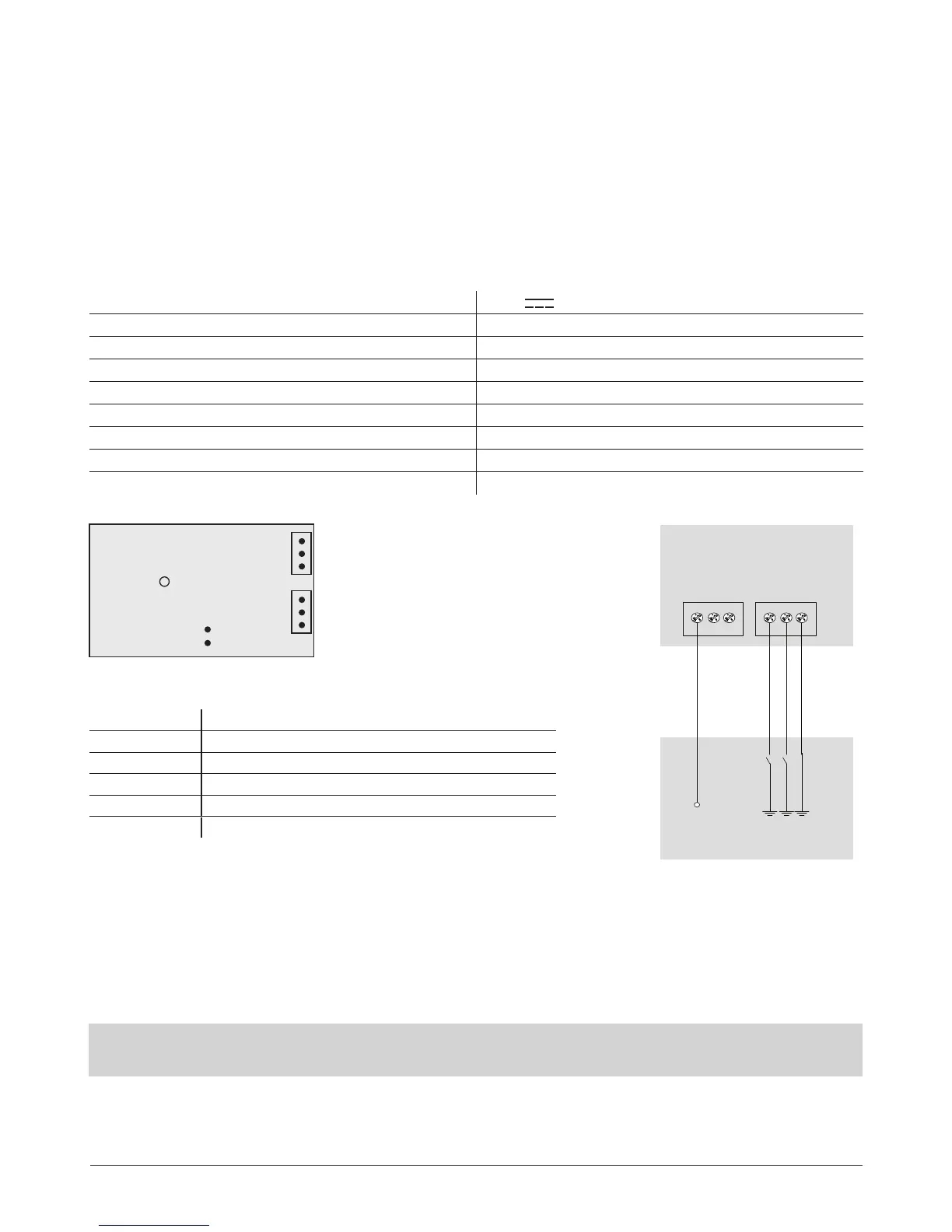
8.2.1.2 Connector & LED Functionality
COM Common contact for power supply, zones, PGM outputs
Z2, Z1 Security zones
C2, C1 PGM outputs
DC+ Positive power supply contact
D1, D2 Pins for restoring default settings
LED EW1 status
8.2.2 Installation
1. Disconnect ESIM264 alarm system main power supply and backup
battery.
2. Wire up EW1 as indicated in Fig. No. 33
3. Bind the device to ESIM264 alarm system. Use ELDES Conguration Tool software or send a corresponding SMS message.
Please refer to software‘s HELP section or refer to installation manual of ELDES alarm system.
4. The system automatically informs about successful/unsuccessful binding pro cess. If attempt to bind is unsuccessful, try to
move EW1 closer to ESIM264 alarm system device and bind anew.
5. EW1 module is ready for use.
NOTE: If you are unable to bind the wireless device, please, restore the parameters of the wireless device to default and try again.
See chapter 8.2.4 Restoring Default Parameters for more details.
+12V
Wireless Expansion
Module EW1
Power supply
DC+ C1 C2 Z1 Z2 COM
Fig. No. 32 Fig. No. 33
D1
LED
D2
C2
COM
DC+
Z1
C1
Z2



 To Next Page