96
7.7 iButton® Key Reader & Keys
The iButton® key is a chip enclosed in a stainless steel tab usually implemented in a small plastic holder. Each iButton® key holds a
unique identity code (ID) which is used for alarm system ESIM264 arming and disarming procedure.
Main features:
• Up to 5 iButton® keys per alarm system unit ESIM264.
• Communication via 1-Wire® interface.
7.7.1 Technical Specications
7.7.1.1 Electrical & Mechanical Characteristics
Supported iButton® Key Model Maxim®/Dallas® DS1990A
Communication Interface 1-Wire®
Maximum Cable Length for 1-Wire® Communication up to 30 meters
7.7.2 Installation
1. Disconnect ESIM264 alarm system main power supply and backup battery.
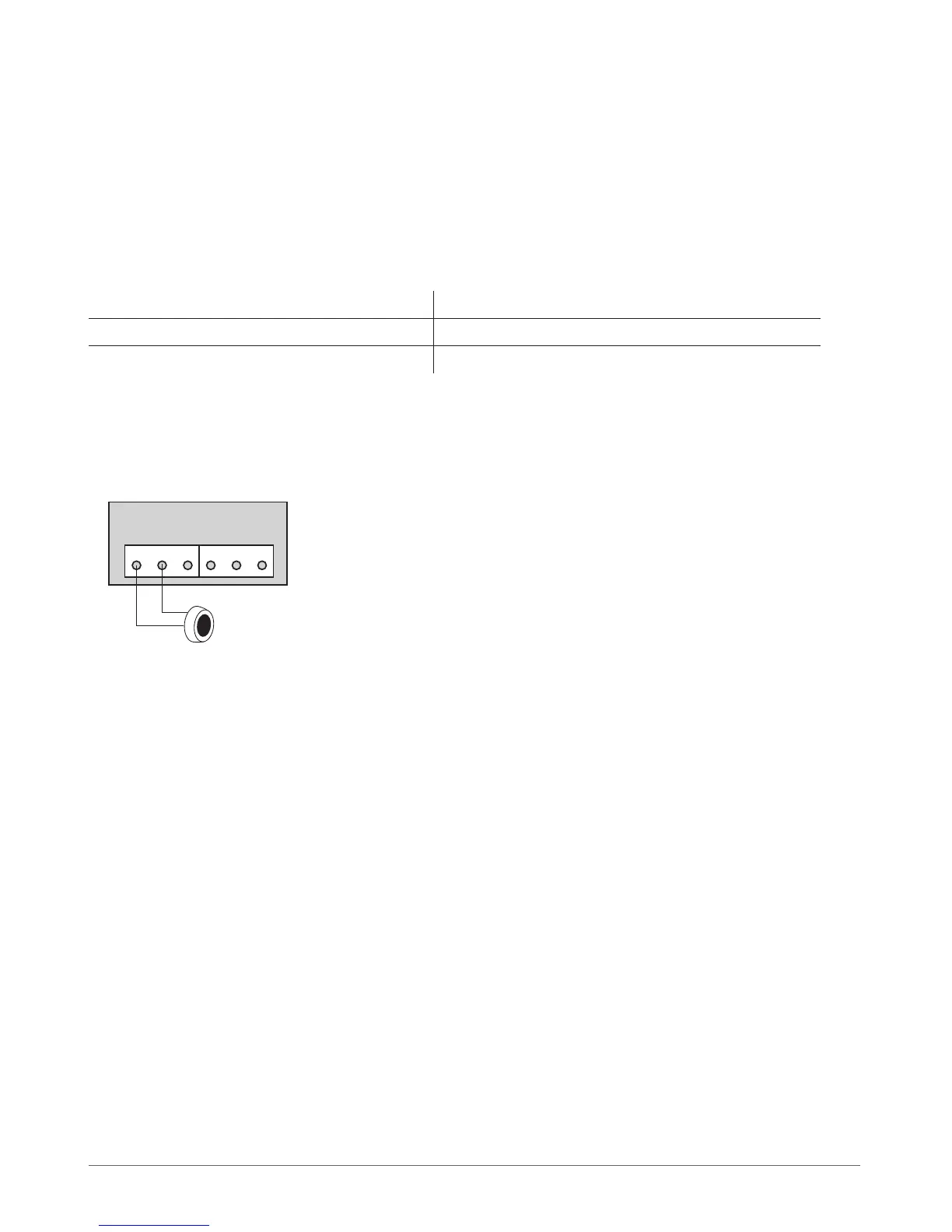
2. Connect iButton® key reader contact wires to 1-Wire® interface on ESIM264 alarm system: COM and DATA contacts respectively.
3. Power up ESIM264 alarm system.
4. iButton® key reader is ready for use with ESIM264 alarm system.
Fig. No. 29
ESIM264



 To Next Page