MANUAL ELDES ESIM264 V2.0 87
7.2.1.5 Keyboard Address
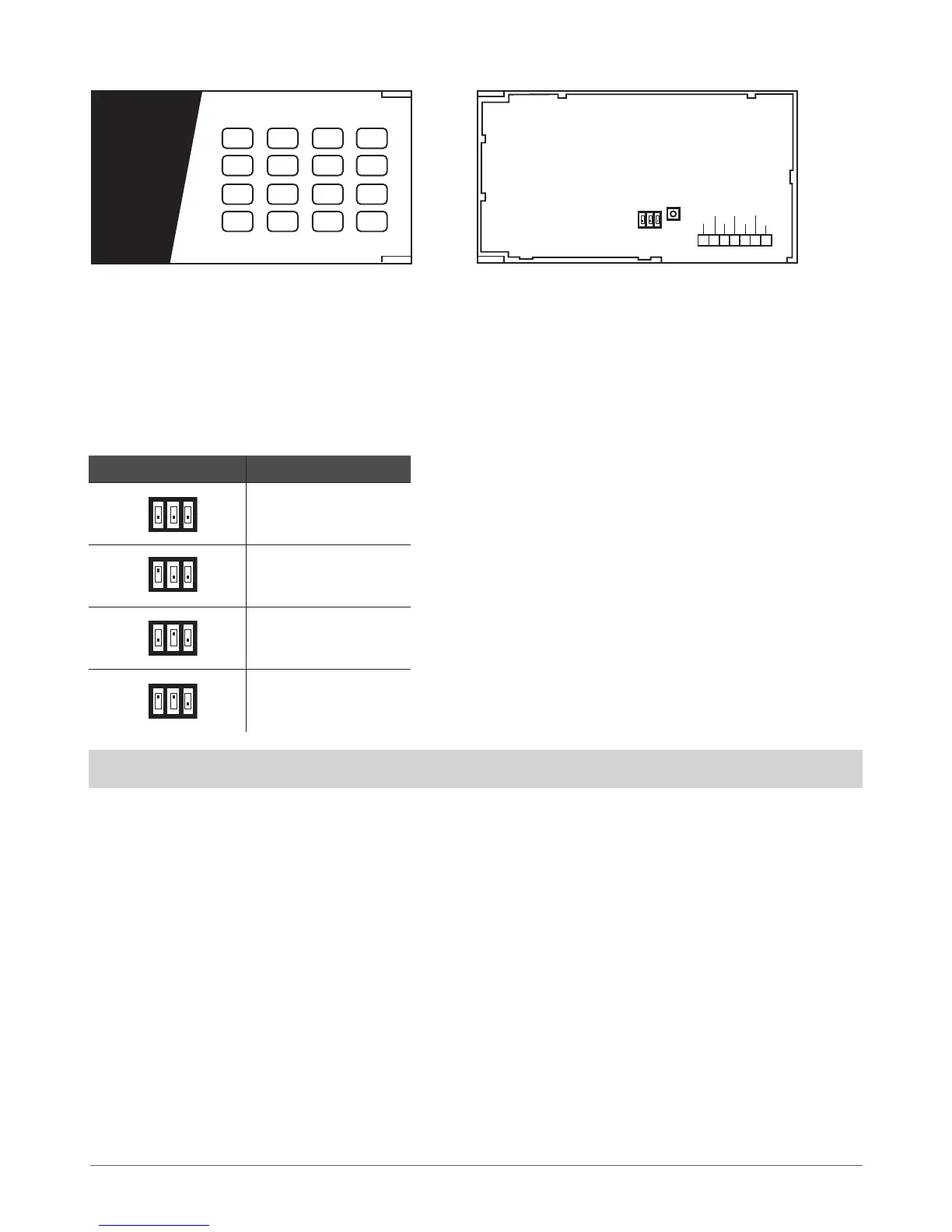
DIP switches located on the back side of the keyboard are intended to set keyboard address. The keyboard address is congured by
setting the DIP switch positions. ESIM264 alarm system allows to connect up to 4 EKB3 keyboards - each set under dierent address.
DIP switch combinations for dierent keyboard address conguration are indicated in the table below.
Address Conguration
DIP Switch Position Address
Keyboard 1
Keyboard 2
Keyboard 3
Keyboard 4
NOTE: Third switch is not active, therefore its’ position is irrelevant.
The address of each connected keyboard is also indicated in ELDES Conguration Tool software.
1 2 3
4 5 6
7
ARMED
READY
SYSTEM BYPS
A B
1
2
3
4
5
6
7
8
9
10
11
12
8 9
*
0 #
STAY
BYPS
INST
CODE
FRONT SIDE
Z2 Z1
COM Y
G
AUX-
AUX+
ON
OFF
DIP SWITCH
TAMPER
BACK SIDE
Fig. No. 16 Fig. No. 17



 To Next Page