MANUAL ELDES ESIM264 V2.0 109
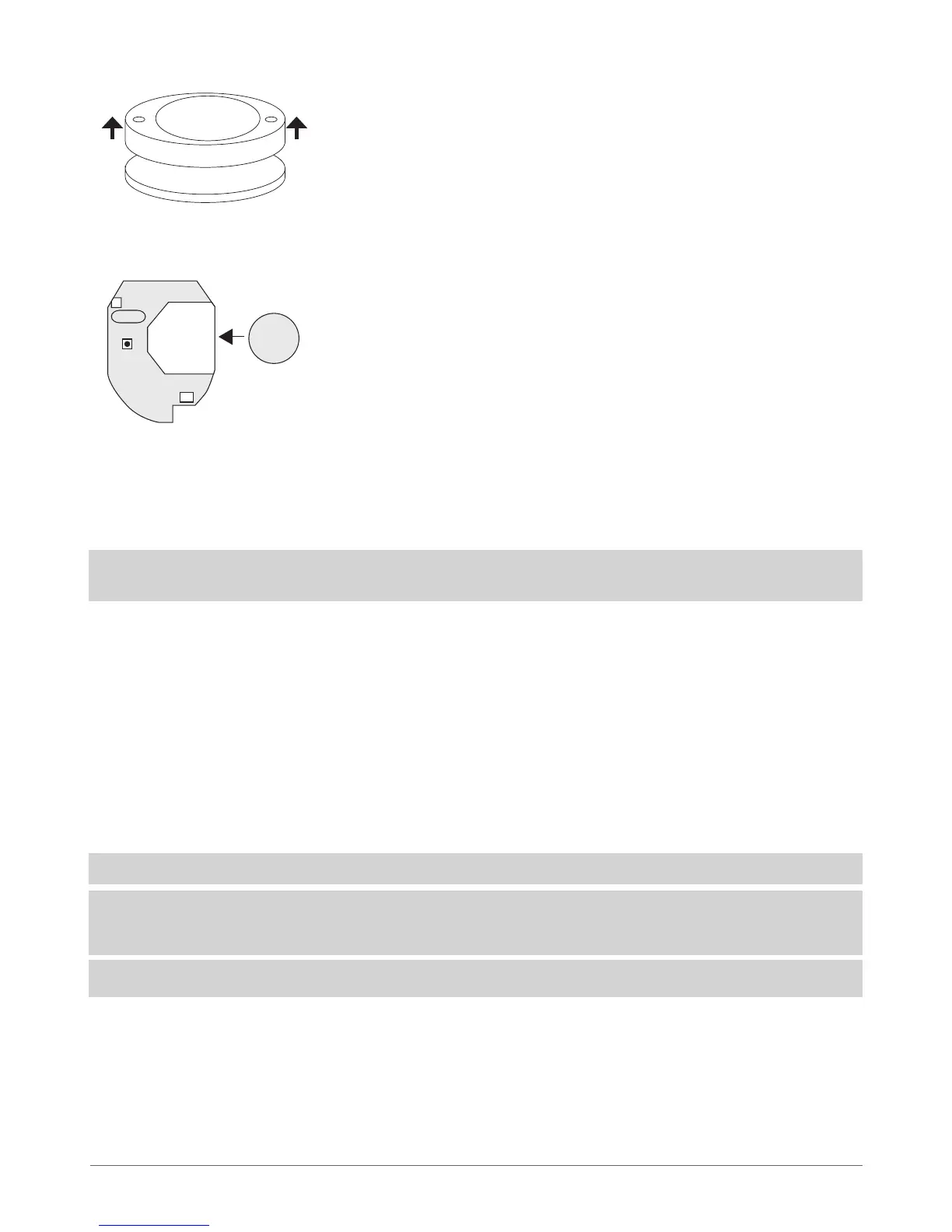
2. Open EWK1 key-fob housing.
3. Insert CR2032 battery provided in the EWK1 package.
Before inserting the battery, make sure that the battery’s “+” sign is facing the outer side.
4. Close and screw up the key-fob housing.
5. Bind the device to alarm system by sending a corresponding command via SMS message or using ELDES Conguration Tool soft-
ware. Please, refer to the software’s HELP section or refer to chapter 8. ELDES Wireless Devices for more details.
6. After binding the device to the alarm system, press any EWK1 button several times.
7. EWK1 is ready to use.
ATTENTION: EWK1 wireless key-fob is supported from v16.4 rmware version of EWT1 wireless transmitter-receiver module. In
order to nd out the rmware version of EWT1 module, please, contact ELDES technical support: support@eldes.lt
8.5.3 EWK1 Zones (Panic Button)
EWK1 key-fob supports a Panic Button feature allowing to cause alarm at any time when the specied button is pressed. This
feature can be congured using ELDES Conguration Tool by creating a virtual zone of Silent or 24H type and assigning it to Virtual
Alarm option. The Panic Button feature can be set up on any button of EWK1.
8.5.4 Battery Replacement
Only CR2032 3V Lithium batteries can be used for device powering. Install only new, good quality and not expired batteries. In order
to replace the old battery with a new one, remove front cover of the EWK1 key-fob housing (see chapter 8.5.2 Installation), carefully
remove the PCB and remove the old battery. Then insert the new CR2032 3V Lithium battery.
ATTENTION: The battery must be removed when device is not in use.
ATTENTION: In order to avoid re or explosion hazards, only approved batteries can be used with the system. Special care must
be taken when connecting positive and negative battery terminals. Dispose old batteries only at special collection sites. Do not
charge, disassemble, heat or incinerate old batteries.
NOTE: Using software ELDES Conguration Tool it is possible to watch the status of the battery in real-time.
8.5.5 Restoring Default Parameters
1. Remove the battery from EWK1 key-fob.
2. Press and hold B4 button.
3. Insert the battery back to EWK1.
4. Hold the button pressed until LED indicator provides several
short ashes.
5. Release B4 button.
6. Parameters restored to default.
3V
CR2032
+
+
Fig. No. 41
Fig. No. 42



 To Next Page