108
8.5 EWK1 - Wireless Key-Fob
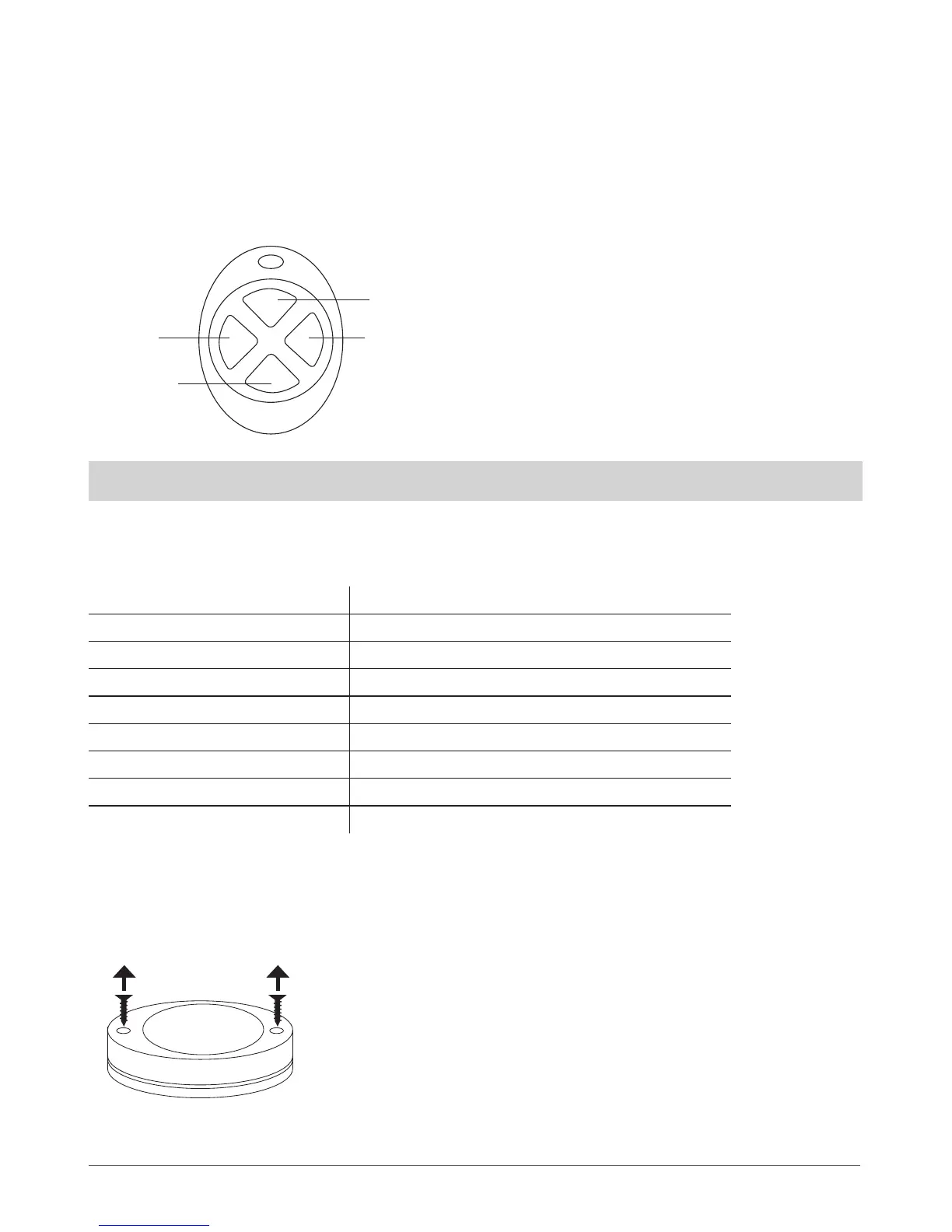
Key-fob EWK1 – is a wireless device intended to arm and disarm ESIM264 alarm system, to open and close the gates or to control any
other device connected to the alarm system. Wireless key-fob EWK1 is compatible with ELDES wireless alarm systems, therefore user can
easily bind it to the alarm system using ELDES Conguration Tool software or sending a corresponding SMS command. EWK1 key-fob
features four congurable buttons intended to operate according to individual needs. After the button is pressed, EWK1 internal buzzer’s
sound signal conrms a transferred command to ESIM264 alarm system via wireless connection. The status of the sent command can be
checked by attempting to receive the feedback signal from the alarm system. This can be performed by pressing down the same button
and holding it for 3 seconds. 3 short sound signals indicate a successfully carried out command while 1 long beep stands for failed com-
mand and feedback signal failure. By default one pair of buttons is already congured to arm and disarm the alarm system.
NOTE: Fig. No. 39 reects the default EWK1 button conguration. All key-fob buttons are congurable according to individual needs.
8.5.1 Technical Specications
8.5.1.1 Electrical & Mechanical Characteristics
Battery Type CR2032 Lithium
Battery Voltage; Capacity 3V; 240 mAh
Quantity of Batteries 1
Battery Operation Time ~18 months*
Wireless Transmitter-Receiver Frequency 868 Mhz
Range of Operating Temperatures -20...+55ºC
Wireless Key-fob Dimensions 54 x 42 x 13 mm
Wireless Communication Range Up to 30 meters in premises; up to 150 meters in open areas
Compatible with Alarm Systems ELDES Wireless
* This operation time depends on dierent conditions and may vary.
8.5.2 Installation
1. Unscrew the EWK1 key-fob housing.
Optional
funcionality
Optional
funcionality
Arm security
Disarm
security
B1
B2
B3
B4
Fig. No. 39
Fig. No. 40
The virtual zones of ESIM264 system are intended for EWK1
button conguration. Please, refer to software’s ELDES Con-
guration Tool HELP section for more details.
It is possible to connect up to 16 EWK1 devices to ESIM264
alarm system at a time. The maximum wireless connection
range is 150 meters (in open areas).



 To Next Page