MANUAL ELDES ESIM264 V2.0 115
+12V
BELL
-12V
STB
BAT+
TAMPER
BAT-
TAMPER
TAMPER
TAMPER
SOUNDER-
SOUNDER+
SIREN
PCB
D1
D2
C2
COM
EW1
DC+
Z1
C1
Z2
BATTERY
TAMPER
SPEAKER
8.7.2 Installation
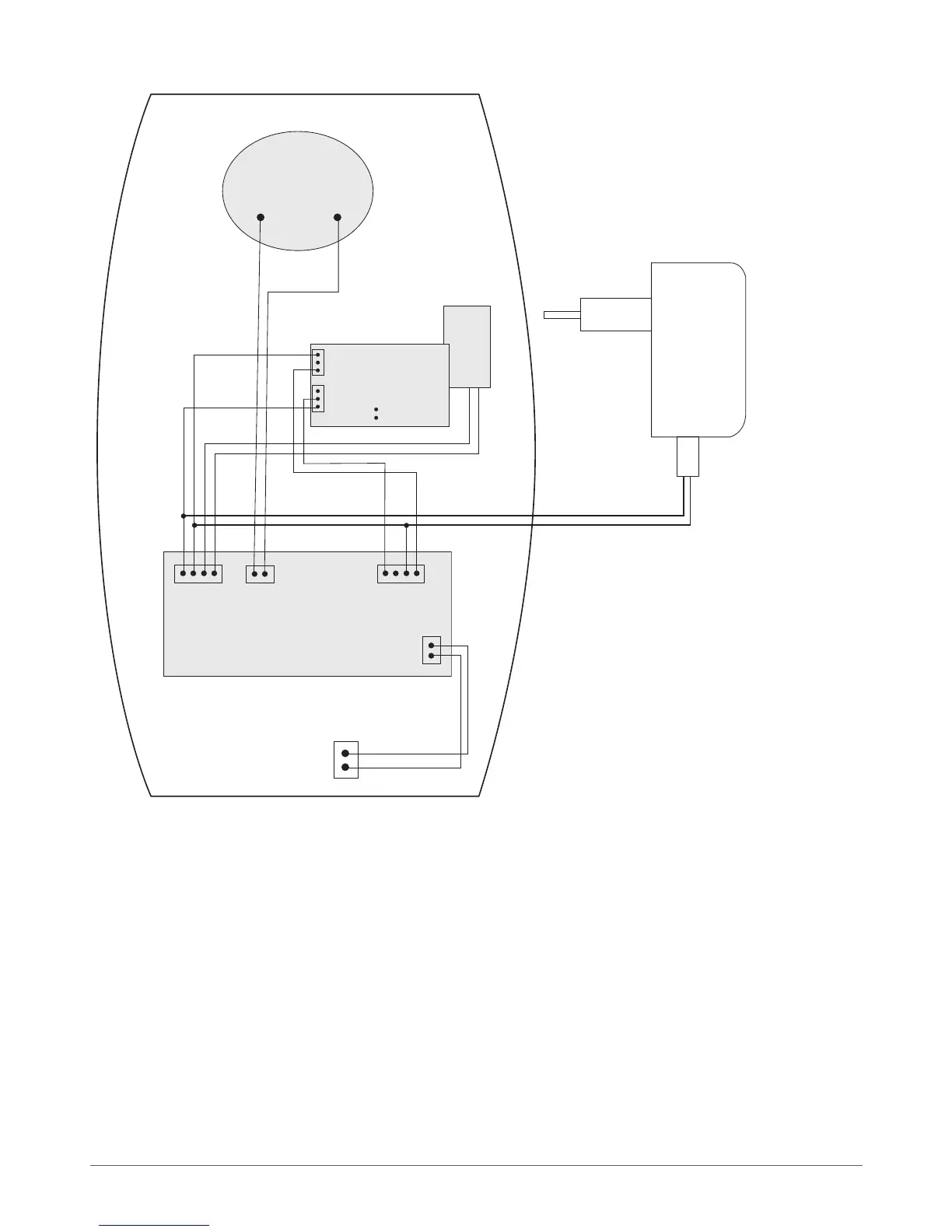
Fig. No. 50
1. Connect the power supply and battery cables as shown in diagram (see Fig. No. 50).
2. Fix the siren to the wall.
3. Connect the power supply.
4. Bind EW1 device to alarm system by sending a corresponding command via SMS message or using ELDES Conguration
Tool software. Please, refer to the software‘s HELP section or refer to chapter 8. ELDES Wireless Devices for more details. If
attempt to bind is unsuccessful, try to move siren EWS2 closer to central monitoring station and bind anew.
5. Disable EW1 zone Z2. Set EW1 PGM output C1 type to Siren.
6. EWS2 siren is ready to use.
8.7.3 Restoring Default Parameters
1. Disconnect EW1 power supply.
2. Short circuit (connect) pins D1 and D2.
3. Power up EW1 and wait untill LED provides several short ashes.
4. Disconnect power supply.
8. Remove short-circuit from D1 and D2 pins.
9. Power up EW1.
10. Parameters restored to default.



 To Next Page