78
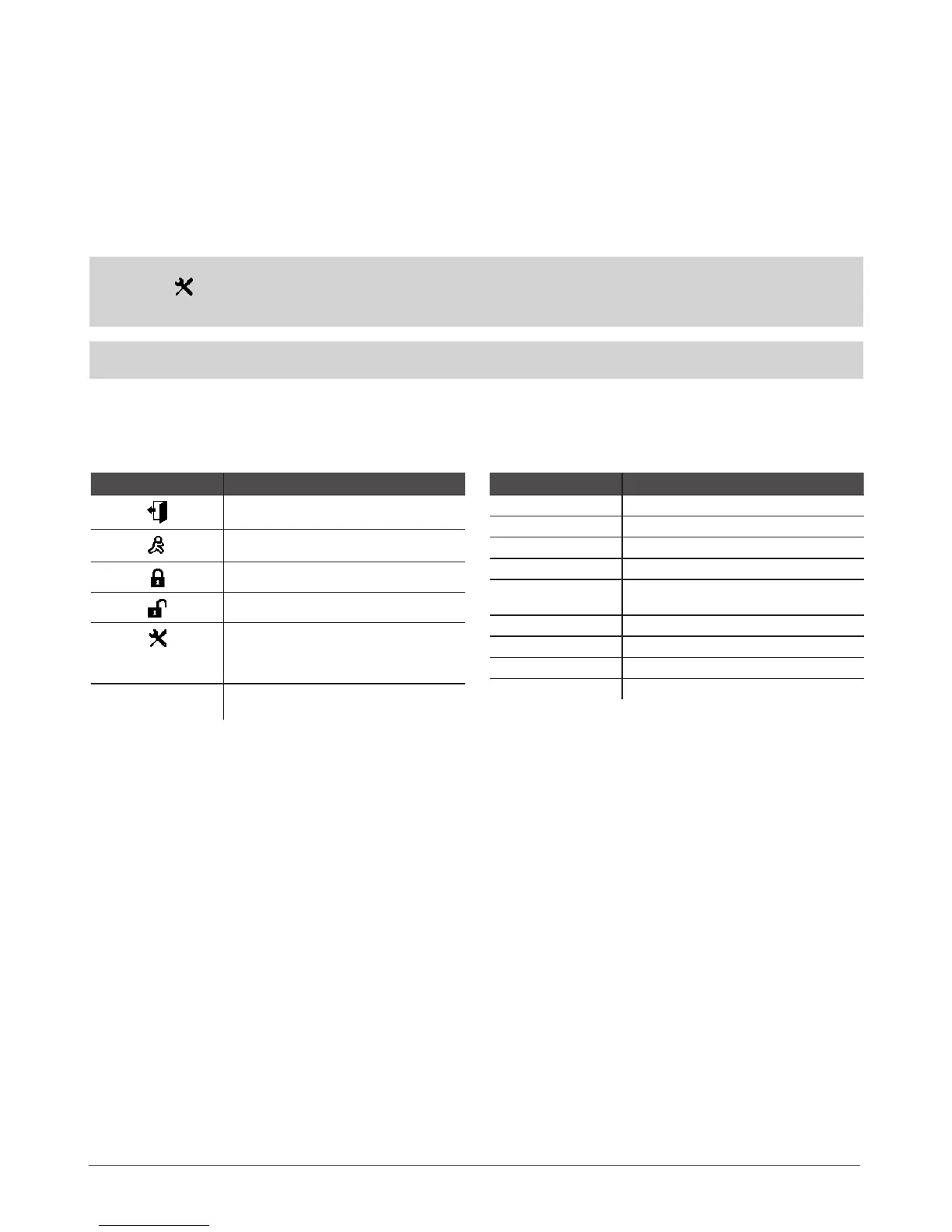
7.1.3.4 Icons & Messages
Icon / Message Description
Delay zone violated when system is disarmed.
Exit Delay countdown initiated.
System is armed and menu is locked.
System is disarmed and menu is unlocked
+ CONFIGURATION
MODE
Conguration mode activated.
BURGLARY ALARM
Delay, Instant or Follow zone violated when
system is armed.
Icon / Message Description
24 ALARM 24H zone violated.
FIRE ALARM Fire zone violated.
TAMPER ALARM Tamper violated
READY System is ready to be armed.
NOT READY
System is not ready to be armed – one or more
zones / tampers violated.
ARMED System is armed (optional feature).
STAY Stay mode activated
BYP One or more zones bypassed
TBL One or more system troubles are present
7.1.3.3 Keyboard Partition
Any EKB2 keyboard can be assigned to one of the two available system partitions. Every system keyboard assigned to dierent parti-
tion can operate independently from each other. The keyboard partition can be assigned:
• permanently - by EKB2 keyboard, EKB3 keyboard and ELDES Conguration Tool;
• temporally - by EKB2 keyboard and EKB3 keyboard using keyboard partition switch feature. The partition automatically
switches back to previous partition in 3 minutes after the last key-touch/key-stroke.
In order to nd out the keyboard’s partition, please, check the partition title displayed on the main screen view – PART0 (partition 0)
or PART1 (partition 1). The partition title of up to 15 characters length can be customized using ELDES Conguration Tool software.
For more details, please, refer to software’s HELP section.
NOTE: The system can be congured using only one keyboard at a time regardless of the assigned keyboard partition. The dis-
played icon with message CONFIGURATION MODE on the screen indicates an inactive EKB2 keyboard while CONFIGURA-
TION MODE stays activated on another keyboard of any partition.
NOTE: The conguration is disabled while any system partition is armed.
See also chapter 5.4.16 Partitions.



 To Next Page