MANUAL ELDES ESIM264 V2.0 93
7.4.2 Installation
1. Disconnect ESIM264 alarm system main power supply and backup battery.
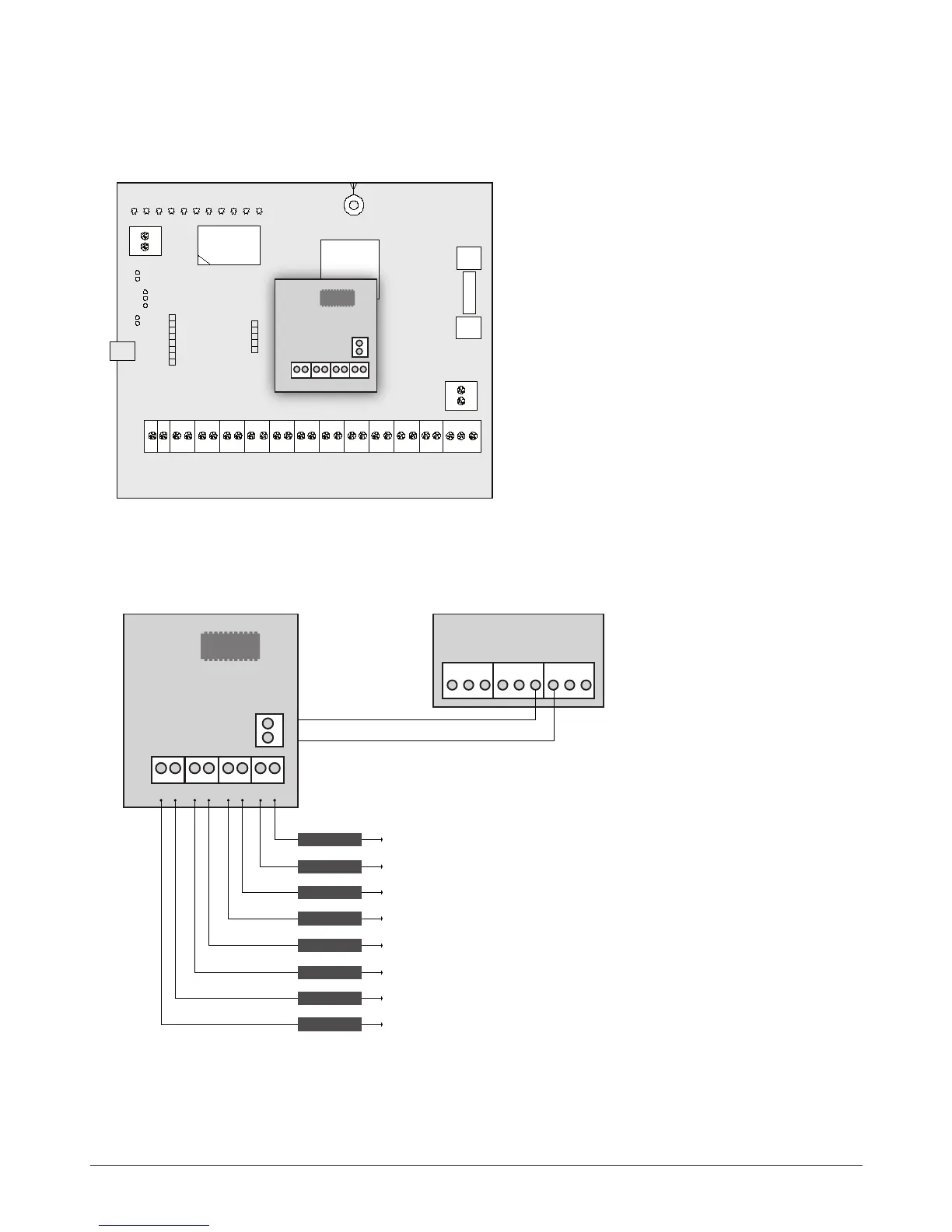
2. Insert EPGM8 pins into appropriate ESIM264 alarm system slots (see Fig. No. 23)
3. Connect EPGM8 12V positive power supply contact with ESIM264 alarm system AUX+ contact and EPGM8 GND contact with
ESIM264 alarm system AUX- contact. (see Fig. No. 24).
4. Connect the electrical appliances to D1 – D8 PGM outputs. (see Fig. No. 24).
5. Power up ESIM264 alarm system.
6. Enable EPGM8 mode using EKB2, EKB3 keyboards or ELDES Conguration Tool software. For more details, please, refer to
software’s HELP section or see chapter 5.4.7 PGM Outputs.
7. EPGM8 is ready for use with ESIM264 alarm system.



 To Next Page