74
7. Wired Devices
7.1 EKB2 - LCD Keyboard
EKB2 is an LCD keyboard intended for using with ESIM264 alarm system.
Main EKB2 keyboard features:
• arms and disarms the alarm system
• enables and disables Stay mode
• congures system parameters
• displays system status information on LCD screen
• informs about system status via built-in mini buzzer
The system conguration is performed by accessing EKB2 menu and entering the required values. ESIM264 system allows to connect
up to 4 EKB2 keyboards.
7.1.1. Technical Specications
7.1.1.1 Electrical & Mechanical Characteristics
Power Supply 12-14V 150mA max.
Maximum Keyboard Connection
Cable Length
100 m.
Dimensions 133 x 89 x 19 mm
Range of Operating Temperatures 0...+55ºC
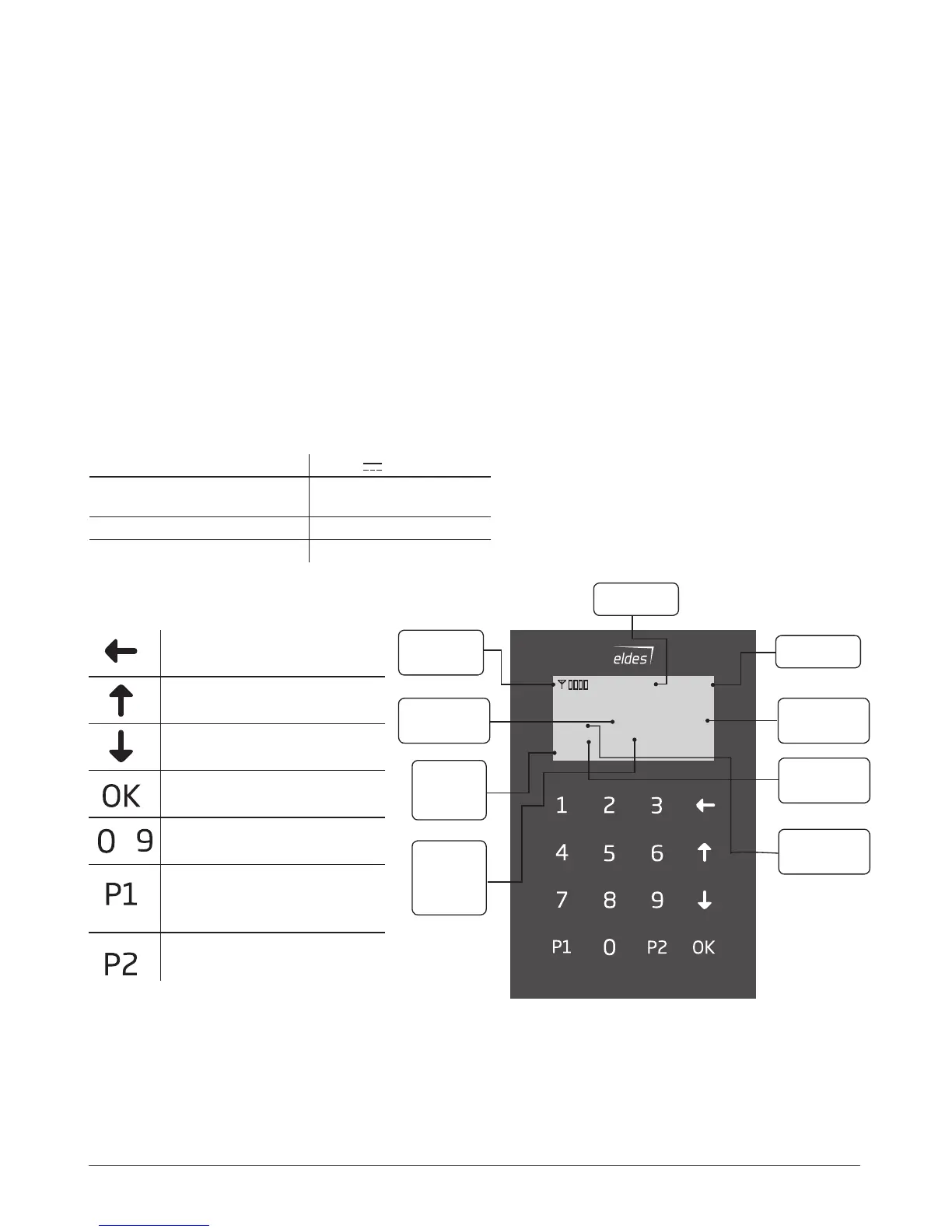
7.1.1.2 Keys funcionality
One menu level back / cancel
Menu navigation – up
Menu navigation – down
Conrm (enter) value
Value typing
Keyboard partition switch / minus
symbol for entering negative
temp. value
Minus symbol for entering nega-
tive temp. value
...
ready
GARAGE
TBL
BYP
STAY
00:4520,2
0
C
GSM Signal
Strength
System Status
Message
Main Screen
View
Bypass Mode
Indication
Stay Mode
Indication
System
Trouble
Indication
Custom
Keyboard
Partition
Title
Digital Clock
Temperature
Fig. No. 10



 To Next Page