Frequency Tests
226 MAX-635G
WB Attenuation
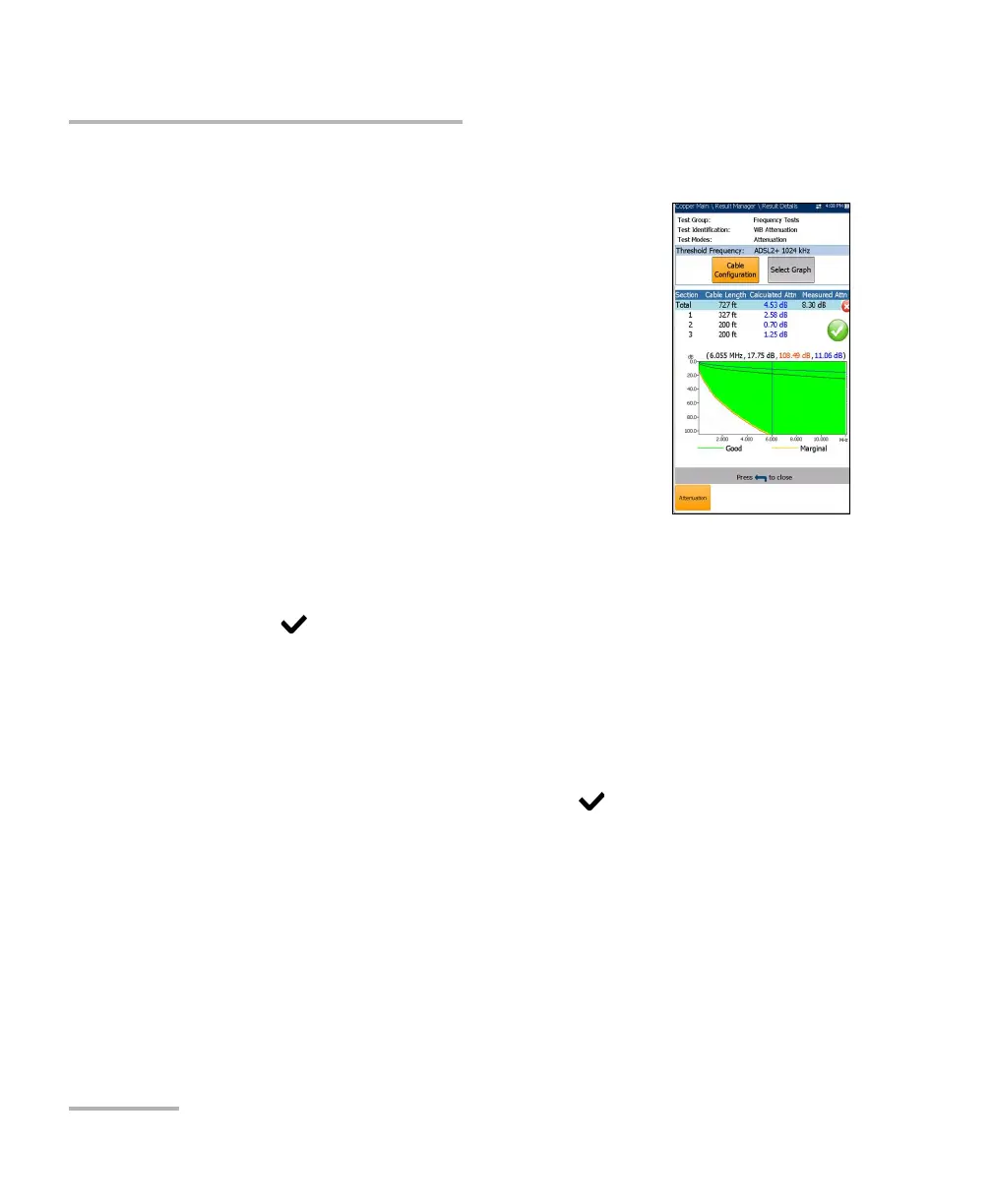
WB Attenuation Result Details
The Results Details read-only page displays the Cable
Length, pass/fail status, and WB Attenuation test
results in text and graphical format.
Test Group is the overall test group of the
selected saved results file, for example Frequency
Tests.
Test Identification is the test type of the group, for
example WB Attenuation.
Test Modes is the mode of test, for example
Attenuation.
Threshold Frequency displays the technology
used for threshold pass/fail estimation.
Cable Configuration button opens a new page displaying the cable
parameters of the test. Use the left/right arrows to select the button and
press to open the page.
Select Graph button changes to Graph Selected when pressed and
opens a new selection of function keys which allow you to maneuver
the graph as follows:
Cursor - press the left/right arrow keys to decrease/increase the
values by moving the cursor. Press and hold the left/right arrow
keys to accelerate the cursor. Press to recall the cursor and
place it in the middle of the current x-axis limits.
Zoom references the middle of the x/y axis and not the cursor
position. Press the arrow keys as follows:
Right = x-axis zoom in.
Left = x-axis zoom out.
Up = y-axis zoom in.
Down = y-axis zoom out.













 To Next Page