SmartR™ Features
166 MAX-635G
FaultMapper
FaultMapper
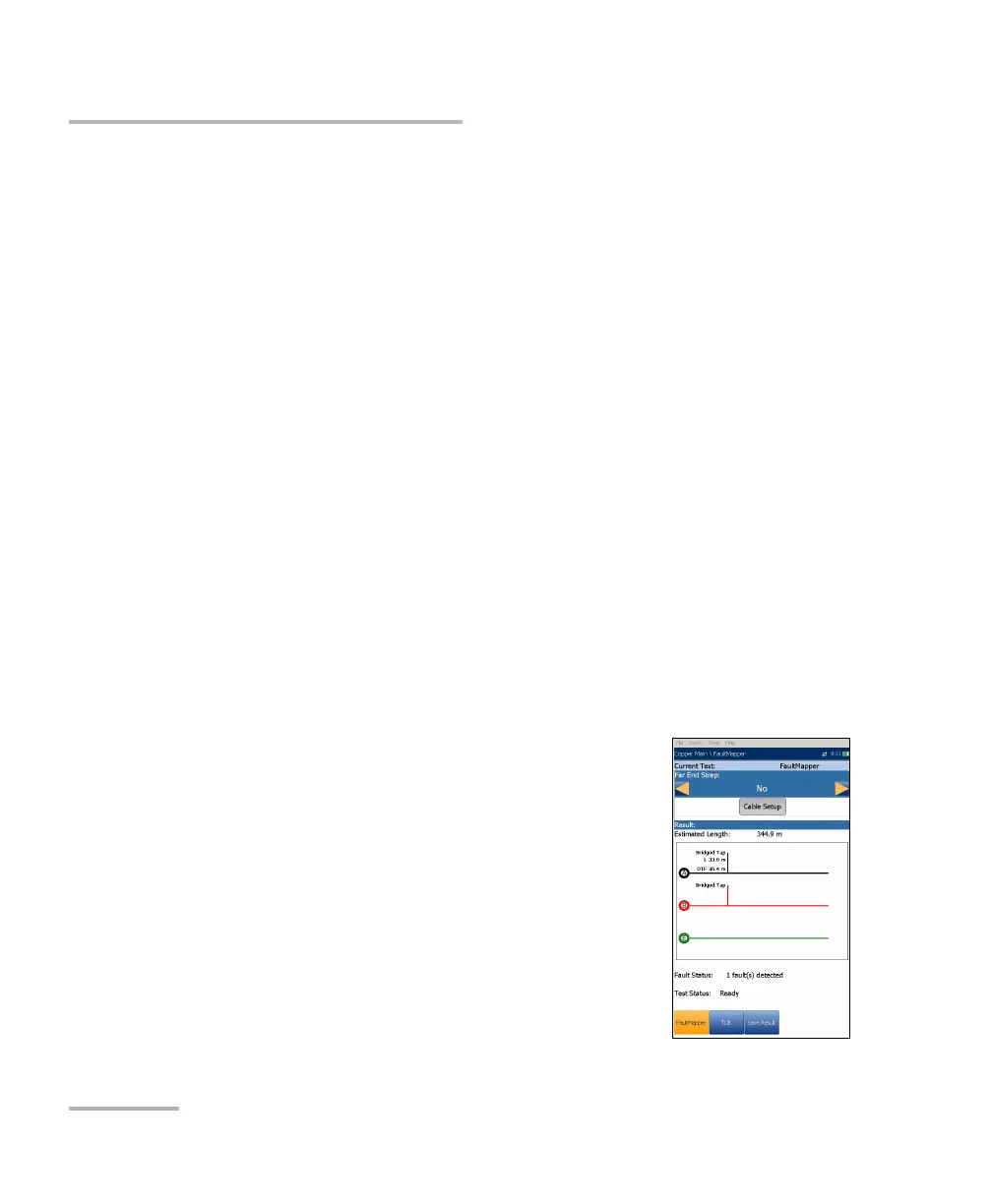
The FaultMapper is a graphical snapshot of the pair to locate and identify
line faults. It combines and analyzes the results of several different tests
including capacitance, resistance, TDR, and RFL, to draw a diagram of the
pair depicting common faults. FaultMapper does not find all faults but
rather many common faults, and can identify more than one at a time. This
test is useful in locating bridged taps, shorts, grounds, and opens but only
one bridged tap at a time. (To look for more bridged taps, clear the first
bridged tap and run the test again). The TDR function key is available for
your reference, although FaultMapper is not solely a TDR and performs
some signal analysis.
FaultMapper can identify and/or locate the following:
Shorts
Grounds (strap required to determine distance)
Opens
Detect load coils
Bridged tap
The FaultMapper page displays the following parameters:
Current Test displays the test being measured.
Far End Strap allows you to select option Yes or
No for use of a strap.
A strap, while not required, enables FaultMapper
to calculate distance to a ground/earth fault. The
test will use some RFL routines here, and you do
not have to exit to run RFL. (RFLis located on the
Copper Main menu.)
Cable Setup button opens a new page that allows
you to set the Cable Parameters for the Current
Test.













 To Next Page