RFL
Copper and G.fast/VDSL2/ADSL2+ Multi-play Test Set 291
RFL Cable Setup
RFL Cable Setup
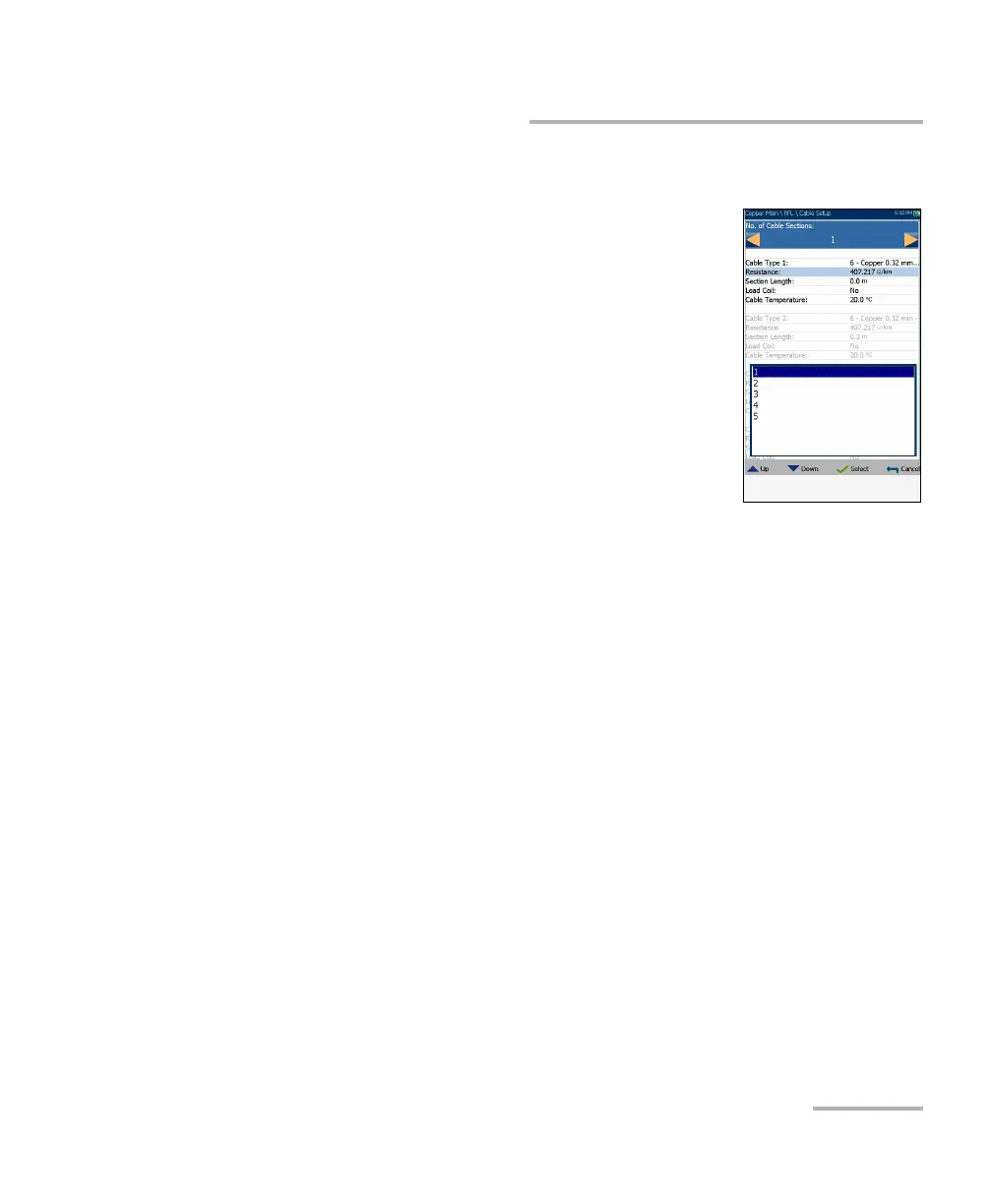
The Cable Setup page allows you to set cable
parameters for an RFL test. Settings are shared by
Single Pair, Separate Good Pair, and K-Test. Changes
done in Cable Setup for one test are reflected in all.
No. of Cable Sections allows you to set the
number of consecutive cable sections, to a
maximum of 5. If unknown, set the number to 1.
Cable Type # displays the number of a cable
section set above, ID, Cable Name and Fill, and
allows you to select an entry (with its associated
parameters) from the current Cable Book, to use
for testing. The selection is not saved when leaving the test. The
current Cable Book entry is shown by default.
Resistance specifies a value for the resistance constant of the cable in
each section.
Section Length allows you to specify the cable length of each section.
If the cable length is unknown, specify 0 and the RFL test will measure
the length.
Load Coil allows you to set the detection of the presence of load coils
to either Yes or No.
Cable Temperature allows you to change the temperature of the cable
under test in either °F or °C.













 To Next Page