Running DSL/IP Tests and Viewing Results
394 MAX-635G
Band Information
Band Information
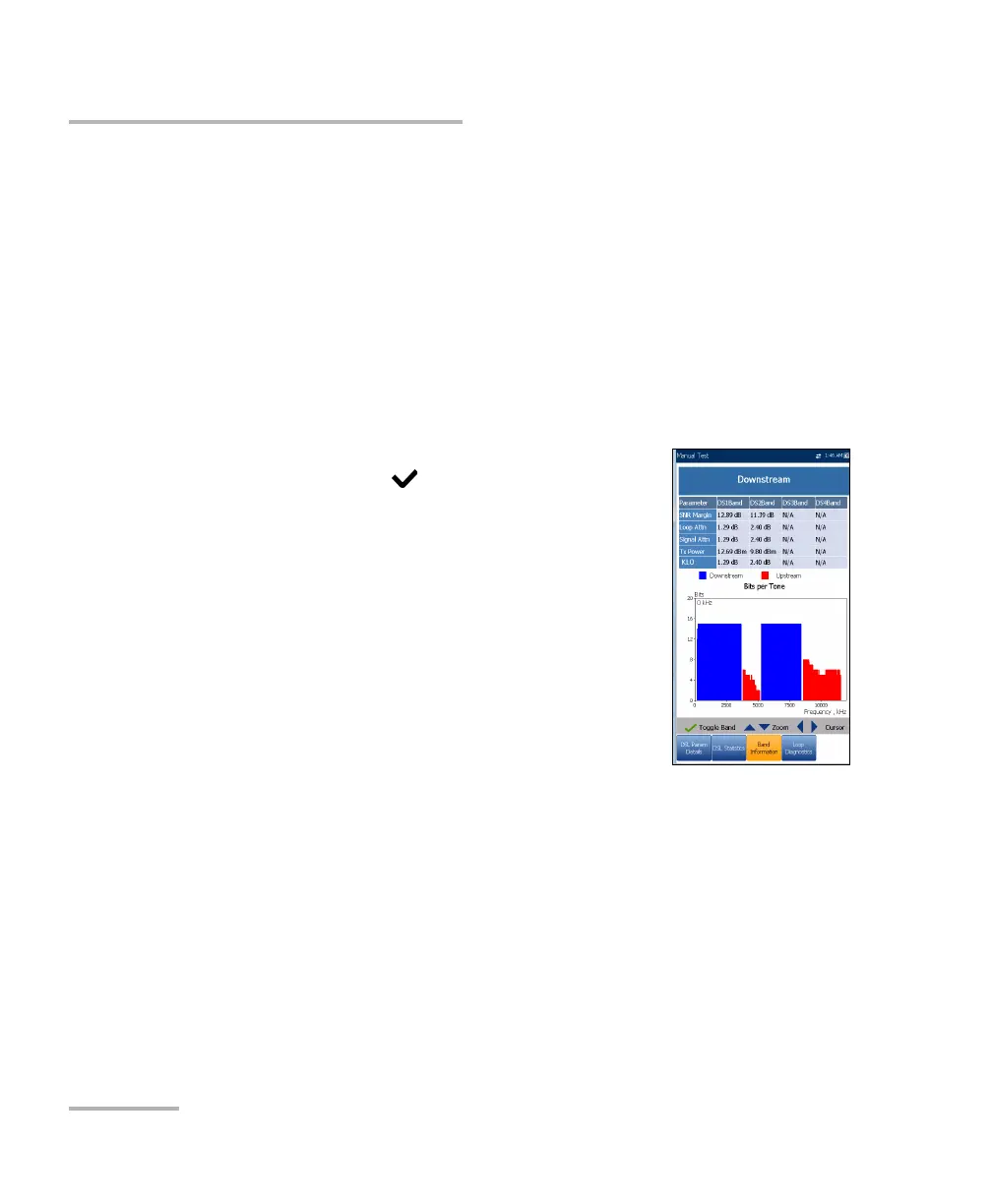
The Band Information tab allows you to view a list of individual upstream
or downstream band parameter details. The test results display Bits per
Tone in graphical format. For G.fast, the Frequency is shown in MHz.
When the Test Inter face for Auto or Manual Test is set to ADSL2+ or
VDSL2 bonding mode, there will be 2 pages of results, one for each DSL
line-pair.
To access the second-pair results, press the Pair 1/2 function key at the
bottom-right of the screen.
The tab contains Upstream and Downstream
parameters. Press to toggle between bands.
ADSL lists only 1 of each.
VDSL lists US0 to US3, and DS1 to DS4 possible
bands, depending on the band plan.
Parameter - Downstream/Upstream
SNR Margin is the measured current
signal-to-noise ratio margin across all active
sub-carriers, as an amount of increased noise
relative to the measured noise power that the
system would be able to tolerate. Only a value
of 6 or above is able to support a bit error rate of 10
-7
.
Loop Atten (VDSL) is the current quality of the line and is
measured only once during testing.
Signal Attenuation (ADSL, G.fast) is the current reduction of signal
strength and is measured periodically when the line is connected.
Tx/Output Power is the upstream/downstream transmitting power
for the selected band.
KL0 displays the per band attenuation values calculated during a
Manual VDSL2 test.













 To Next Page