Running DSL/IP Tests and Viewing Results
374 MAX-635G
Ethernet Connection Summary
Ethernet Connection Summary
Upon a successful WAN connection during an , if there is new software
available for your MaxTester, the software will automatically download.
When successfully downloaded, the unit will automatically reboot. The
MaxTester checks for new software every 2 weeks.
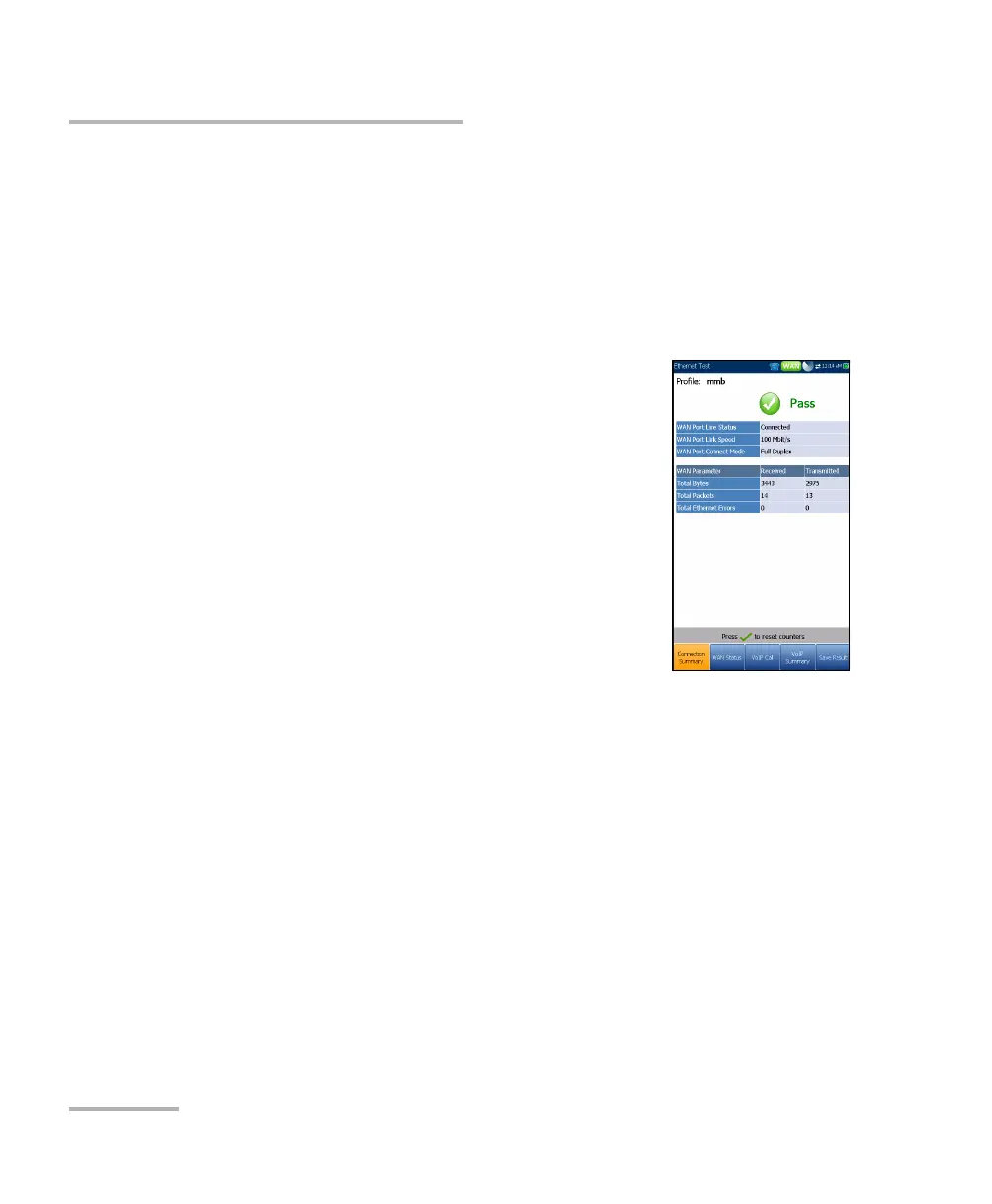
When set up over Ethernet, the available test results are the following:
WAN/LAN Port Line Status displays Booting
(GVXAA and GVXAB models only), Connected, or
Disconnected for the particular line connection
under test.
WAN/LAN Port Link Speed is Auto (negotiated
during the link establishment), 1000 (GVXAA and
GVXAB models only), 100, or 10 Mbit/s.
WAN/LAN Port Connect Mode is Full- or
Half-Duplex, when Link Speed is 1000 (GVXAA
and GVXAB models only), 100, or 10 Mbit/s.
The Total number of Received and Transmitted
Bytes, Packets, and Ethernet Errors are also displayed during the test.













 To Next Page