Copper and G.fast/VDSL2/ADSL2+ Multi-play Test Set 23
4 Setting Up the MAX-635G
Home
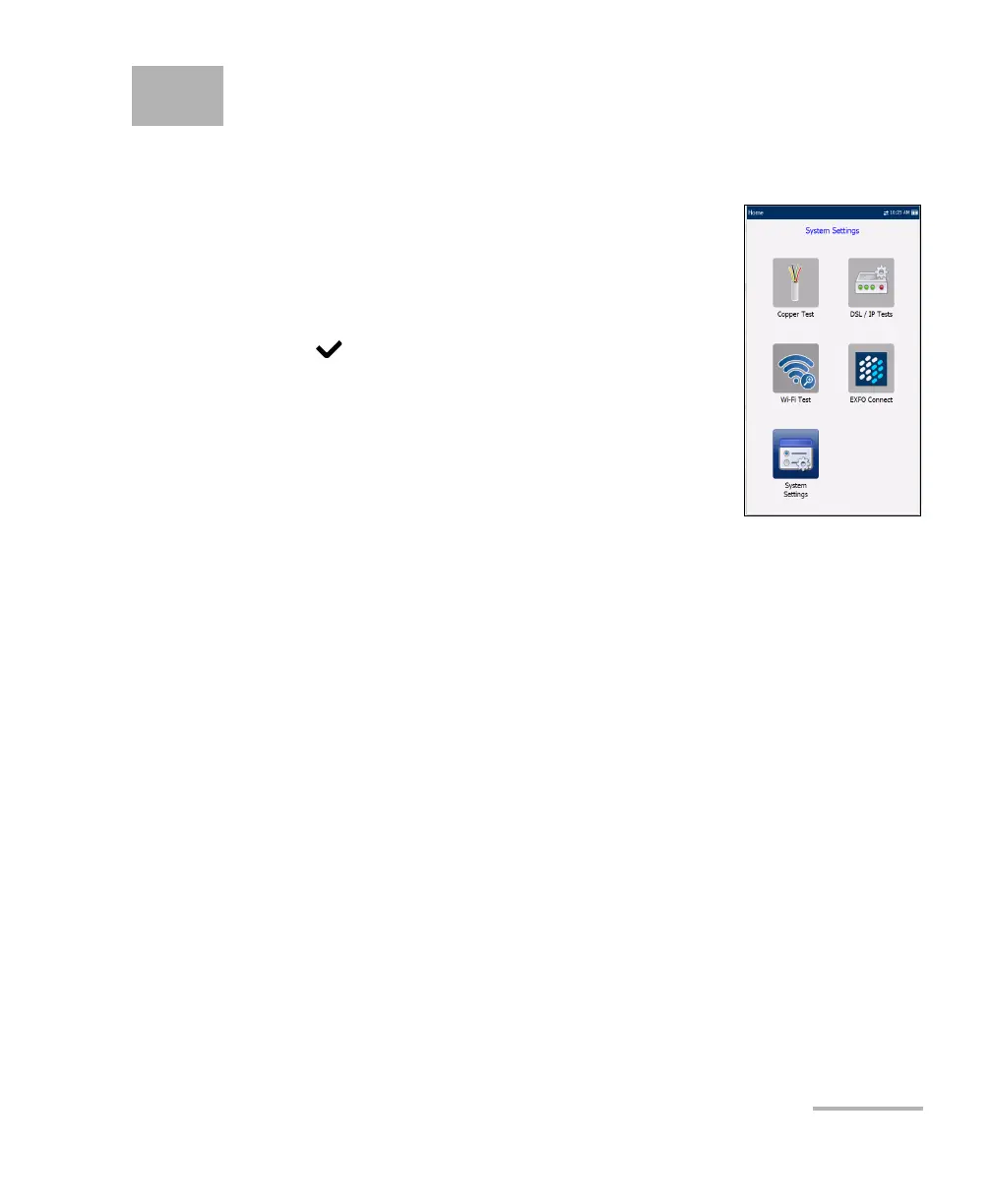
Home presents the main menu pane which allows
you to navigate between Copper Test, DSL/IP Tests,
System Settings, the Wi-Fi Test (GVXAA and GVXAB
models only), and EXFO Connect using the left/right,
up/down arrow keys on the keypad.
Press to bring up the sub-menu of the selected
icon:
Copper Test opens the Copper Main menu
displaying the copper qualification testing
applications.
DSL/IP Tests opens the DSL Main menu for
optional G.fast, ADSL2+, VDSL2, and multi-play services testing
applications.
System Settings allow you to set the parameters of the unit such as
language, date and time, and power battery info. You can also view
installed options, and software and hardware revision information.
Plus, System Settings provides access to Upload Setup.
Wi-Fi Test (GVXAA and GVXAB models only) scans and collects Wi-Fi
information and is not related to Copper or DSL/IP Tests.
EXFO Connect opens to EXFO Connect Client and Comms
(Communications) Setup.
Note: If you have the touchscreen option, any reference to pushing buttons on the
keypad can be replaced in most cases by clicking/tapping the touchscreen.













 To Next Page