Setting Up Copper Tests
92 MAX-635G
FED Control
FED Control
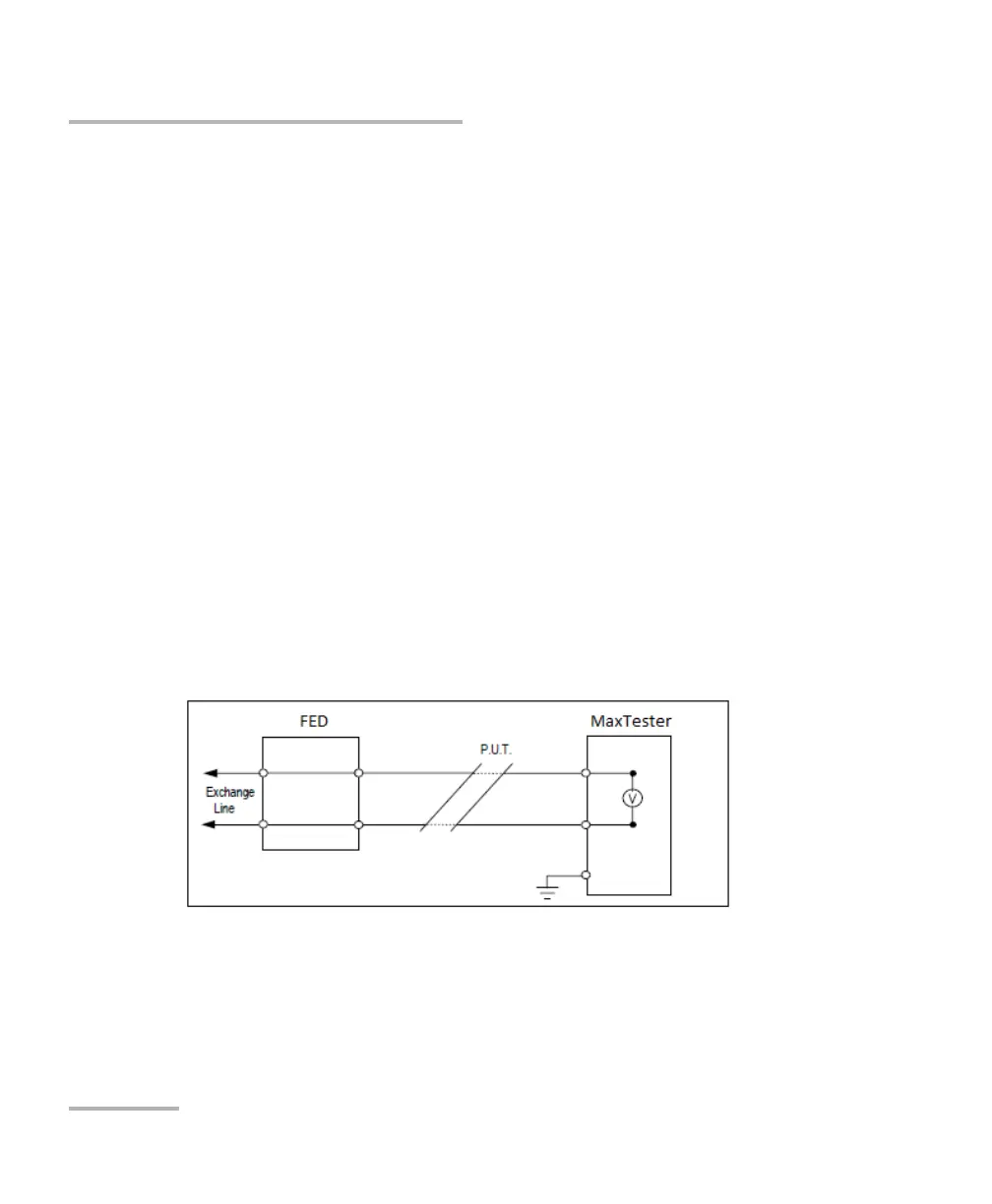
FED Control is an option enabled feature that tells the test set to detect
and control the Teletech TS125 or Viavi UltraFED
IIB remote FED (far end
device) during testing. Pair Detective, Auto Test, and many manual tests
will automatically detect and control the FED when this option is enabled,
saving you multiple trips to the far end after it is initially placed on the line.
The FED should always be connected to ground as well as the P.U.T. (pair
under test).
By connecting the T-R-G/A-B-E of a customer’s pair (CPE) to the customer
side of the FED (blue labeled connectors; the red labeled connectors are
connected to CO/Exchange side of the pair for pass-through mode),
control signals are sent to the FED by the MaxTester in order to open/short
(or pass through to the CO/Exchange) the T-R-G/A-B-E connections.
Connect T-R-G/A-B-E as follows for each FED state:
1. For Pass Through/Exchange Connect, connect the T-R/A-B wires to
the blue-labeled Pair1-Cu connectors on the FED (customer side), and
the network side T-R/A-B to the red-labeled Pair1 Ex-CO connectors
towards the CO/Exchange.













 To Next Page