TDR
274 MAX-635G
Result Details
Result Details
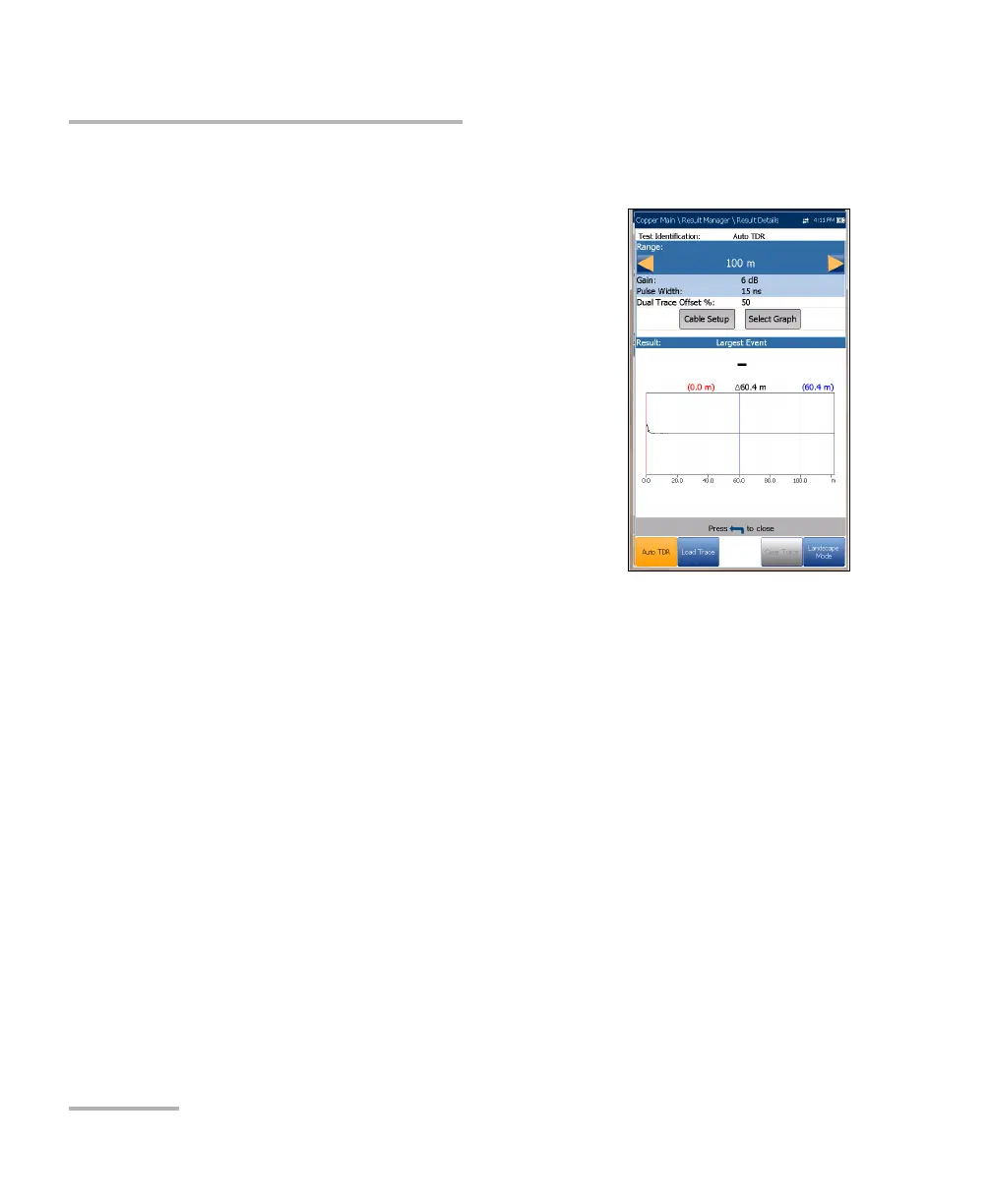
The Results Details page displays the TDR test
result cable parameters and the last viewed
Range, cursor, and marker positions. The
distance (Delta) value between cursor and
marker is displayed at the top of the graph.
Results are shown in text and graphical format in
Portrait/Landscape Mode. You can load a saved
auto TDR trace (secondary trace) and display it
simultaneously with the original TDR trace
(primary trace).
Note: The saved TDR test only displays the live/primary
trace.
Test Identification is the test type of the
group, for example Auto TDR.
Range allows you to set the range from the given list in Auto TDR only.
Gain displays whether the parameter was set to Auto or manual.
Pulse Width is a non-editable value that is updated dependent on
whether the parameters are set to Auto or manual.
Dual Trace Offset % is a configurable offset parameter for the
secondary trace, with a range of -100 % to +100 %.
Current Trace (not available in Auto TDR) allows you to turn on/off
Live and Peak traces by selecting one of the following:
Live turns Peak Hold OFF clearing previously collected
minimum/maximum measurement values. This is the default.
Live and Peak turns Peak Hold ON and collects
minimum/maximum measurement values, displaying all 3 traces.













 To Next Page