Setting Up DSL/IP Tests
370 MAX-635G
Setup
Delete Phone Book
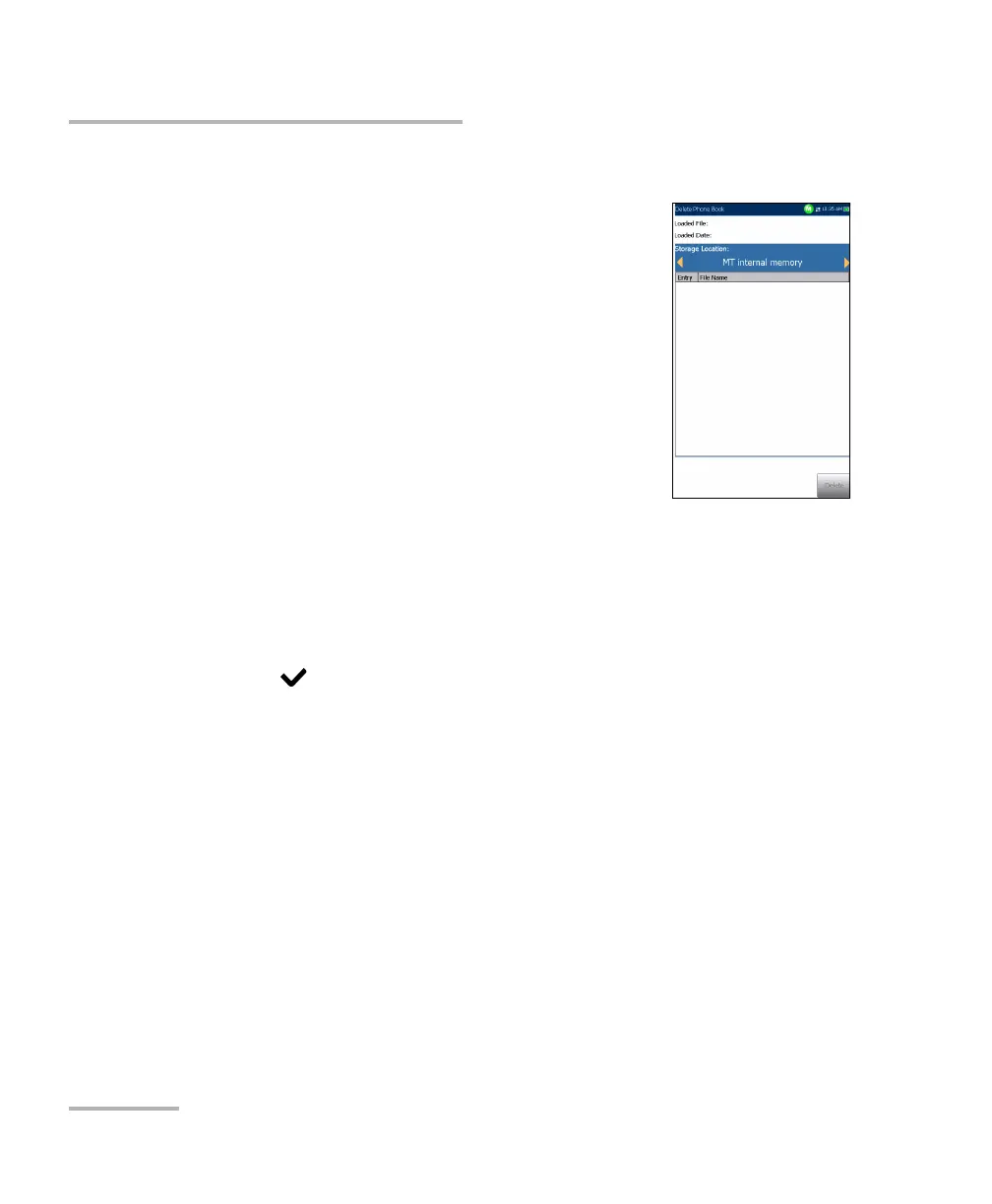
The Delete Phone Book page allows you to delete a
phone book. The page lists phone book files stored at
a particular location and displays the Loaded File
name and date of the last phone book loaded.
The Storage Location lists the location where the
phone book file is stored:
MT internal memory
USB
Entry displays the number of the phone book(s).
File Name lists the phone book file name(s).
Delete button deletes the selected phone book.
To delete a phone book:
1. Select the Storage Location using the left/right arrow keys.
OR
2. Press
to display the list of options.
3. Press the up/down arrow keys to select the entry to be removed.
4. Press the Delete button to remove the selected entry from the list.



 To Next Page