Test Results
570 88000 Series
Summary (Multi-Channel OTN)
Interface / OTL / OTU4, ODU4, and Channel Buttons
Note: Refer to Alarms/Errors on page 391 for more information on alarms/errors
and alarms/errors injection.
Interface / OTL / OTU4 displays alarms/errors for Interface (see
page 425), Clock (see page 397), OTL (see page 440), and OTU4 (see
page 441) as well as the received SM TTI Traces (see page 595).
ODU4 displays alarms/error at ODU4 (see page 430) and OPU4 (see
page 437) levels as well as the received PM TTI Traces (see page 595)
and received Payload Type (see page 482).
1, 2, up to 80, depending on the OTN multiplexing, displays
alarms/error for a specific channel including: ODUx (see page 430),
OPUx (see page 437), ODTU4.1 - GMP (see page 424), BERT (see
page 532), SDT (see page 533), received PM TTI Traces (see
page 595), and received Payload Type (see page 482).
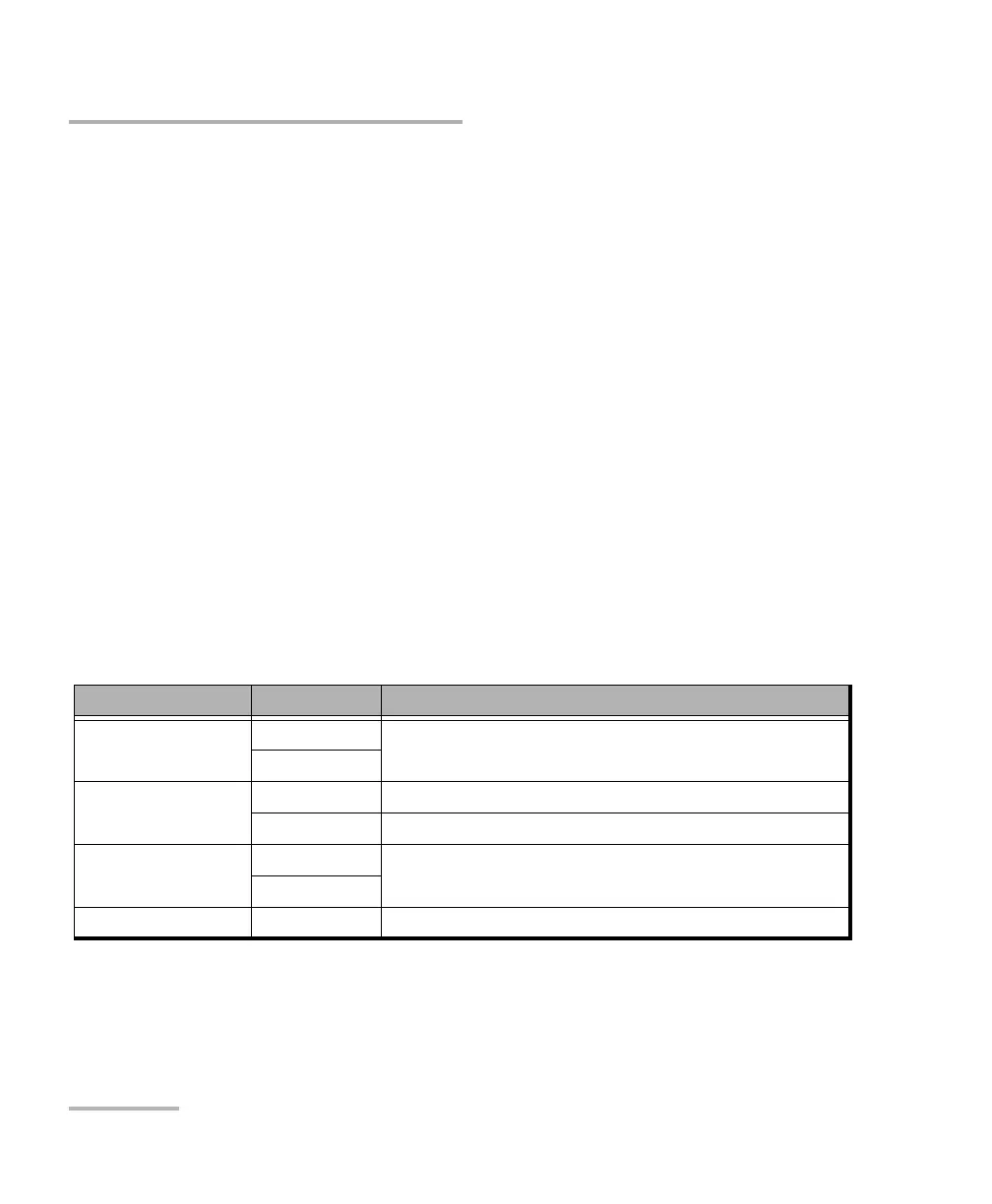
Buttons use different background colors representing current and history
alarms/errors. An orange background indicates the selected button.
Background color Alarm/ Error
a
a. History background color is presented on the left side of the button while Current background color is
covering the rest of the button.
Description
Gray Current No test result available.
History
Green Current No alarm/error has occurred in the last second.
History No alarm/error has occurred during the test.
Red Current An alarm/error occurred in the last second.
History
Amber History At least one alarm/error has occurred during the test.




 To Next Page