5. Programming
5−114
Festo P.BE−SPC200−WIN−PISA−CD−EN en 0901d
6. Check the message window. If errors are displayed, these
can be remedied and compilation repeated.
WinPISA opens the relevant program and jumps to the rel
evant program line when you double−click on a message in
the message window.
Compiling several programs
You can select one or more unopened programs for compila
tion as an
alternative to compiling a single program.
To compile one or more programs:
1. Select [Programs] from the [Compile] menu or click on the
Compile selected programs" button.
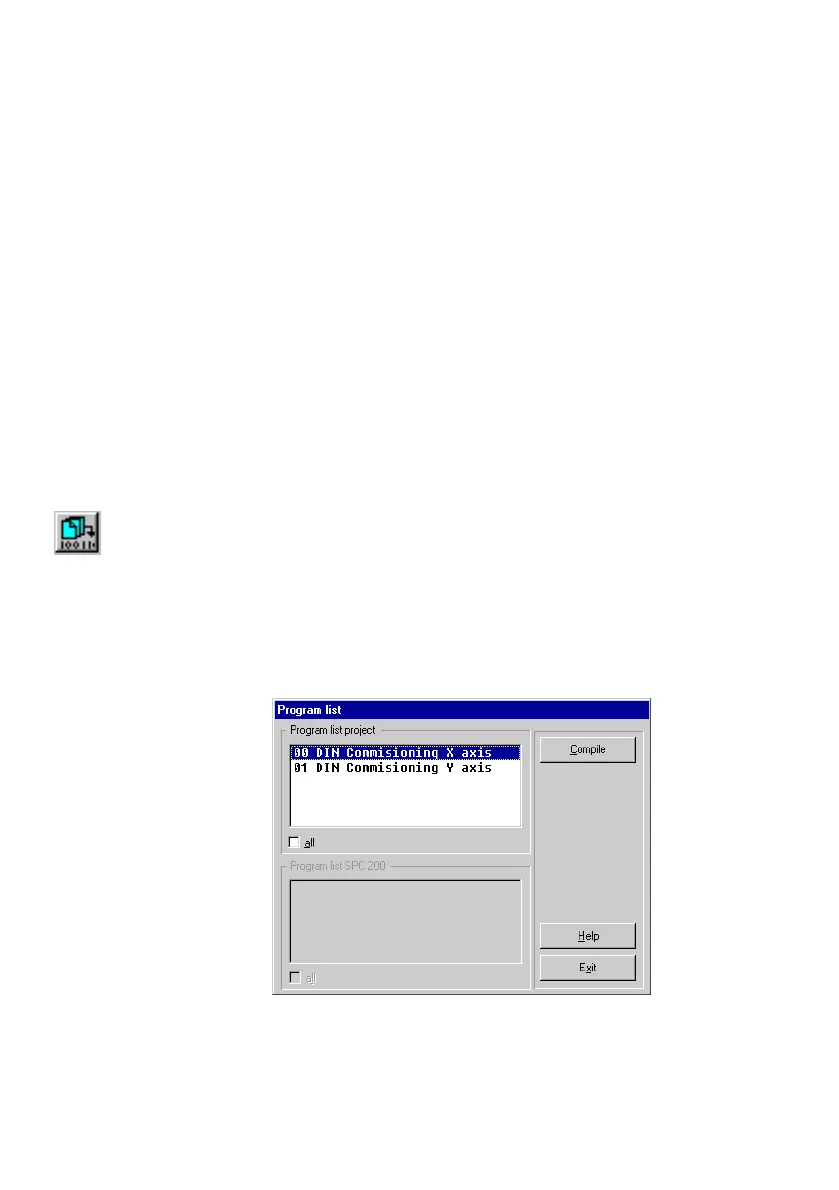
2. Select one or more programs from Program list project"
in the Program list" dialogue window. Check the All"
check box to select all programs.
3. Click Compile" to start
the compilation.
Fig.5/23: Compiling programs





 To Next Page