6. Diagnostics and optimization
6−26
Festo P.BE−SPC200−WIN−PISA−CD−EN en 0901d
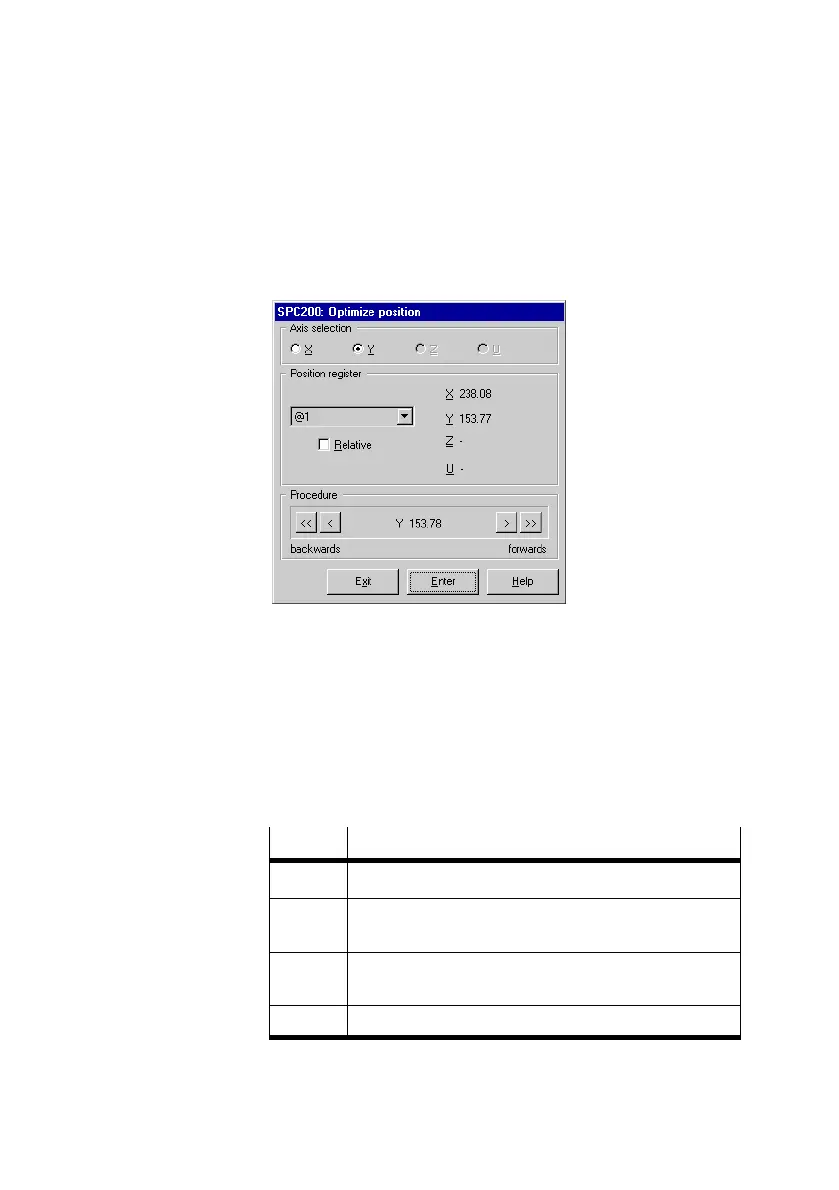
4. Select the axis for which you wish to accept the current
axis position from the Optimize position" dialogue win
dow.
Fig.6/15: Optimizing the position
5. Select the position register, in which you wish to enter a
position, under Position register".
6. Move the axis with the buttons under Procedure" to the
desired position. The actual position will be shown under
Procedure".
Button
Moves the axis selected ...
<< ... continuously in a negative direction.
< ... by 2 x the specified positioning tolerance in a negative
direction.
> ... by 2 x the specified positioning tolerance in a positive
direction.
>> ... continuously in a positive direction.
You can move the axis to the desired position by hand if the
system is depressurized.











 To Next Page