6. Diagnostics and optimization
6−41
Festo P.BE−SPC200−WIN−PISA−CD−EN en 0901d
Defining the data basis for a new graph
Collation and assignment of measurement values go to make
up the data basis for a graph.
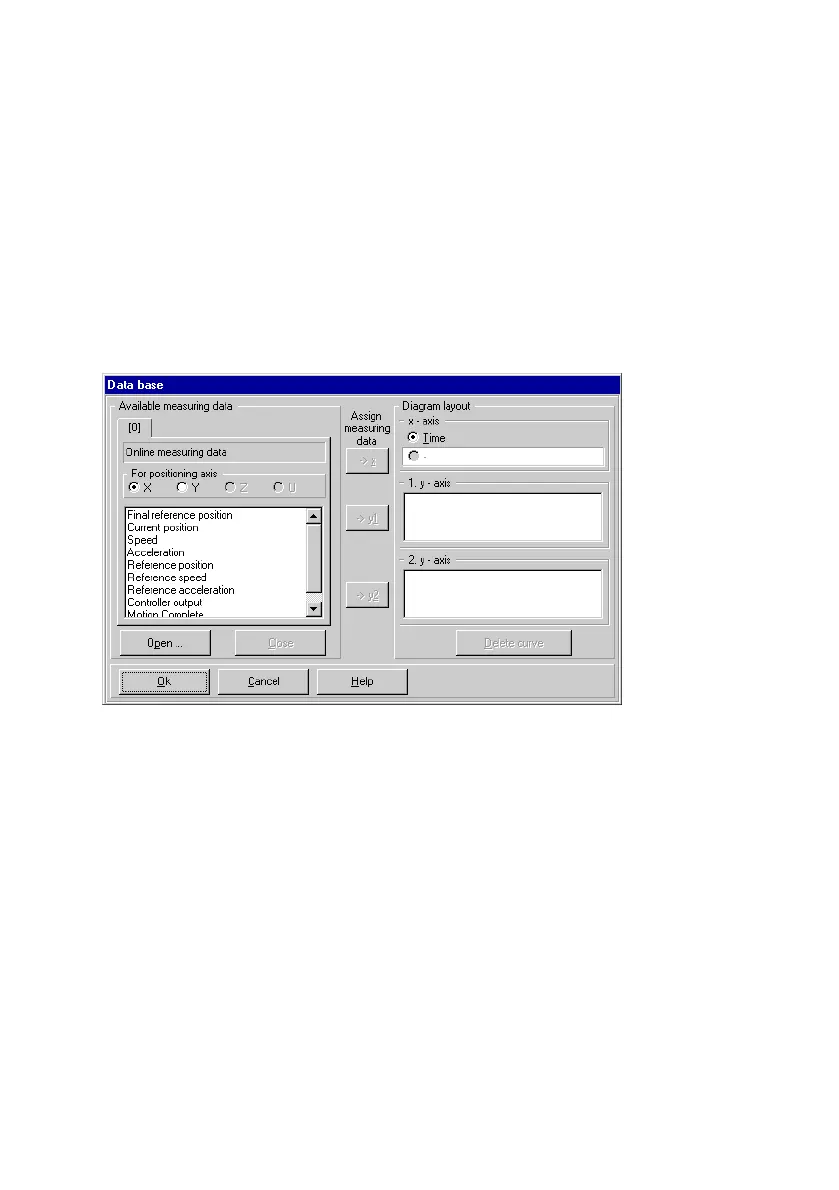
The Data basis" dialogue window consists of two areas:
Available measuring data" and Diagram layout".
Fig.6/18: Configuring the graph
Select the measurement data from Available measuring
data". Tab [0]" always contains Online measure−ment data,
i.e. the measurement data of the current measurement re
cording. Tab [0] (Online measuring data) is empty if no
measurements have been recorded in the current WinPISA
session.
You can open saved measurement data from earlier
measure
ments using the Open" button. These will each be displayed
on an additional tab ([1], [2], etc). Measurement data is se
lected in the Read measurement data" dialogue window.
Select a measurement data file (*.MDA) and click on OK" to
open.











 To Next Page