A. Working with the keyboard
A−7
Festo P.BE−SPC200−WIN−PISA−CD−EN en 0901d
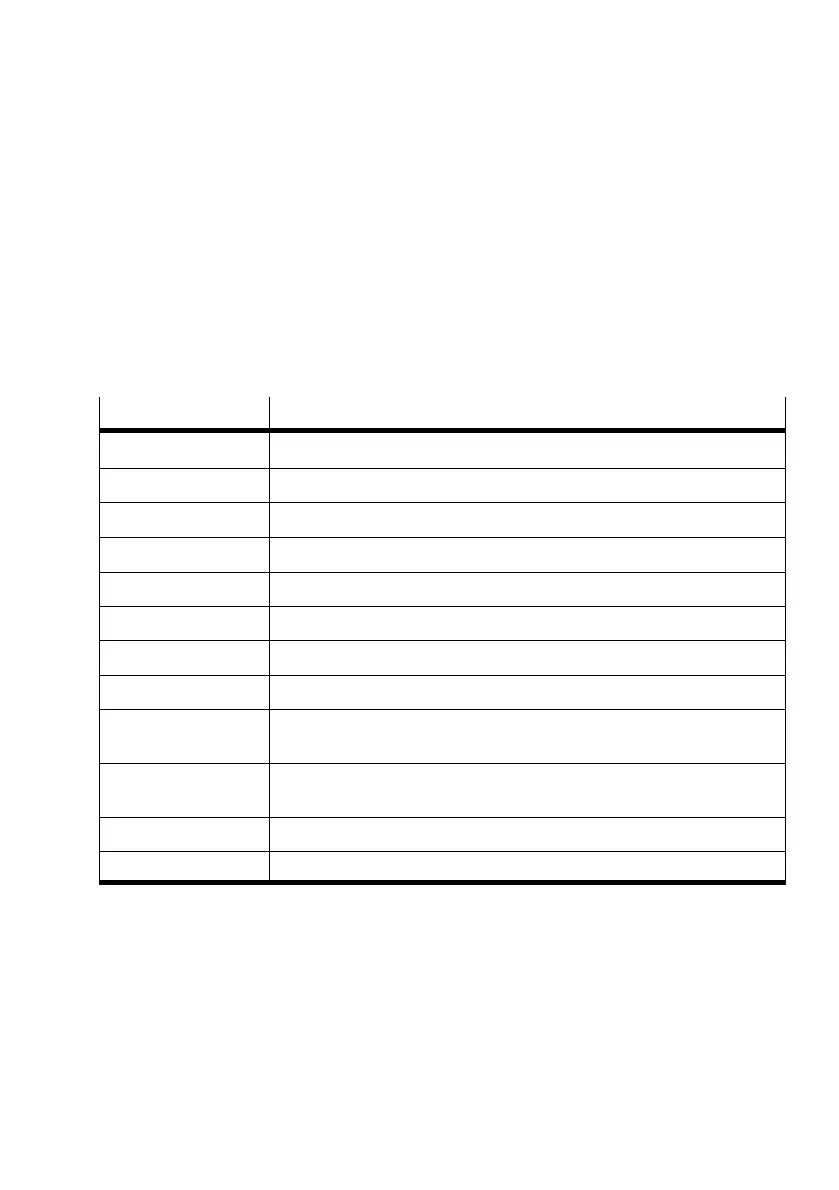
Text selection keys
The following keys can be used in most Windows applica
tions.
The following text selection operations use the position of the
insertion point as a starting point. Moving the insertion point
will unselect text that has already been selected.
Press key(s) ...
... to select the following or to remove selection
SH IFT+RIG HT ARROW To the right character by character.
SH IFT+LEFT ARROW To the left character by character.
SH IFT+UP Up one line.
SH IFT+DOWN Down one line.
SH IFT+PAGE UP The whole text, one page up.
SH IFT+PAGE DOWN The whole text, one page down.
SH IFT+HOME The text up to the start of the line.
SH IFT+E ND The text up to the end of the line.
CTRL+SHIF T
+LEFT ARROW
The previous word.
CTRL+SHIF T
+RIGHT ARROW
The next word.
CTRL+SHIF T+HOME The text up to the start of the document.
CTRL+SHIF T+END The text up to the end of the document.





 To Next Page