1. Installation and general user information
1−34
Festo P.BE−SPC200−WIN−PISA−CD−EN en 0901d
1
2
3
4
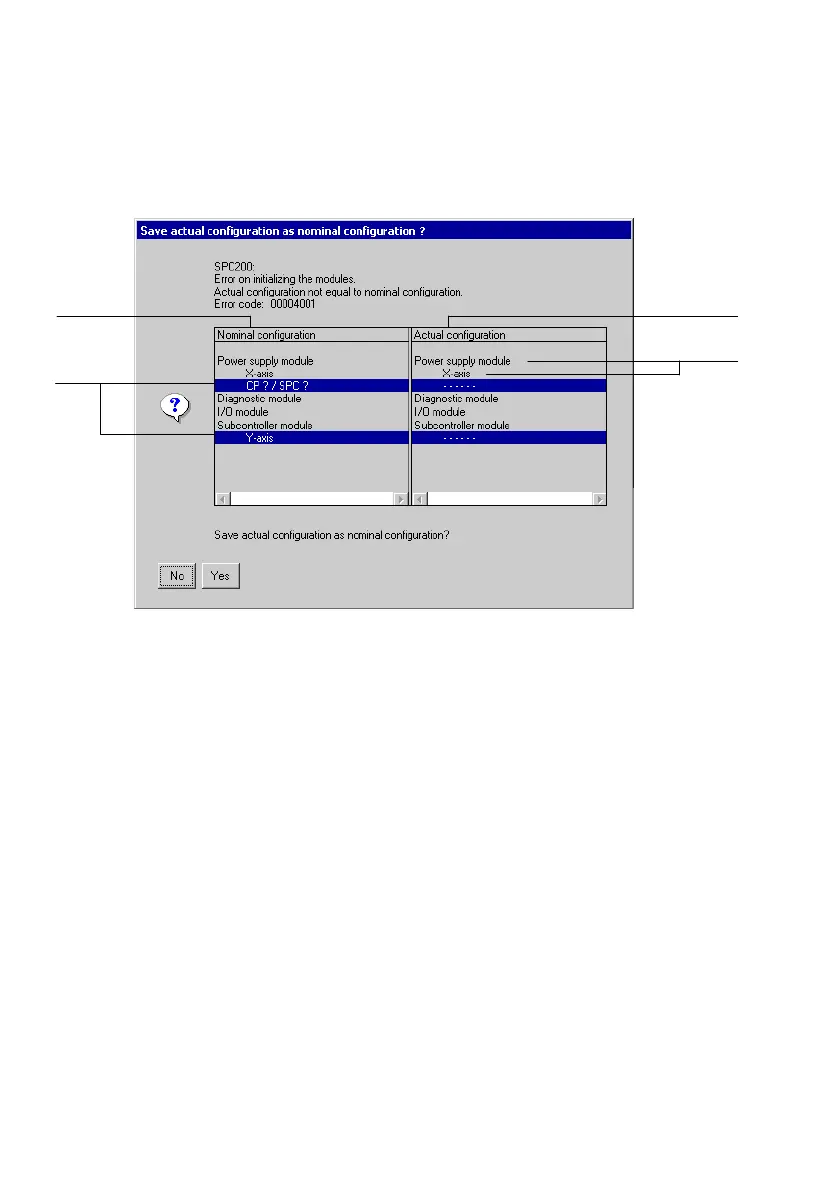
1 Display of the nominal configuration
(hardware configuration saved in the
SPC200)
2 Difference between nominal and actual
configurations (shown marked)
3 Display of the actual configuration
(hardware configuration recognized by
the SPC200 when it is switched on)
4 Module in the SPC200 and the axes
assigned to the module (or axis
interfaces) or I/O modules
Fig.1/18: Save actual as nominal configuration?
3. Check the actual and nominal configurations now
displayed.
The columns each contain the modules of the SPC200.
The axes assigned to the relevant module (or axis interfa
ces) and I/O modules are shown
inset below the module.
Whether an I/O module exists on the axis interface string,
but not the exact type of I/O module, is saved in the nom
inal configuration. The I/O modules are therefore marked
with CP ? / SPC ?" in the nominal configuration.











 To Next Page