EasyManua.ls Logo

Fostex DMT-8VL - Page 91

Fostex DMT-8VL
158 pages
Print Icon
To Next Page IconTo Next Page
To Previous Page IconTo Previous Page
Loading...
DMT
-
8VL
Owner's
Manual
(Locate
function)
Changing
the
stored
Start
/
End
points
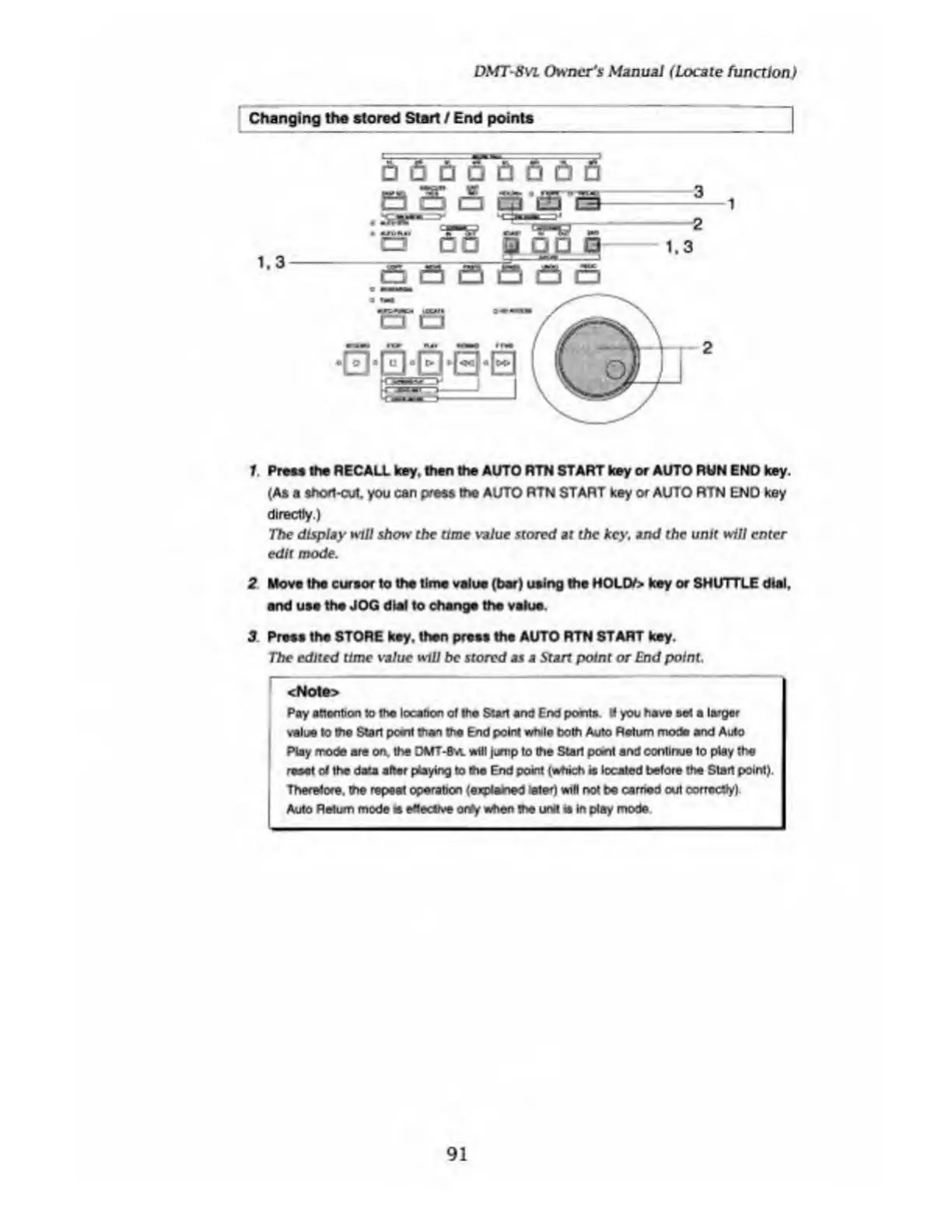
1.3
1
1
Press
the
RECALL
key.
then
the
AUTO
RTN
START
key
or
AUTO
RUN
END
key.
(As
a
shod-cut.
you
can
press
the
AUTO
RTN
START
key
or
AUTO
RTN
END
key
directly.)
The
display
mil
show
the
time
value
stored
at
the
key,
and
the
unit
will
enter
edit
mode.
2
Move
the
cursor
to
the
time
value
(bar)
using
the
HOLD/>
key
or
SHUTTLE
dial,
and
use
the
JOG
dial
to
change
the
value.
3
Press
the
STORE
key.
then
press
the
AUTO
RTN
START
key.
The
edited
time
value
will
be
stored
as
a
Start
point
or
End
point.
<Note>
Pay
attention
to
the
location
of
the
Start
and
End
pocits
«
you
have
s&l
a
larger
value
to
the
Start
point
than
the
End
point
while
both
Auto
Return
mode
and
Auto
Play
mode
are
on.
the
DMT-8
m.
wilt
jump
to
the
Start
posit
and
continue
to
play
the
reset
of
the
data
after
playing
to
die
End
point
(which
it
located
before
the
Start
point).
Therefore,
the
repeat
operation
(explained
later)
will
not
be
earned
out
oorroctfy)
Auto
Return
mode
e
effective
onry
Mien
the
unit
is
in
play
mode
91

Table of Contents