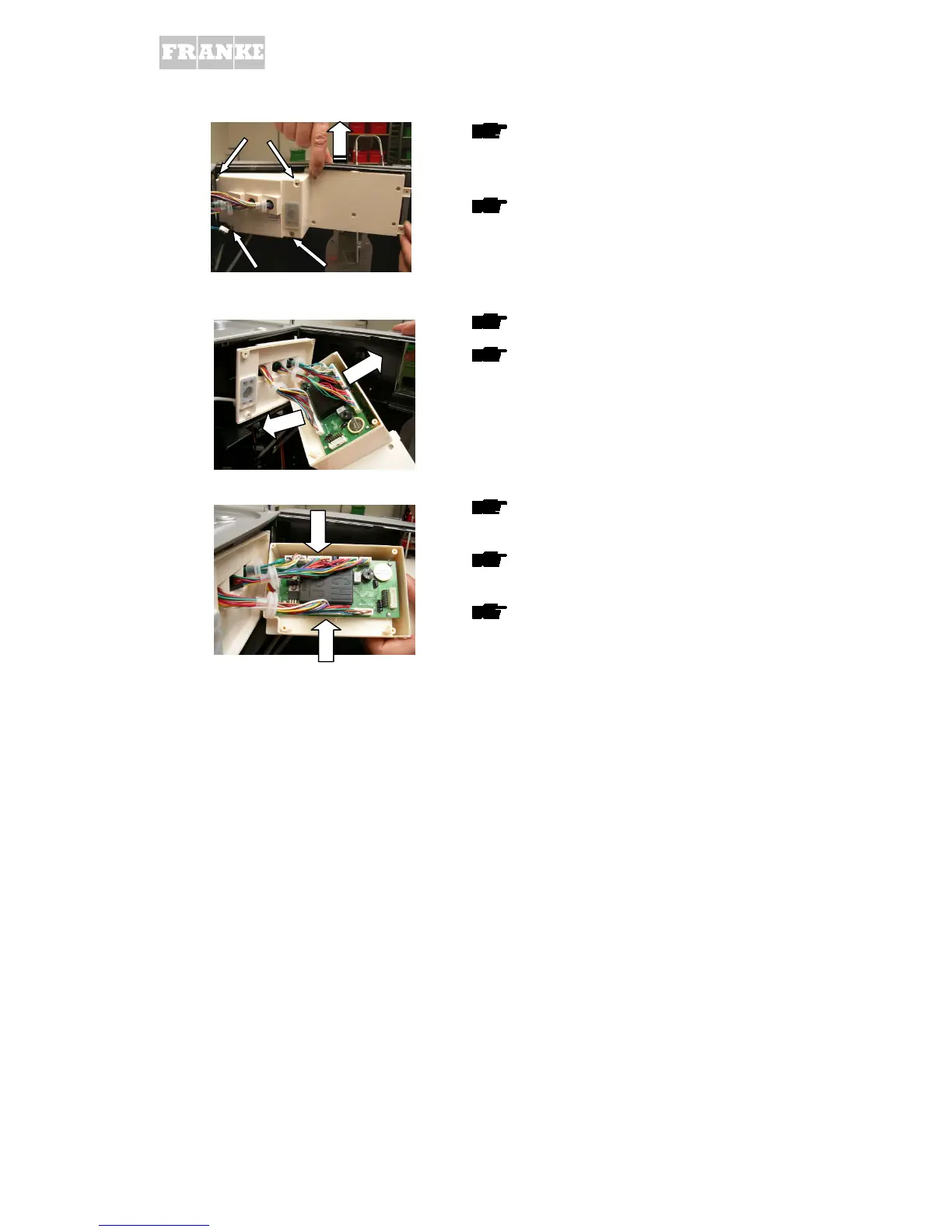
Unscrew the 4 screws from cover and
remove
Raise front panel housing slightly in the
middle (arrow) and remove front panel
control system
Disconnect all cable connectors
Also remove cover with cables from the
new front panel control system
Connect new front panel control system to
existing cables, close cover
or if necessary replace front panel control
system complete with cables
see Instructions for replacing control
system on Franke Animation/Terminal3000



 To Next Page
 Loading...







