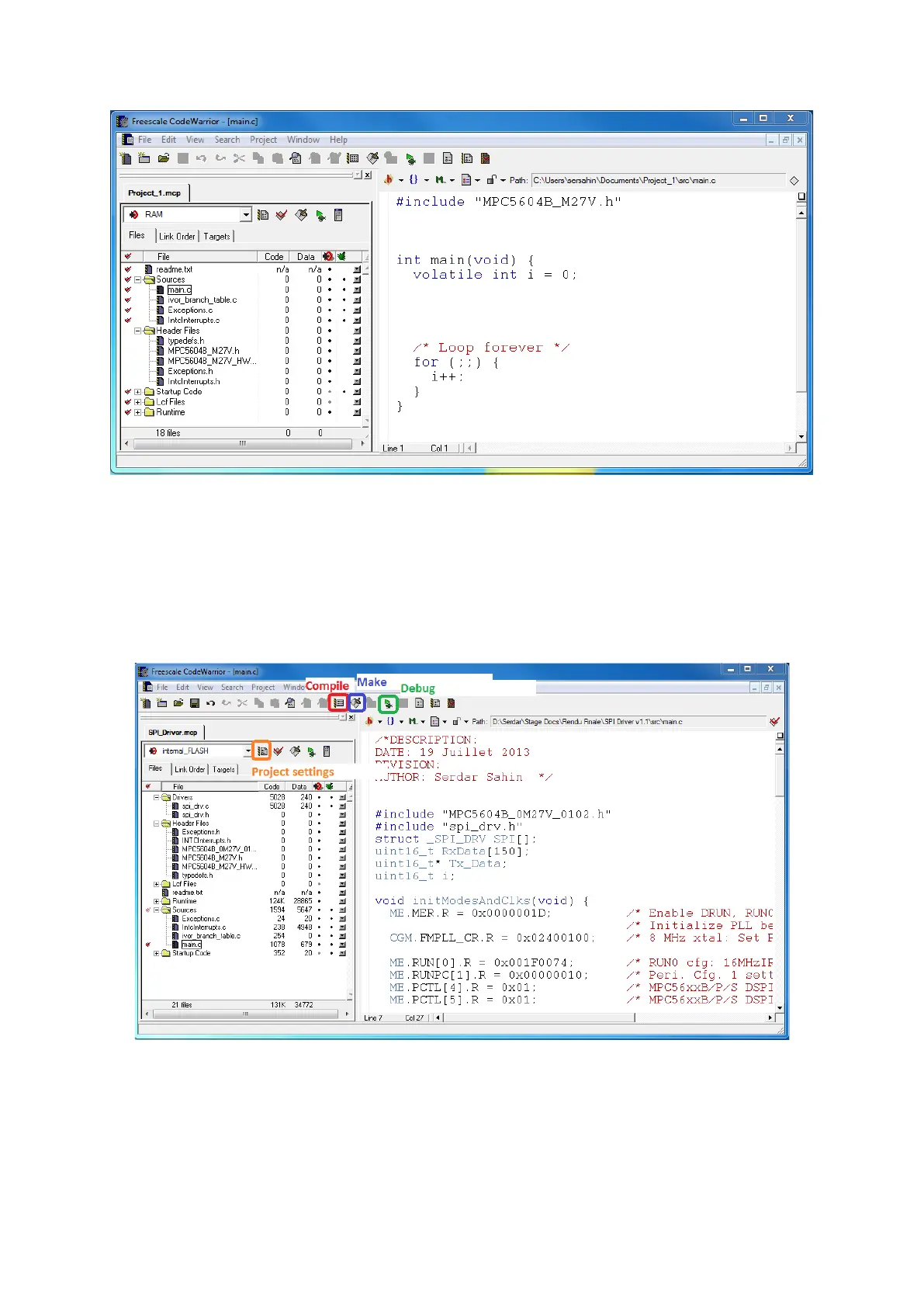
When your project is created, you have a basic main program loop with minimal microprocessor
libraries included in the project. You should quickly
change the project target from RAM to
internal_Flash
and
update the register memory mapping header file from “MPC5604B_M27V.h” to
“MPC5604B_0M27V_102.h”
(a new, less buggy version) and include it in the header files (click
right and add file).
Let’s open and see what we can do with a complete project, like the SPI Driver self-test program.
For building a project you should use Compile, Make and Debug in this order. At the bottom of
the project tab at left, you can see how much Code Flash and Data Flash is used (Code Flash is up
to 512k and Data Flash is up to 64k).
The project settings page allows you to manage internal flash settings, about Target, Linger,
Code Generation. You can for instance select your Code Optimisation (higher optimisation



 To Next Page