In the green box you can see moving commands on the high level code, the one on the left will
make a single step in the high level code, the middle one will make multiple steps at a slow pace,
updating all register and variable information on the debugger, and the last one will execute the
program at its normal speed. (Unless the come across a break point you can put using red points
on the code window.)
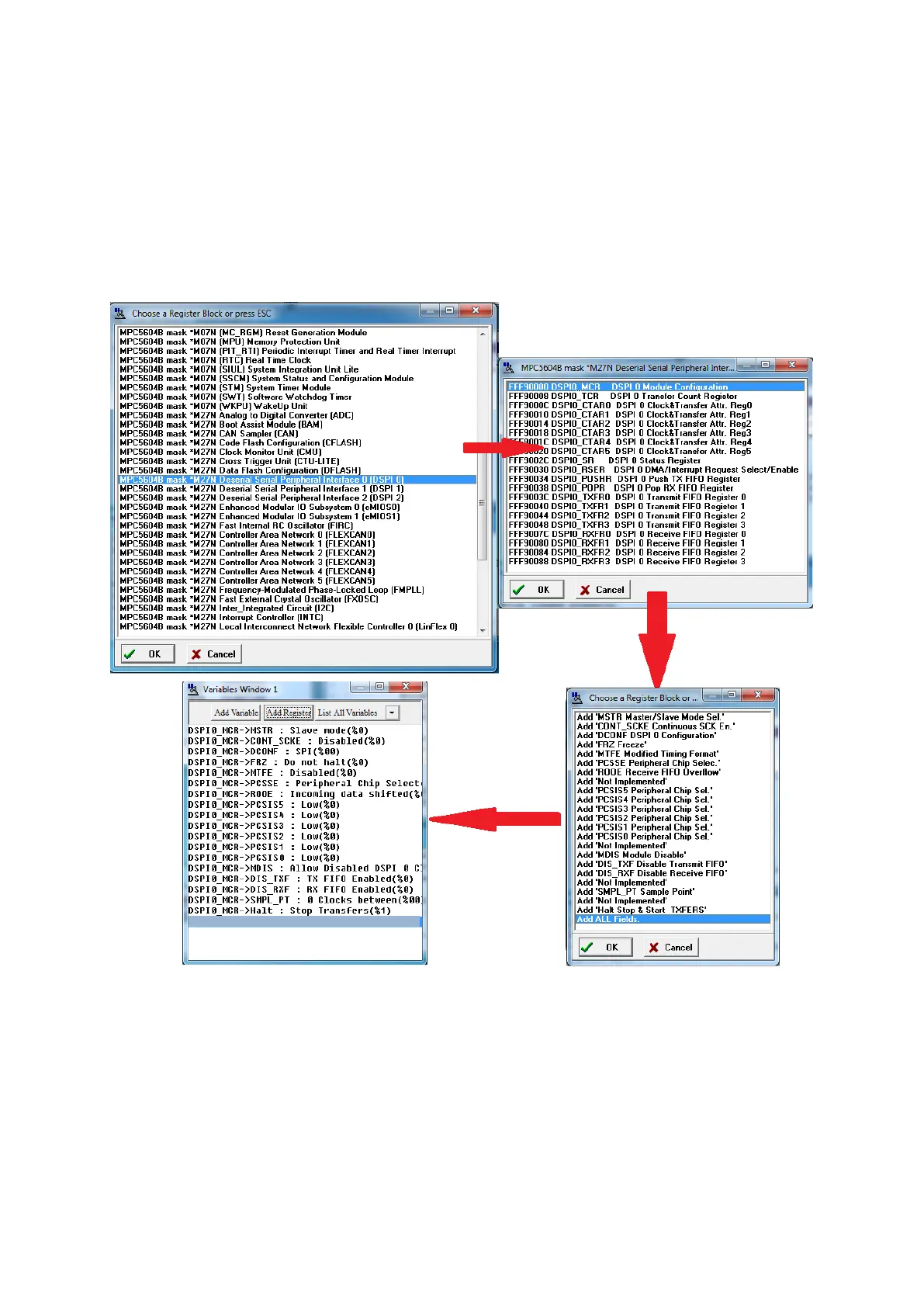
The variable windows at left allow you to add variables from the program (even arrays and
structure) and monitor them. You can also add peripheral registers using add register.
You can also monitor the memory using memory window. The memory is displayed both in HEX
and in ASCII, so when using data arrays, it is pretty simple to use array’s address and this
window to read its data. (You can set the windows base address with a left click). Another way
to it is to click right on the array’s address in variable window and to click examine data, which
will show each case of an array or subfields of a structure.



 To Next Page