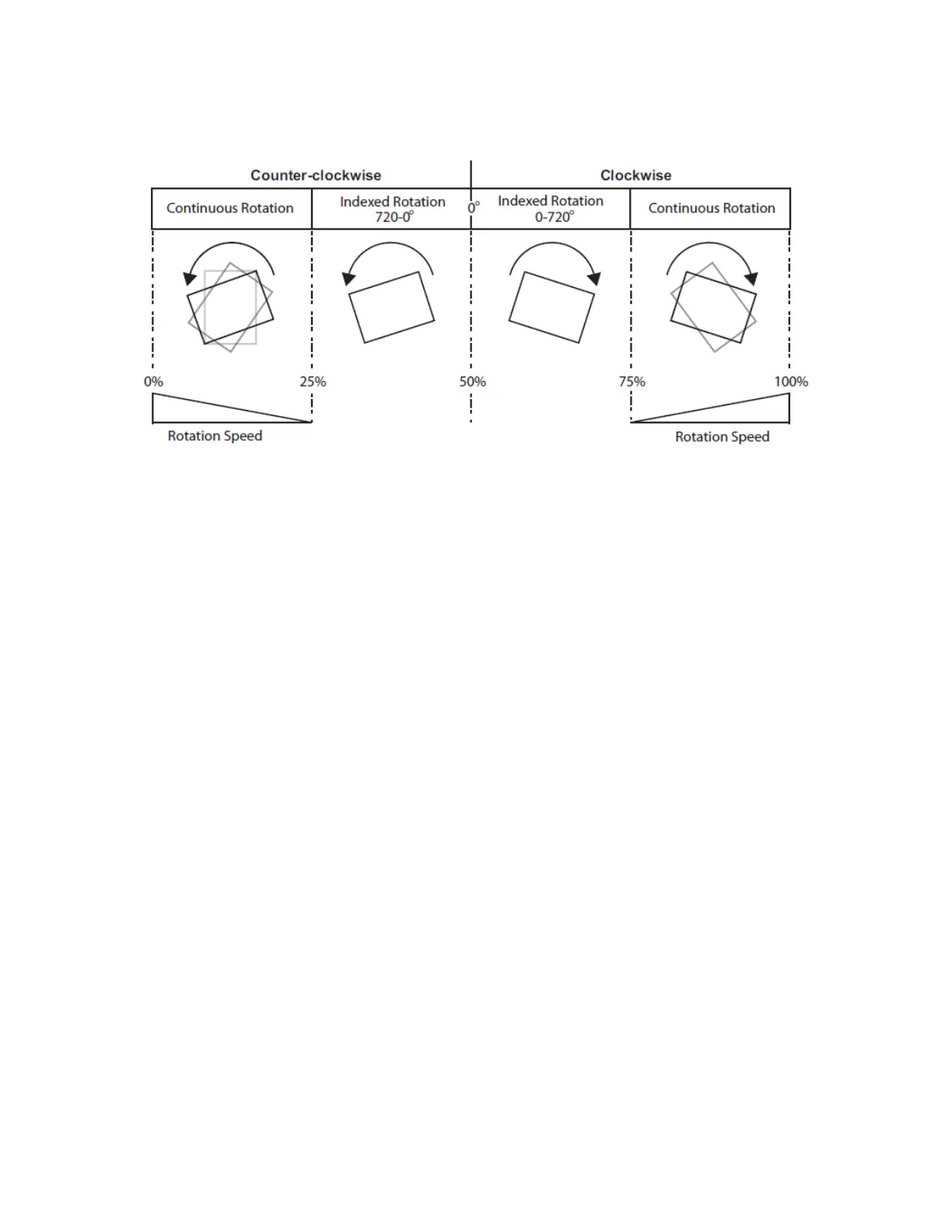
When the DMX value for a rotation parameter is greater than the 720° limit in either direction, the object begins rotating
continuously. Additional adjustment to the DMX values increases the speed of continuous rotation.
NOTE:Global and Graphic Effects Mode parameters contain a Pre-rotation Translation effect option. When a Global or
Graphic Effects Mode DMX value = 102, you can use the Effect Modifier parameters to locate the image in a virtual three
dimensional space. Applying the Rotation parameters then cause the image to orbit around the selected axis from that
location.



 To Next Page