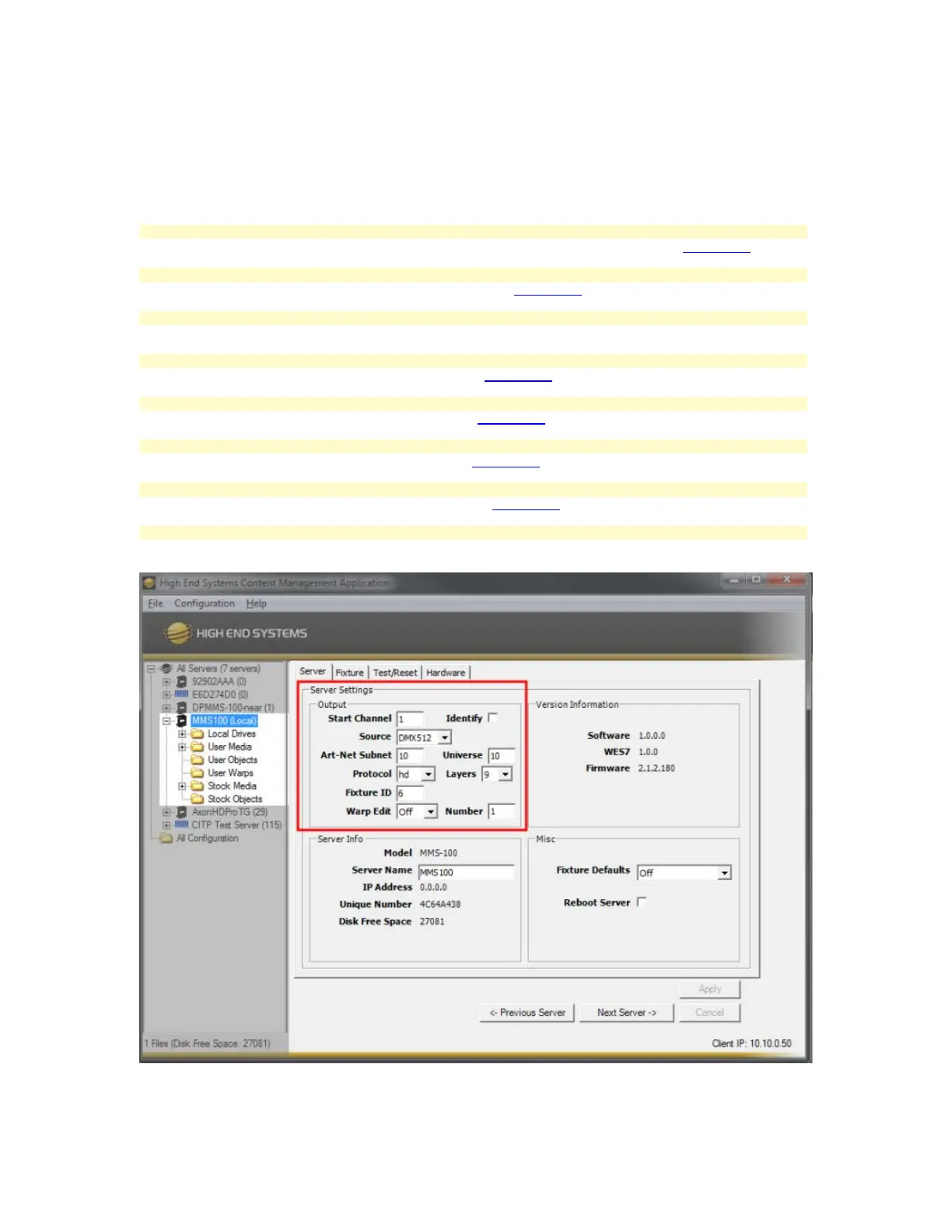
CMA Setup - MMS100
Using the Content Management Application (CMA) with the MMS100 allows all configuration setting to be made from a
network connected computer.
Select the Start Channel Drop-Down Box. DMX Footprint determines Start Channel options. (More Info.)
Select the Source Drop-Down Box. Options are DMX or Art-Net (More Info.)
Art-Net Subnet and Universe
Type in the Subnet and Universe values, this must match the Control Source Settings
Select the Version Drop-Down Box. Options and V2 or HD (More Info.)
Select the Layer Drop-Down Box. Options are 1-9 Layers (More Info.)
Select the Fixture ID Drop-Down Box. Options are 1-255 (More Info.)
Quick Access to the a Warp File, useful for setup purposes (More Info.)
Allows a connected display device output a white flashing pattern, useful for setup purposes



 To Next Page