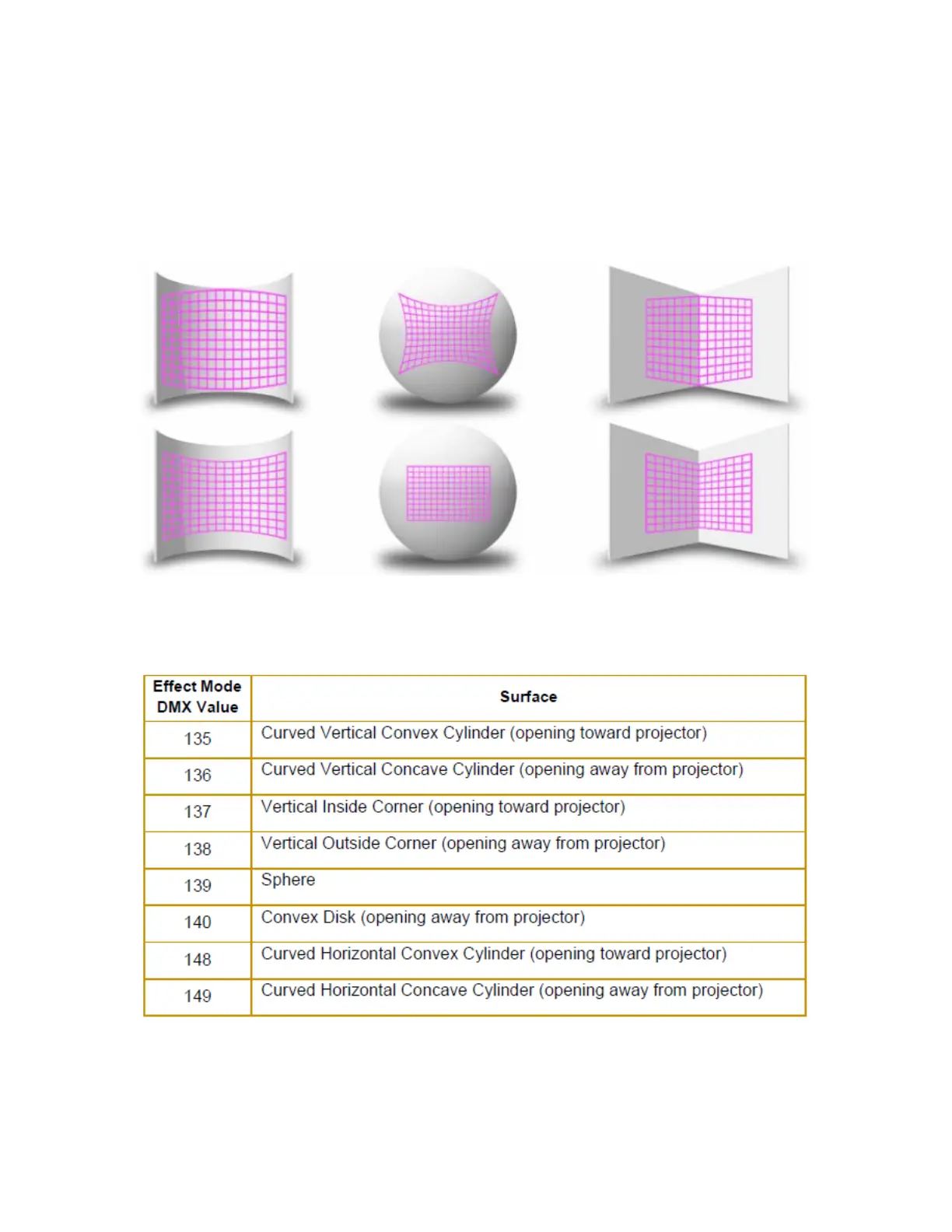
Curved Surface Correction
Effect Mode parameter DMX value = 135-149
Curved Surface Support corrects for shape distortions that occur when you project onto surfaces that aren’t flat. This
Global effect facilitates projecting onto convex or concave cylinders, angular screens, spheres, and disk shaped surfaces.
You can apply this correction to any media server output including multi-fixture image panoramas created with the Collage
Generator Effect,
Use these adjustments in conjunction with Keystone parameters and Ratio parameters to refine the output shape on any
of these surfaces.
After you have selected the surface, the Modifier parameters operate as described below:
Modifier 1:
Lets you adjust the amount of correction vertically. A value of 0 = no adjustment. The correction increases as you
increase value to maximum at 255 (100%).



 To Next Page