Verifying Operation
At times it is helpful to verify the operation of the fixture from the fixture itself. This process will help with troubleshooting
other areas of the setup by validating the MMS100 is working correctly.
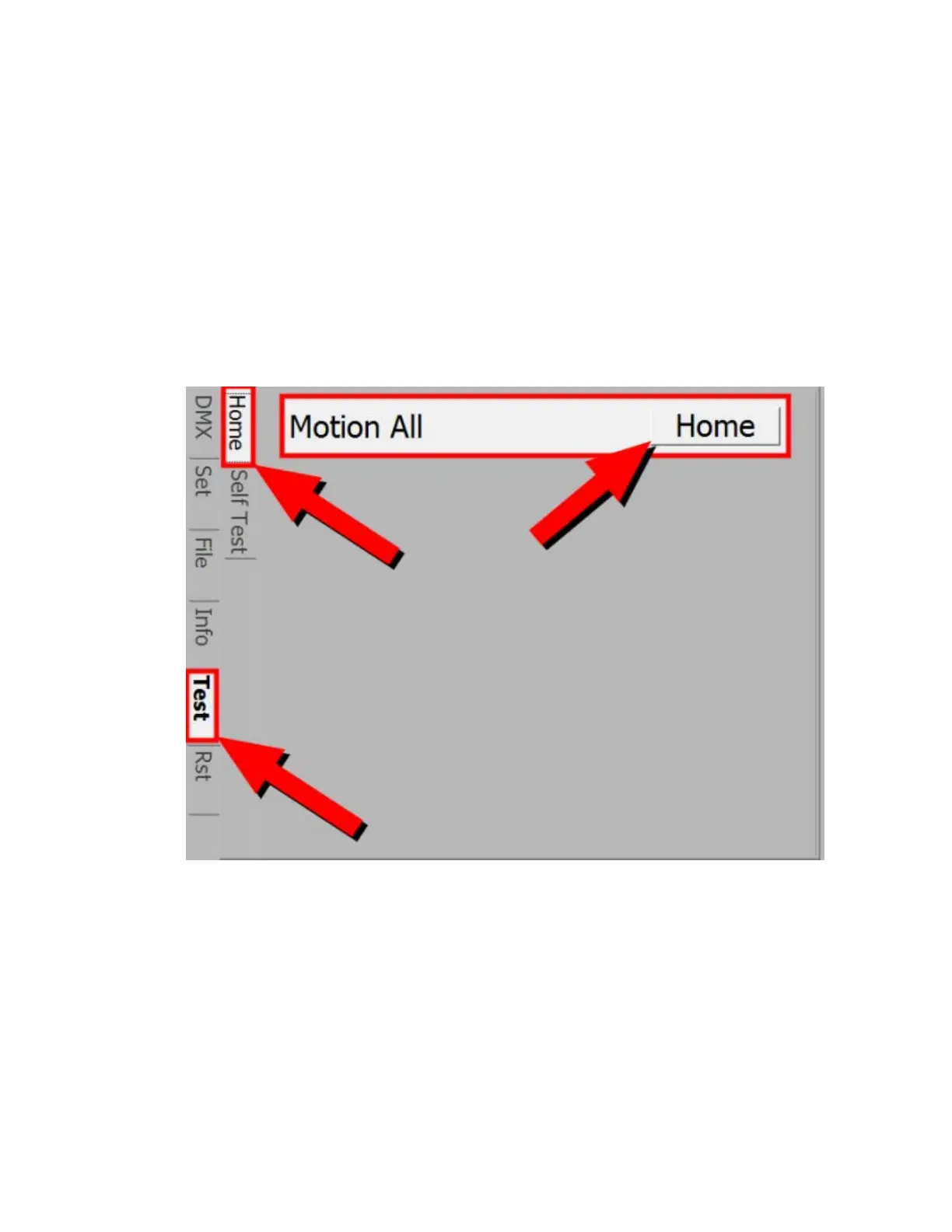
To verify that the Motion Portion of the MMS100 is working.
• Navigate to the Test Tab
• Navigate to the Home Tab,
• Arrow over to Home, press Select.
• Note that the Mirror will start and complete the homing routine.
• Upon completion, the motion system, motion position, and menu system are known to be working.
To verify that the Graphics system is working
• Ensure that there is a known good display device connected to the DVI port.
• Ensure the correct input source is selected on the display device
• Navigate to the Test Tab
• Navigate to the Self Test Tab
• Navigate to Video Test Pattern - Select USER (not shown in image)
• Navigate to the Media Folder drop down, select field and arrow to '1'
• Navigate to the Media File drop down, select the field and arrow to '1'
• Video content should be displayed on screen at this point.
• Upon completion, the graphic server and menu system are known to be working.



 To Next Page