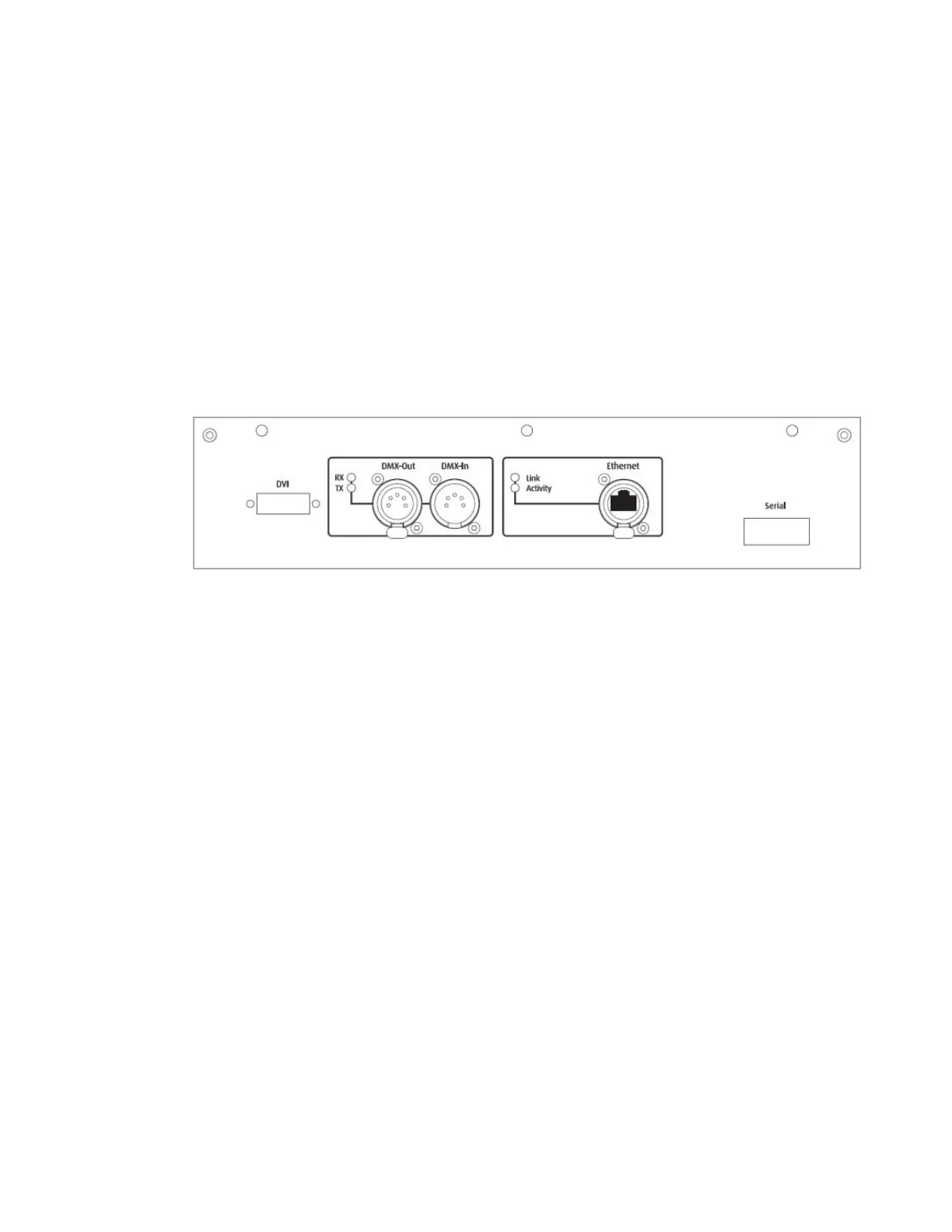
Connection Ports
Connection ports on the MMS100 allow for control flexibility and system design flexibility. At times, all ports may not be
used.
Connection ports:
• 5-pin DMX Data In and Data Out
• Ethernet to connect to other fixtures and your computer running the Content Management Application
(CMA)
• Two USB ports for connecting peripheral devices, drives or to assist with troubleshooting
• DVI Connector for graphics server output. (Must be connected to display device or projector for
proper operation)
• Serial Port, Covered and Reserved for future use
Not Shown:
• Pan / Tilt Motor harness connector (Must be connected, DO NOT UNPLUG WHILE POWERED,
SERIOUS ELECTRONIC DAMAGE WILL OCCUR)



 To Next Page